Using 4-/6-channel Audio Function
B-3
To have 4-/6-channel audio work, you must set appropriate configuration in
the C-Media software application.
To set the multi-channel configuration:
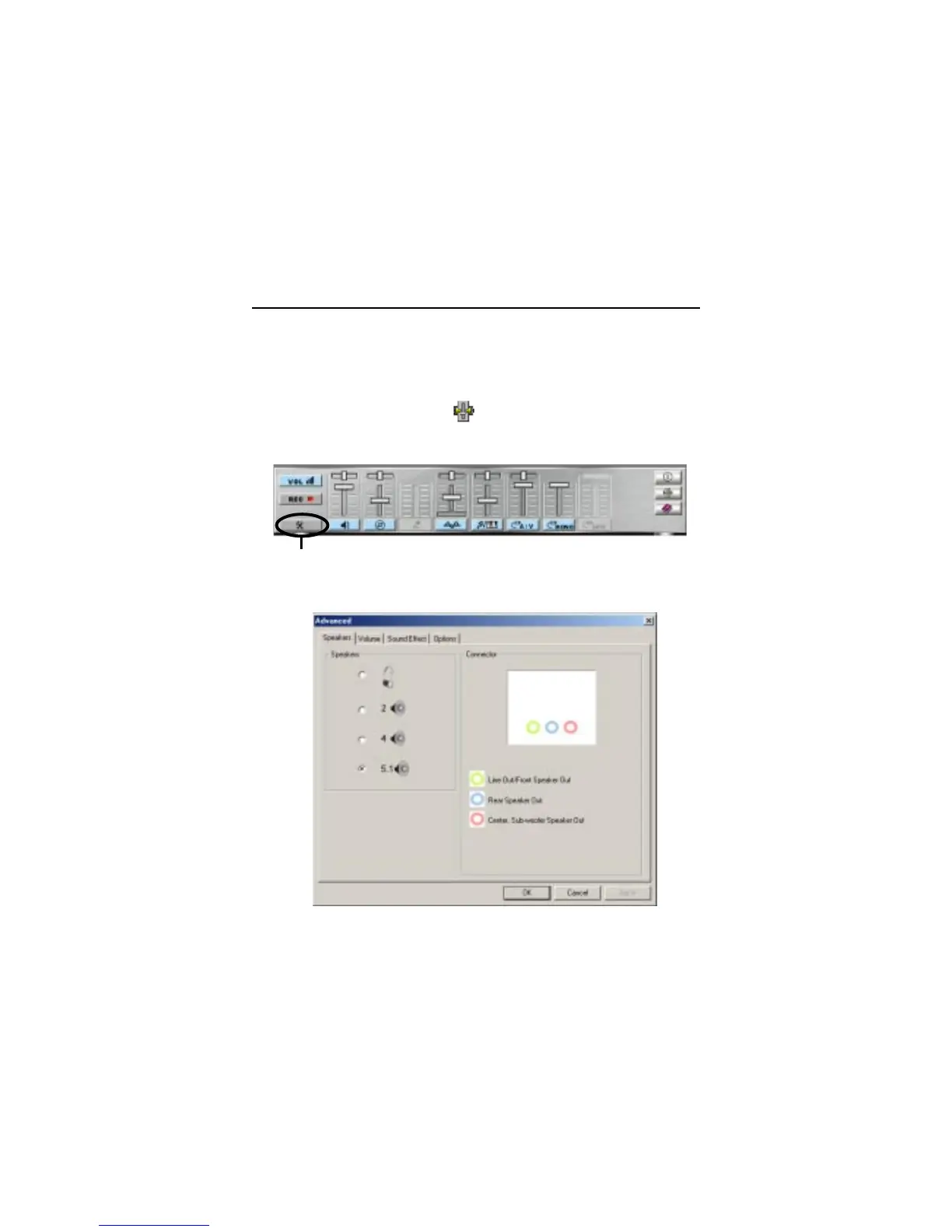
1. Click the C-Media Mixer icon from the window tray on the bottom.
2. The following screen appears. Click the indicated button.
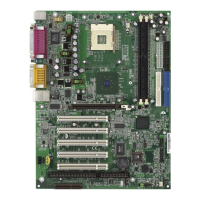
3. The “Advanced” window appears.
4. Select 5.1 for 6-channel or 4 for 4-channel audio output.
5. Click OK.
Software Configuration
Click here


 To Next Page