Hardware Setup
2-17
Note:
1. Always consult the vendor for proper CPU cooling fan.
2. CPU Fan supports the fan control. You can install the PC Alert
utility that will automatically control the CPU Fan speed accord-
ing to the actual CPU temeperature.
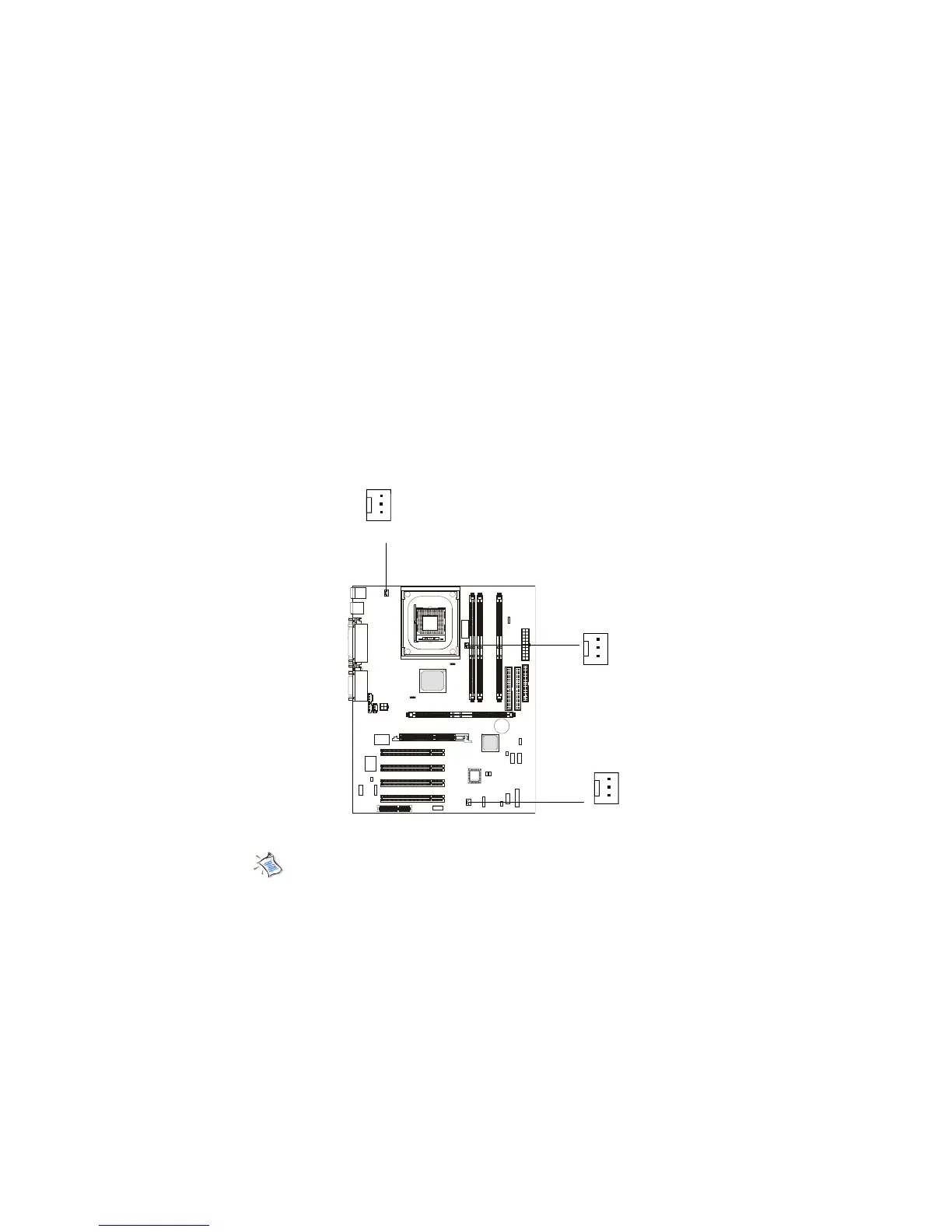
Fan Power Connectors: CPUFAN/SYSFAN/PSFAN
The CPUFAN (processor fan), SYSFAN (system fan) and PSFAN1 (power
supply fan) support system cooling fan with +12V. It supports three-pin head
connector. When connecting the wire to the connectors, always take note that
the red wire is the positive and should be connected to the +12V, the black wire
is Ground and should be connected to GND. If the mainboard has a System
Hardware Monitor chipset on-board, you must use a specially designed fan
with speed sensor to take advantage of the CPU fan control.
SENSOR
+12V
GND
CPUFAN
SENSOR
+12V
GND
PSFAN1
SENSOR
+12V
GND
SYSFAN


 To Next Page