Appendix A
A-8
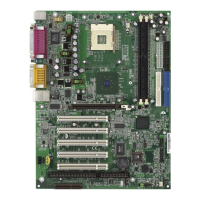
5. Choose the folder to install the software in your computer;
simply press [ Next > ] to install it in the default folder.
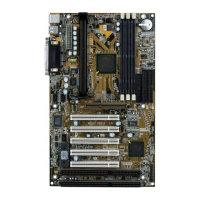
6. When the installation is completed, restart the computer as
instructed.
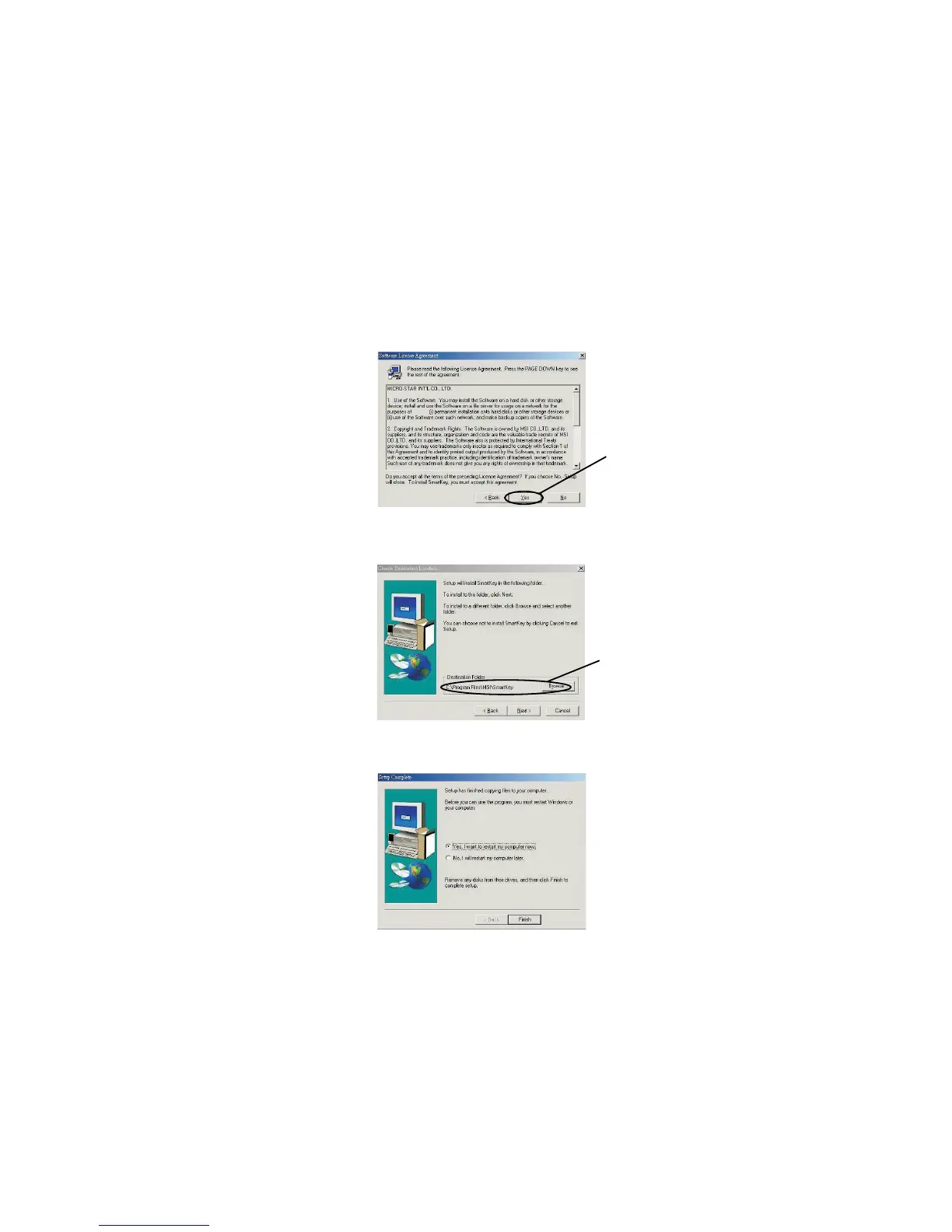
4. When the Software License Agreement window appears on the
screen, press [ Yes ] to continue.
Default folder
Click here


 To Next Page