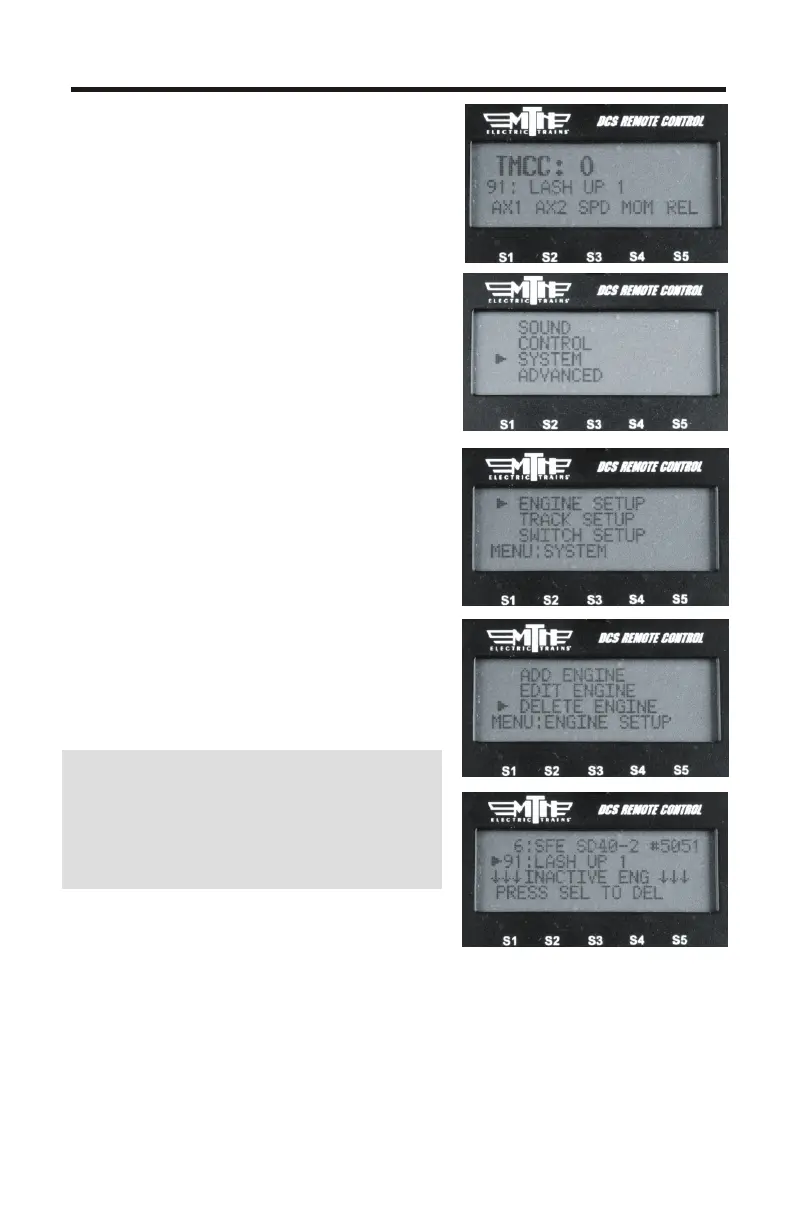
18. The new lash-up will be displayed
in the LCD
Your new TMCC lash-up is now ready
to operate.
19. To delete a TMCC lash-up press
the MENU button (ensure track power
is applied)
20. Select SYSTEM
21. Select ENGINE SETUP
22. Select DELETE ENGINE
23. Scroll to the TMCC lash-up you
want to delete and press the
thumbwheel (Select)
24. The engines in the lash-up will
sound their whistle/horn 1 time to
indicate they are now individual
engines
Create a TMCC lash-up using the
same procedure you use to create DCS
lash-ups. It's a much easier process
than using a CAB-1.
12
Create TMCC Lash-up Cont.



 To Next Page