SPECIFICATIONS
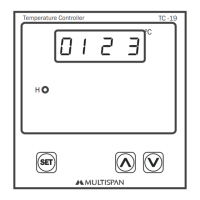
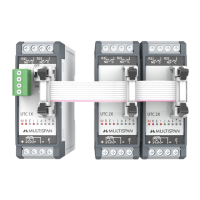
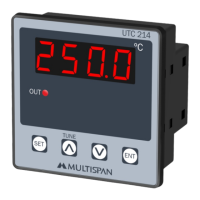
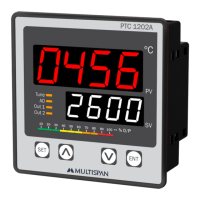
1. Microcontroller based. Double Display.
2. Size: 96 x 96 x 110 mm
Panel cutout: 92 x 92 mm
3. Supply: 230 V A.C. 50 Hz (SMPS).
4. Input Sensor: K Type.
5. Output: 2 Relays, 5 A/230V Relay contact.
R1 = For control purpose
R2 = For alarm purpose
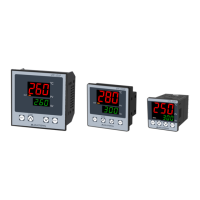
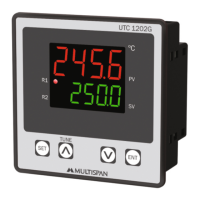
1. DISPLAYS: There are two Displays.
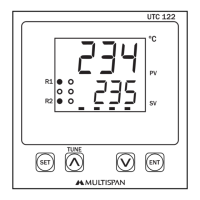
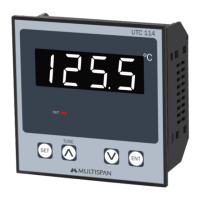
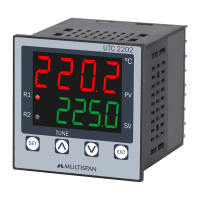
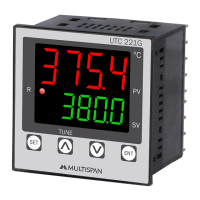
A) Display 1 : Upper 4 digit display in RED colour indicates current process temperature value
(PV).
B) Display 2 : Lower 4 digit display in GREEN colour indicates current SET POINT (SP).
C) LED’s : 1) A small Red LED in upper right hand side as R1.
2) A small Red LED in lower right hand side as R2.
2. FRONT KEYS:
These front keys can be used to see and change current values of
FUNCTION DISPLAY RANGE
1. RATE 1 0.1 to 9.9°C/min
2. SET POINT 1 0 - 1191°C
3. HOLD TIME 1 01 to 999 min
4. RATE 2 0.1 to 9.9°C/min
5. SET POINT 2 0 - 1192°C
6. HOLD TIME 2 01 to 999 min
7. RATE 3 0.1 to 9.9°C/min
8. SET POINT 3 0 - 1193°C
9. HOLD TIME 3 01 to 999 min
10. RATE 4 0.1 to 9.9°C/min
11. SET POINT 4 0 - 1194°C
12. HOLD TIME 4 01 to 999 min
13. RATE 5 0.1 to 9.9°C/min
14. SET POINT 5 0 - 1195°C
15. HOLD TIME 5 HLd5 01 to 999 min
16. RATE 6 0.1 to 9.9°C/min
17. SET POINT 6 0 - 1196°C
18. HOLD TIME 6 01 to 999 min
19. RATE 7 0.1 to 9.9°C/min
20. SET POINT 7 0 - 1197°C
21. HOLD TIME 7 01 to 999 min
22. RATE 8 0.1 to 9.9°C/min
23. SET POINT 8 0 - 1198°C
24. HOLD TIME 8 01 to 999 min
25. RATE 9 0.1 to 9.9°C/min
26. SET POINT 9 0 - 1199°C
27. HOLD TIME 9 01 to 999 min
28. ALARM 0 to 1200°C
SET

 Need help?
 General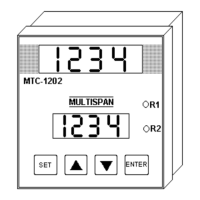

 To Next Page