Quick Reference Guide
30
Front Panel
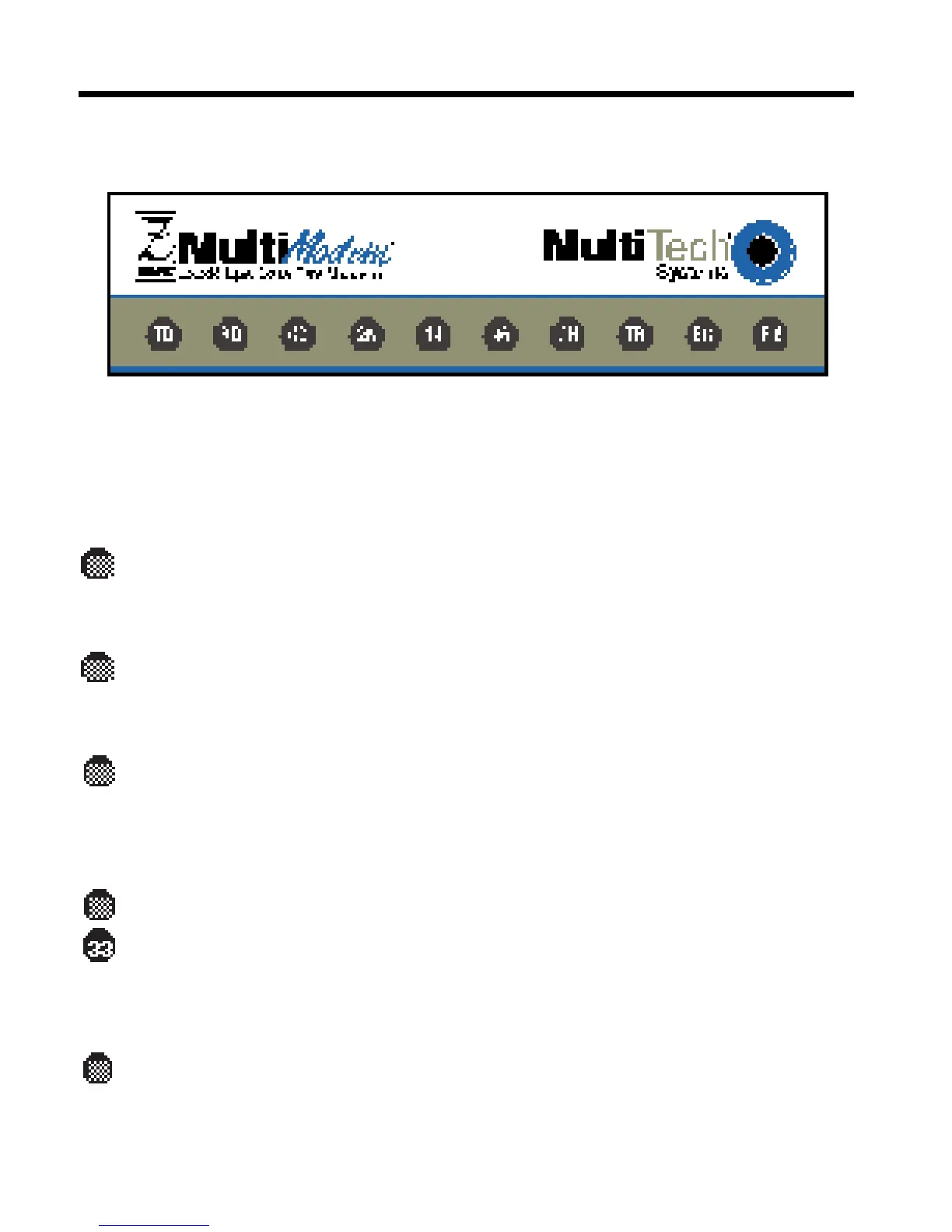
Figure 3-2. ZDX front panel
The MT2834ZDX has ten LED indicators on the front panel that indicate
status, configuration, and activity:
Transmit Data. The TD LED lights when the modem is transmit-
ting data to another modem. The state of the LED matches the TD
circuit on pin 2 of the RS-232C/V.24 interface.
Receive Data. The RD LED lights when the modem is receiving
data from another modem. The state of the LED matches that of
the RD circuit on pin 3 of the RS-232C/V.24 interface.
Carrier Detect. The CD LED lights when the modem detects a
valid carrier signal from another modem. It is on when the modem
is communicating with the other modem and off when the link is
broken.
28,800–33,600 bps. The 28 LED (33 LED on the ZDXb) lights by
itself when the modem connects at 28,800 bps, blinks slowly to
indicate 31,200 bps, and blinks fast to indicate 33,600 bps opera-
tion. This LED also lights or blinks in combination with the 14 LED
to indicate speeds between 16,800 and 26,400 bps (see table).
14,400 bps. The 14 LED lights by itself when the modem connects
at 14,400 bps. The 14 LED lights or blinks in combination with the














 To Next Page