ANTENNA AND ACTIVATION INFORMATION
16 MultiConnect
®
Cell MTC-MNK1 User Guide
Chapter 4 – Antenna and Activation Information
Antenna System Cellular Devices
The cellular/wireless performance depends on the implementation and antenna design. The integration of the
antenna system into the product is a critical part of the design process; therefore, it is essential to consider it early
so the performance is not compromised. Devices were approved with the following antenna(s) and for alternate
antennas meeting the given specifications.
Antenna
Devices were approved with the following antenna:
Manufacturer: Art Signal
Description: LTE Full Band Antenna with SMA-Male Connector
Model Number ARTS-MLEM-030
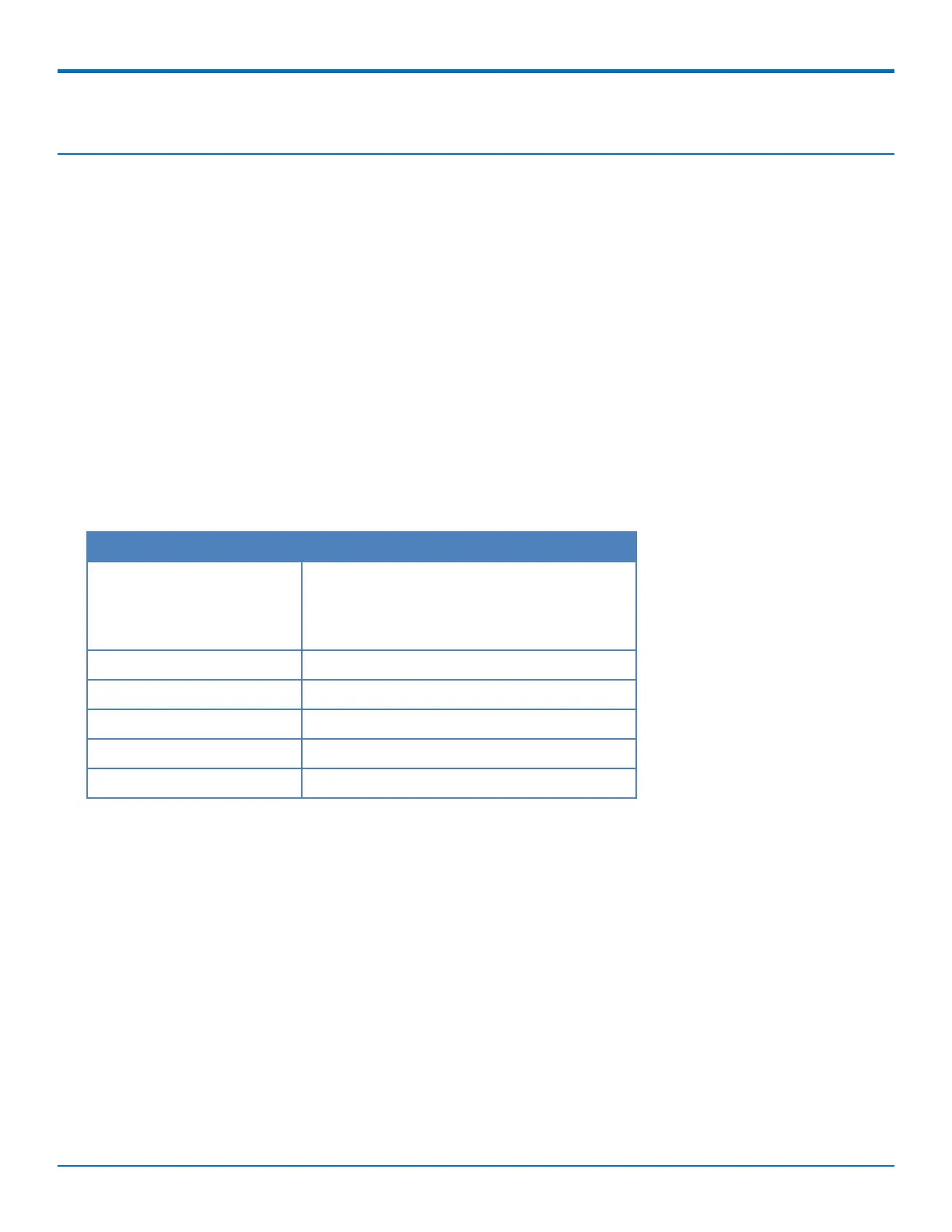
Antenna Specifications
Category Description
Frequency Range 824~960 ±1MHz
1710~2170 ±1MHz
2496~2690 ±1MHz
VSWR 5.5 maximum
Gain -3.5~2.0 dBi
Impedance 50Ω
Radiation Omni-directional
Polarization Linear
Account Activation for Cellular Devices
Some MultiTech devices are pre-configured to operate on a specific cellular network. To use the device, you must
set up a cellular data account with your service provider. Each service provider has its own process for adding
devices to their network.
Device Phone Number
Every device has a unique phone number. Your service provider supplies a phone number when you activate your
account. Wireless service provider implementation may vary. Consult with your service provider to get the phone
number for your device.














 To Next Page