MG50&MG90
5.3Start
5.3.1Manualoperation
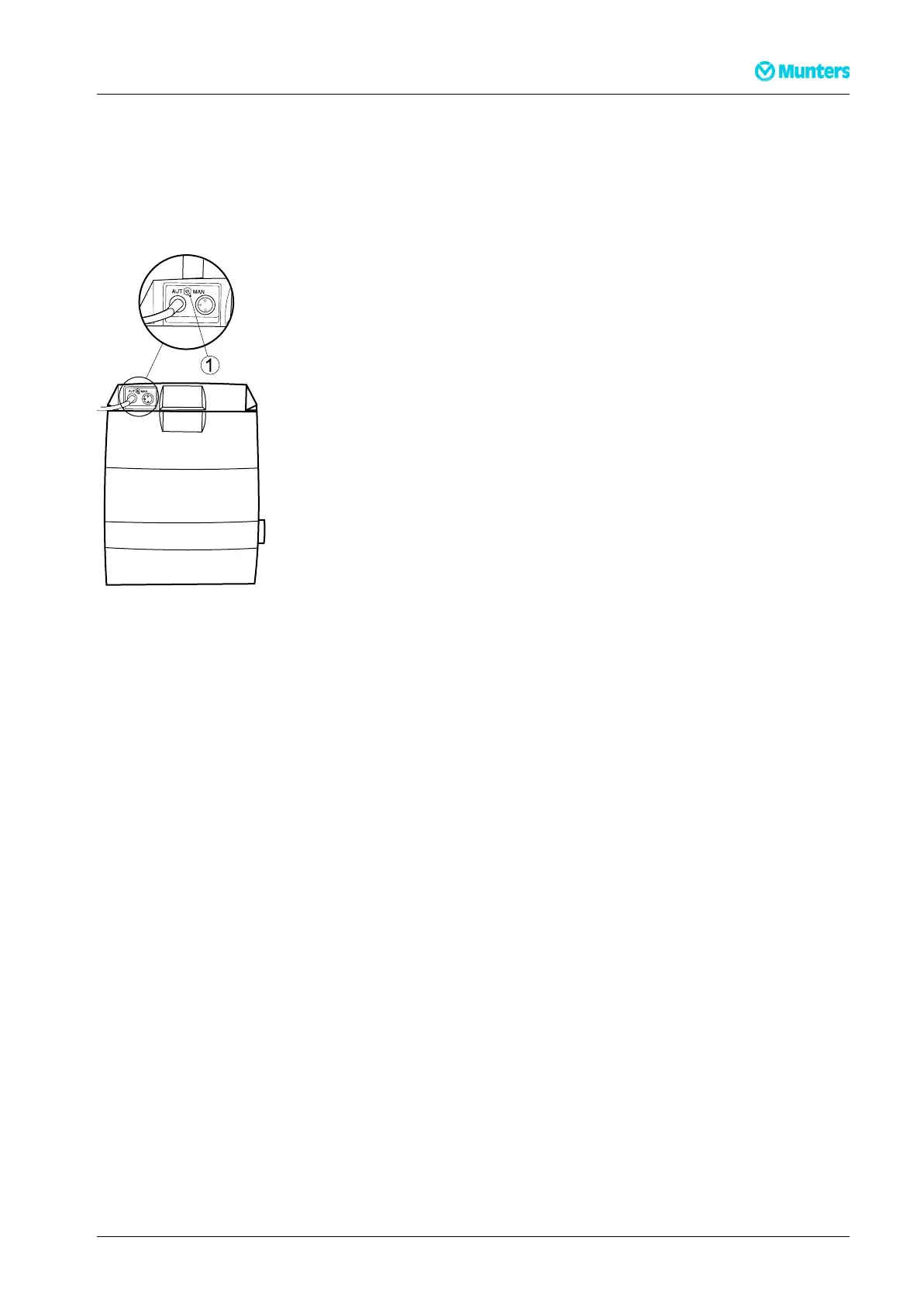
SetthemodeselectorswitchtoMANandconnectthedehumidiertoawallsocket,oroperatetheexternal
circuitbreaker,andcheckthattheunitstarts.
Figure5.1MAN-AUTmodeselectorswitch(1)
5.3.2Automaticoperation
NOTE!Toenablerunningtheunitinautomaticmode,asingle-stagehumidistat(option)mustbeinstalledand
connectedtotheunit.
1.Connectthedehumidiertoawallsocket,oroperatetheexternalcircuitbreaker,andcheckthatthe
unitstarts.
2.SetthemodeselectorswitchtotheAUTpositionandadjustthehumidistatsetpointtotheminimum
valueforrelativehumidity(RH).
3.Slowlyincreasethehumidistatsetpointuntilthedehumidierstops.Thisisdonetocheckthatthe
humidistatanddehumidierareoperatingcorrectly.
NOTE!Thefancancontinuetorotatewhenthereactivationheaterhasbeenswitchedoffdependingonthe
operationmode.Moreinformationisavailableinchapter4.8,Connectingthehumidistat.
4.AdjustthehumidistatsetpointtothedesiredRHvalue.
5.4Stoptheunit
Tostoptheunit,disconnectitfromthepowersourceorusetheexternalcircuitbreaker.
190TGB-1004–N1402Operation14



 To Next Page