A3 Scanner User Manual (PC)
23
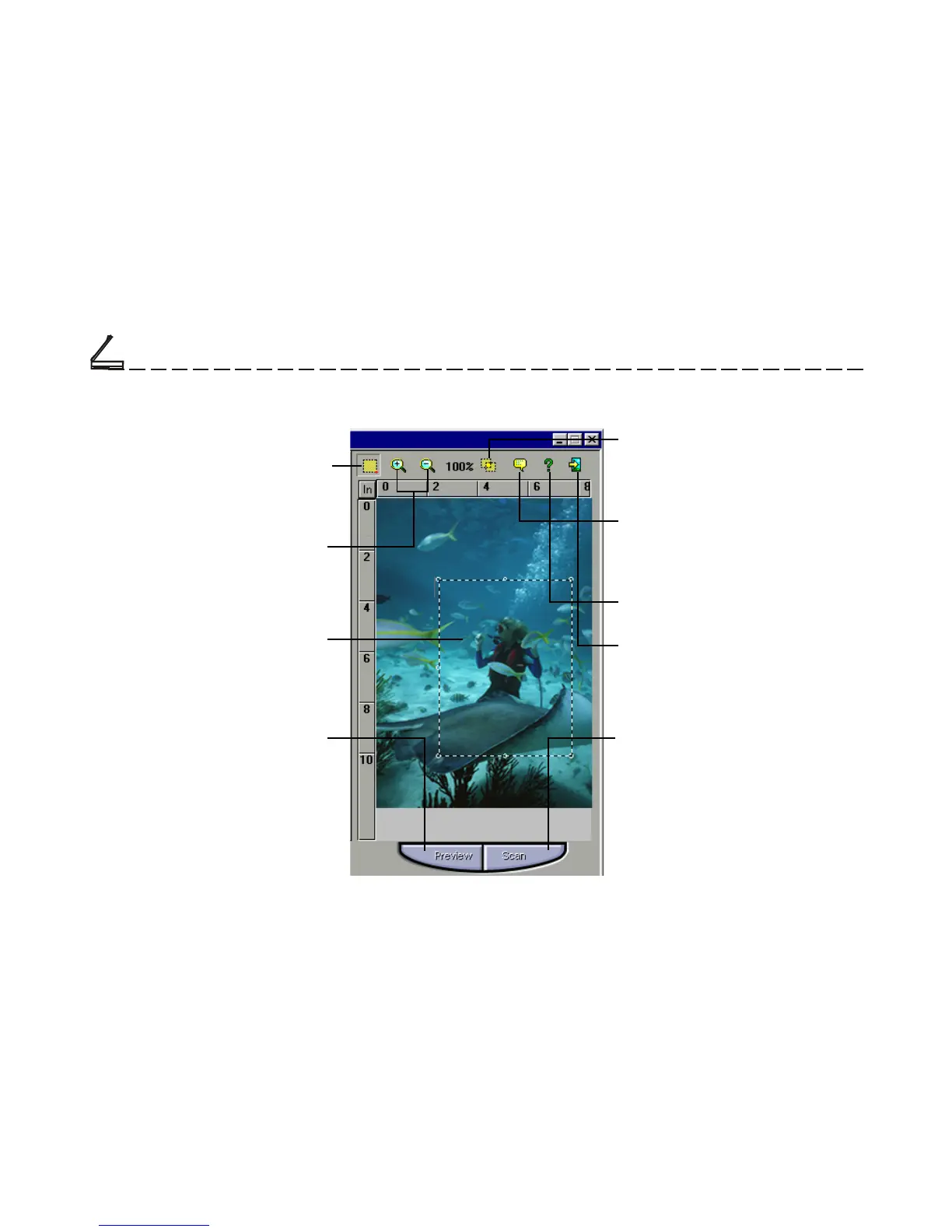
Batch Scan Button
Allows creation of up to 30 scan
regions (or Crop Frames) for
multiple scanning.
Crop Frame
Outlines the scan area or region
that will be included in the final
scan.
The Preview Window
Preview Button
Allows you to see the effect of
any changes made to the image
prior to scanning.
Zoom Tool Button
Allows you to enlarge/shrink an
area of the image in the preview
window
Scanning Tutorial
Cropping Tool
Selects the area in the Preview
Window that will be used as the
final scan.
Language Setting
Allows you to select the desired
language that the dialog box will
be displayed in.
Help Button
Provides On-line Help.
Exit Button
Click to exit (or close) the TWAIN
or Batch Scan Dialog boxes.
Scan Button
processes the pre-scanned
image, and displays it in the host
software (where you opened up
the TWAIN dialog box).
Chapter Two













 To Next Page