A3 Scanner User Manual (PC)
5
Installing the Scanner Driver
Please complete the software drivers installation
before installing the scanner. Do not connect the
power cord to the scanner at this stage.
1. Insert the Driver Instal-
lation CD into your disk
drive.
2. Follow all on screen
instructions.
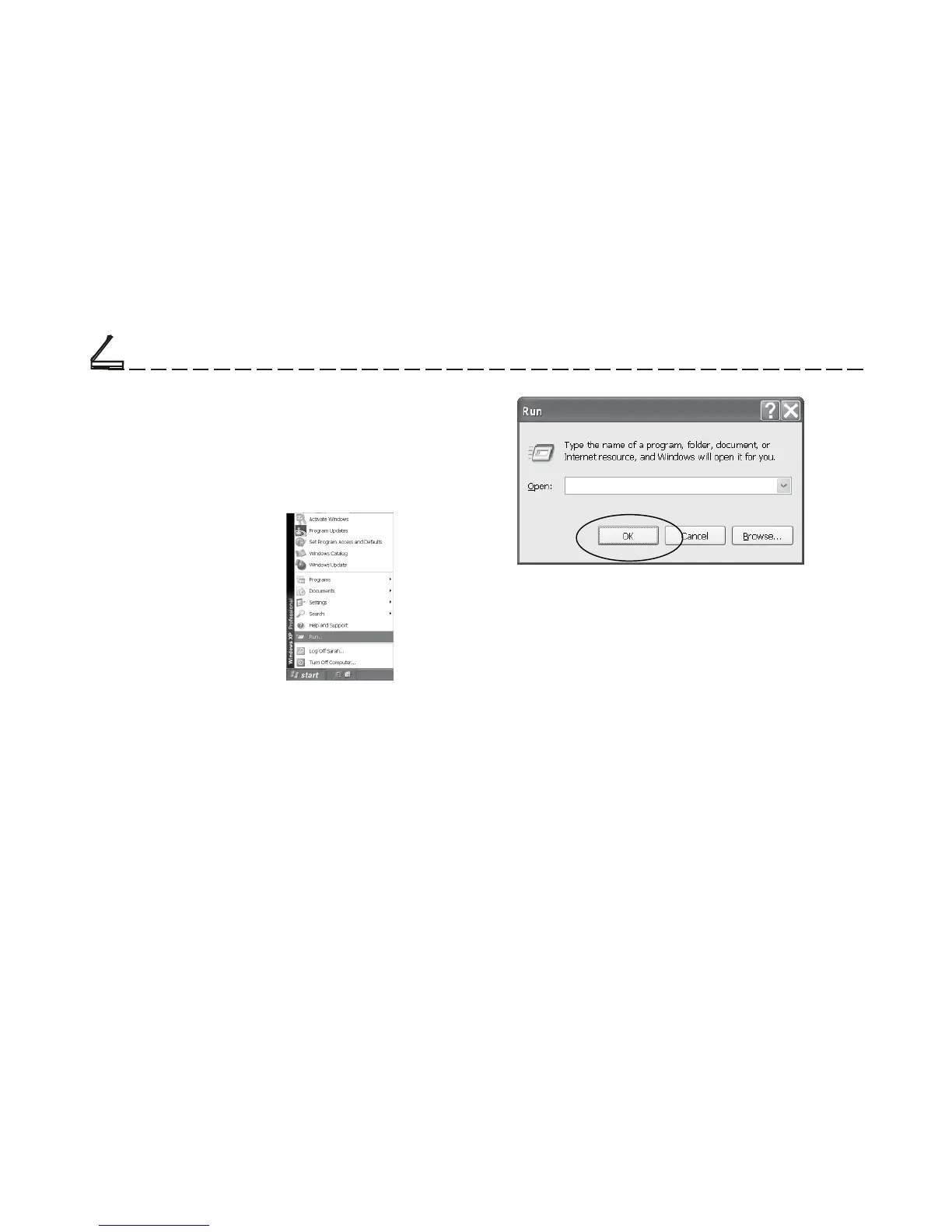
If, after inserting the Driver Installation CD into your
disk drive, the Driver Installation Welcome screen
does not appear, do the sollowing:
a. Click on Start and select Run.
b. In the Run dialog box, type drive:\Autorun
where driver is your CD-ROM drive and click OK.
Setting Up the Scanner
D:\Autorun
c. Follow all on-screen instructions.
When presented with the option of whether to
restart Windows after completing the software
drivers installation, please choose Ye s .
Note: Do not use the “add hardware” icon to install
your scanner.
Chapter One













 To Next Page