A3 Scanner User Manual (PC)
2
Carefully unpack the contents of the scanner
package.
Inspect the items closely and if you find any item
damaged or missing, please contact your Service
Center. Also, save the box and packing material for
in case you have to ship the scanner later.
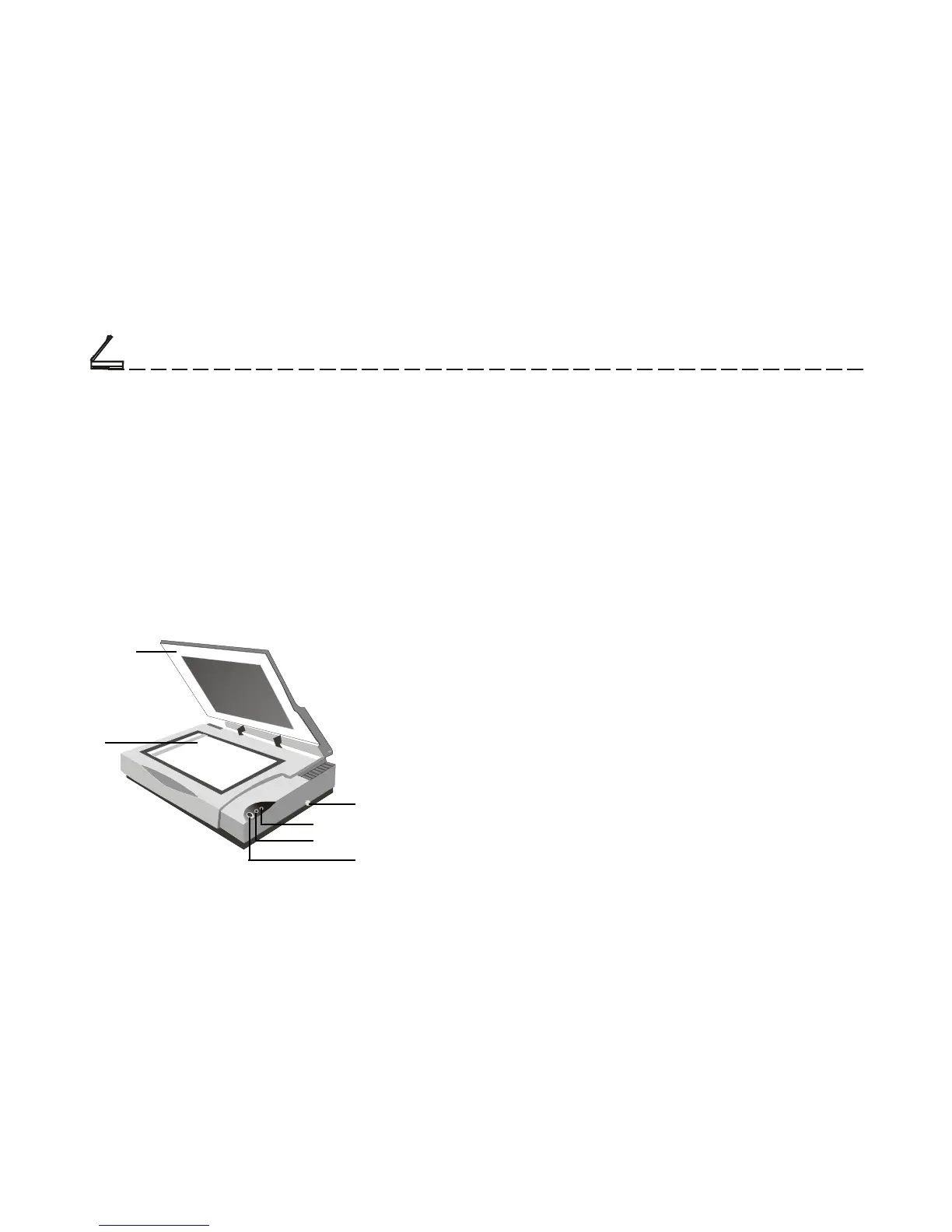
Document
Cover
Scan Window
Glass
Carriage Lock
LED Power Indicator
LED Ready Indicator
Power Switch
• Document Cover
The document cover holds the document in place
during scanning. It can be raised when scanning
objects such as books.
• Scan Window Glass
The scan window glass is where you lay down
and position documents for scanning. Alignment
marks and rulers are printed on the borders to help
you position documents.
• Carriage Lock
The carriage lock prevents the scanner’s internal
mechanism from moving during shipment. Unlock
the scanner before using and re-lock it when
shipping the scanner.
• LED Power Indicator
When you turn on the scanner, the LED power
indicator flashes momentarily and then remains
lit.
Unpacking the Scanner
The Scanner Parts
Setting Up the Scanner
Chapter One













 To Next Page