A3 Scanner User Manual (PC)
4
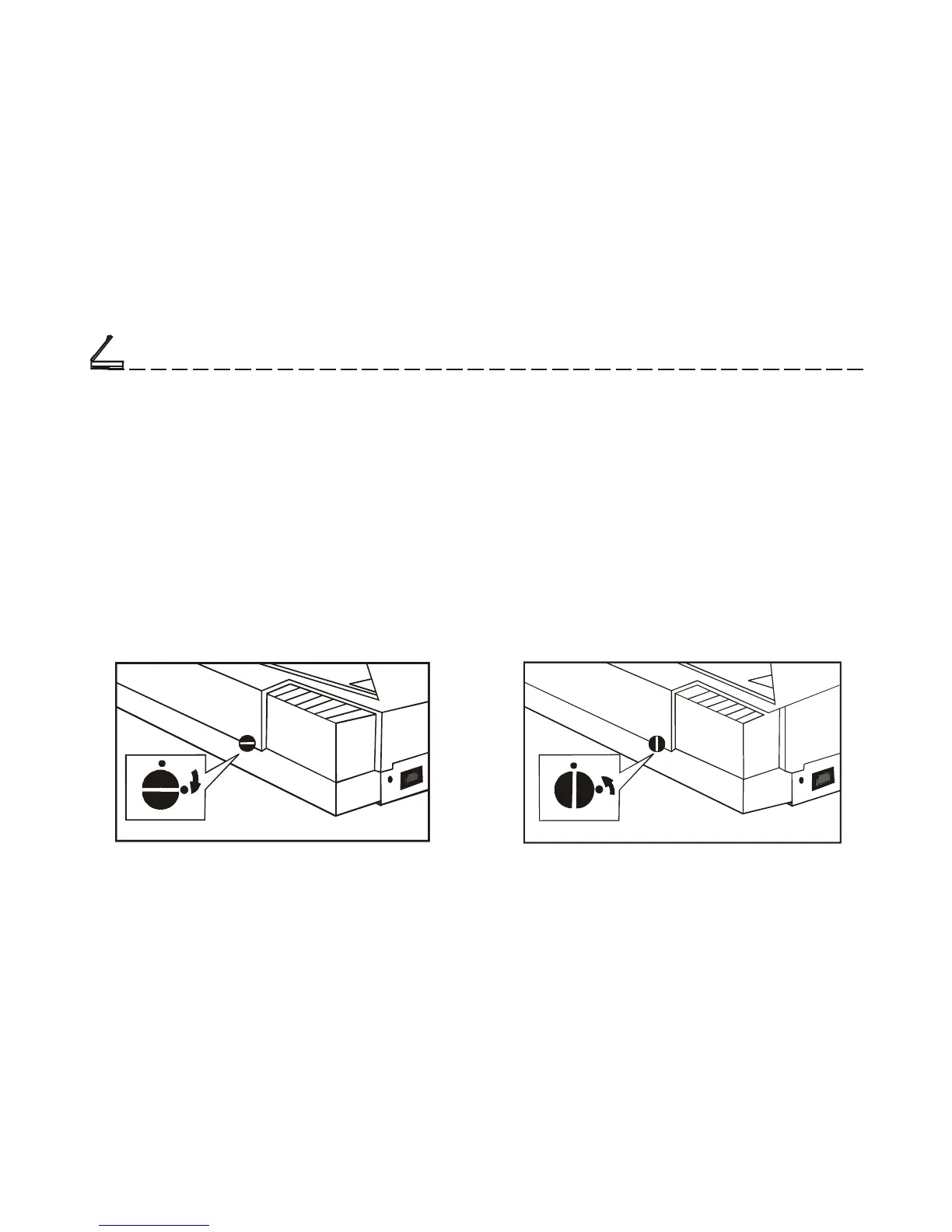
Unlocking the Scanner
In the rear of the scanner is a carriage lock that
protects the scanning mechanism during shipping.
To prevent causing damage to the scanner, you should
unlock the carriage before operating the unit. As
shown in the illustration, push the carriage lock down
to release the carriage.
Locking the Scanner
In case you need to ship the scanner once after
installation, be sure to lock the carriage.
Failing to do so may cause damage to the unit’s
scanning mechanism. To lock the scanner, first
select Start, Programs, A3 scanner, “Scanner Lock”.
After successfully running the program, and the
carriage has stopped moving, you can now lock the
scanner by pushing the carriage lock up as shown in
the illustration.
Setting Up the Scanner
Chapter One
Lock
Unlock
Lock
Unlock













 To Next Page