Reading and deleting measurement data
Reading measurement data;
The database can store 100 DMM measurement data.
1. Hold down the “HOLD” button for more than 2 seconds to enable the database.
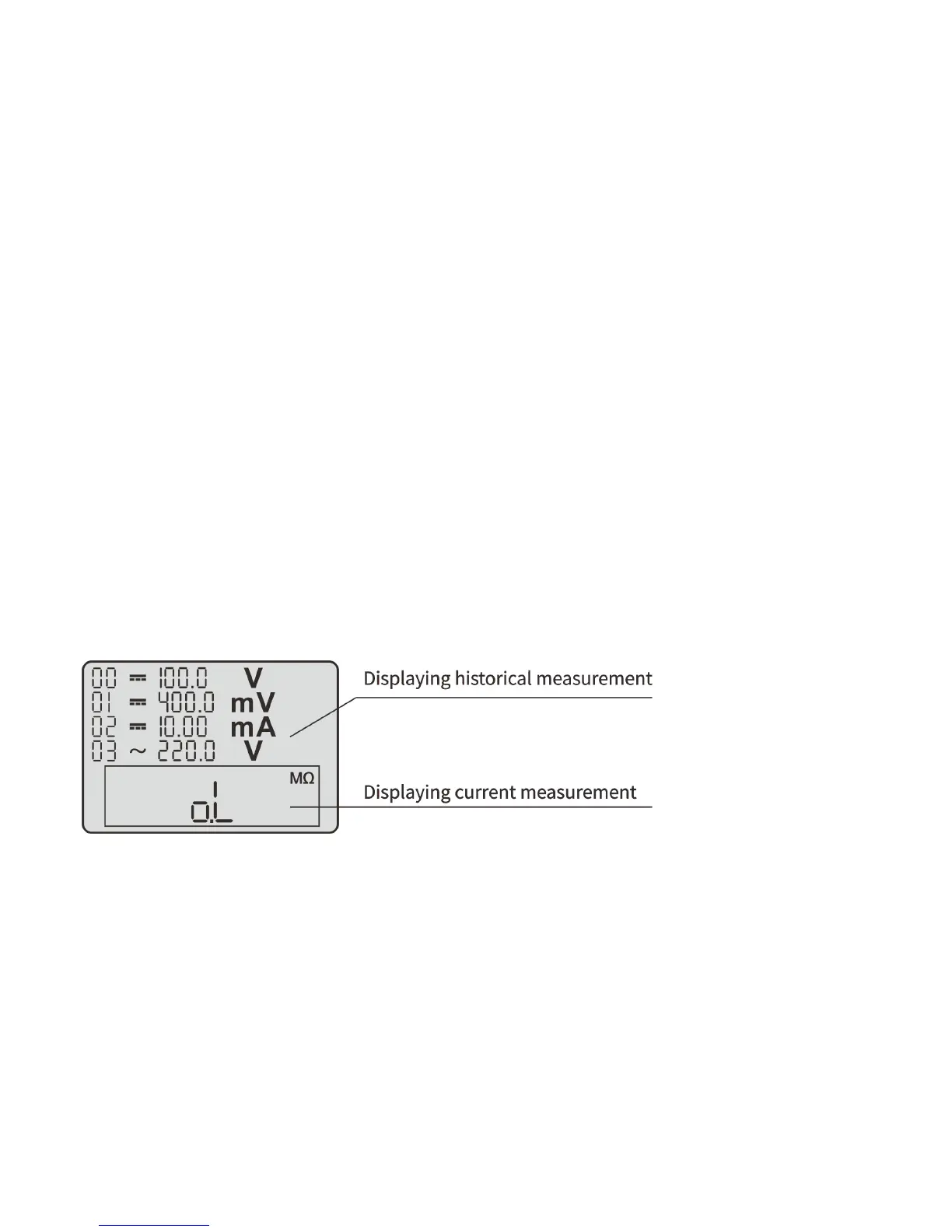
2. When reading the data, a window (real-time measurement data window) appears in the lower part of the screen.
The data in this window is refreshed.
3. In the database, the four storage locations on this page and the data therein are indicated on the LCD.
4. If there is data stored in a location, the value and unit of this data will be listed.
5. Press the “REL/SELE” button, the sequence of the data will change from H00 to H99 in turn; 4 groups of stored
data are displayed per page.
6. To disable the stored data reading, press the “HOLD” button and stay for 2 seconds.



 To Next Page