5 Self-Diagnosis Mode RJ-901C/RJ-900C Maintenance Manual
5-30
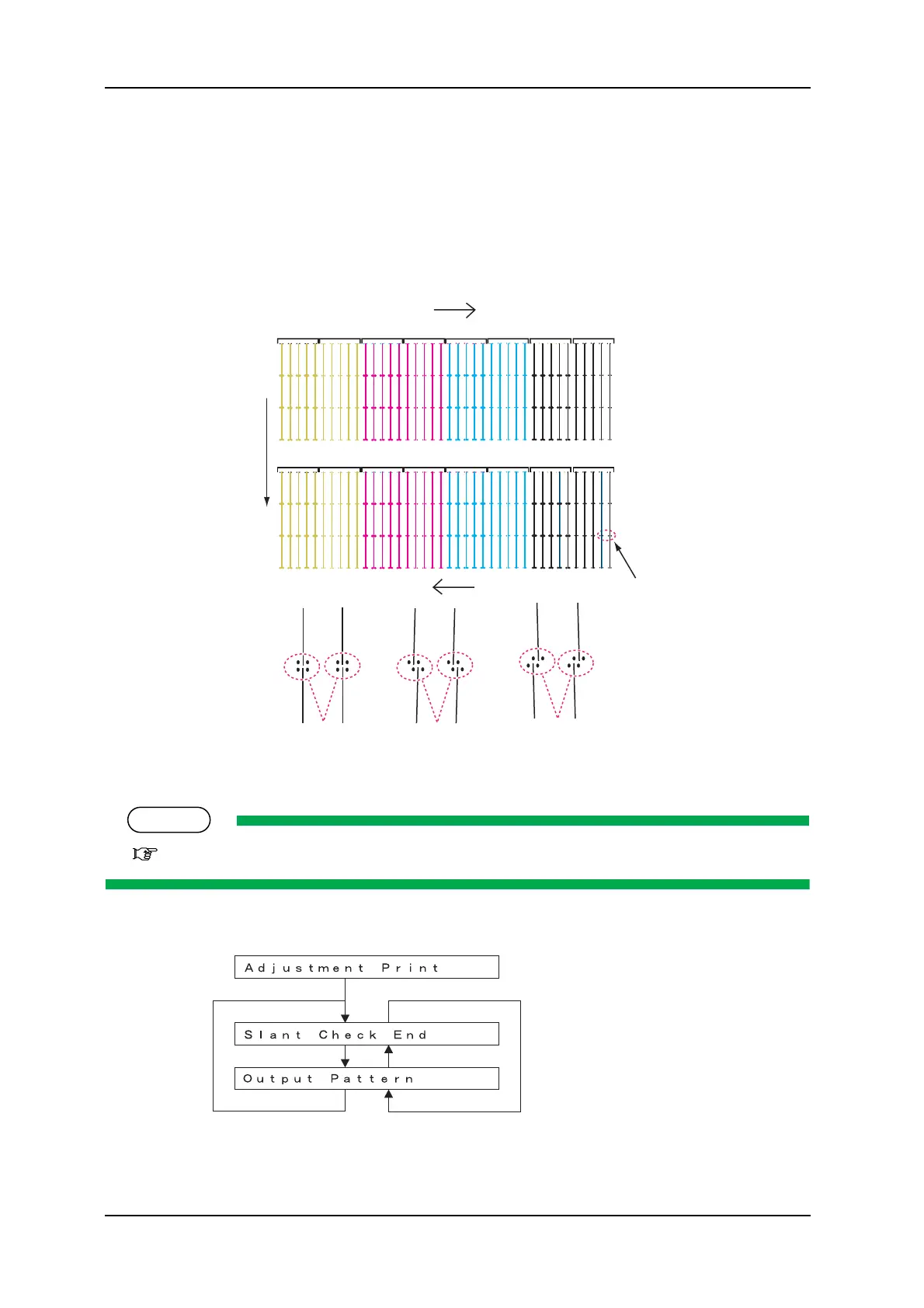
3. Check the printed head slant check patterns. Checking items are as follows:
A: Check the point to check the vertical slant angle.
B: Media feed direction
C: OK
D: Move the vertical-slant adjusting tab to the right.
E: Move the vertical-slant adjusting tab to the left.
4. If any head slant is found, perform mechanical adjustment.
TIP
"7.8 Head Alignment Adjustment(Slant)" p.7-28
5. After mechanical adjustment, make the machine print out head nozzle check patterns again.
#
'
&
%
$
#
$
#
$
#
$#
$
#
$
#
$
#
$#
$
%%9
%9
Finish printing
Display during adjustment printing
Output pattern
Previous menu
Previous menu
Next menu
Next menu
Finish printing










 To Next Page