4 Parts Replacement RJ-901C/RJ-900C Maintenance Manual
4-32
2.
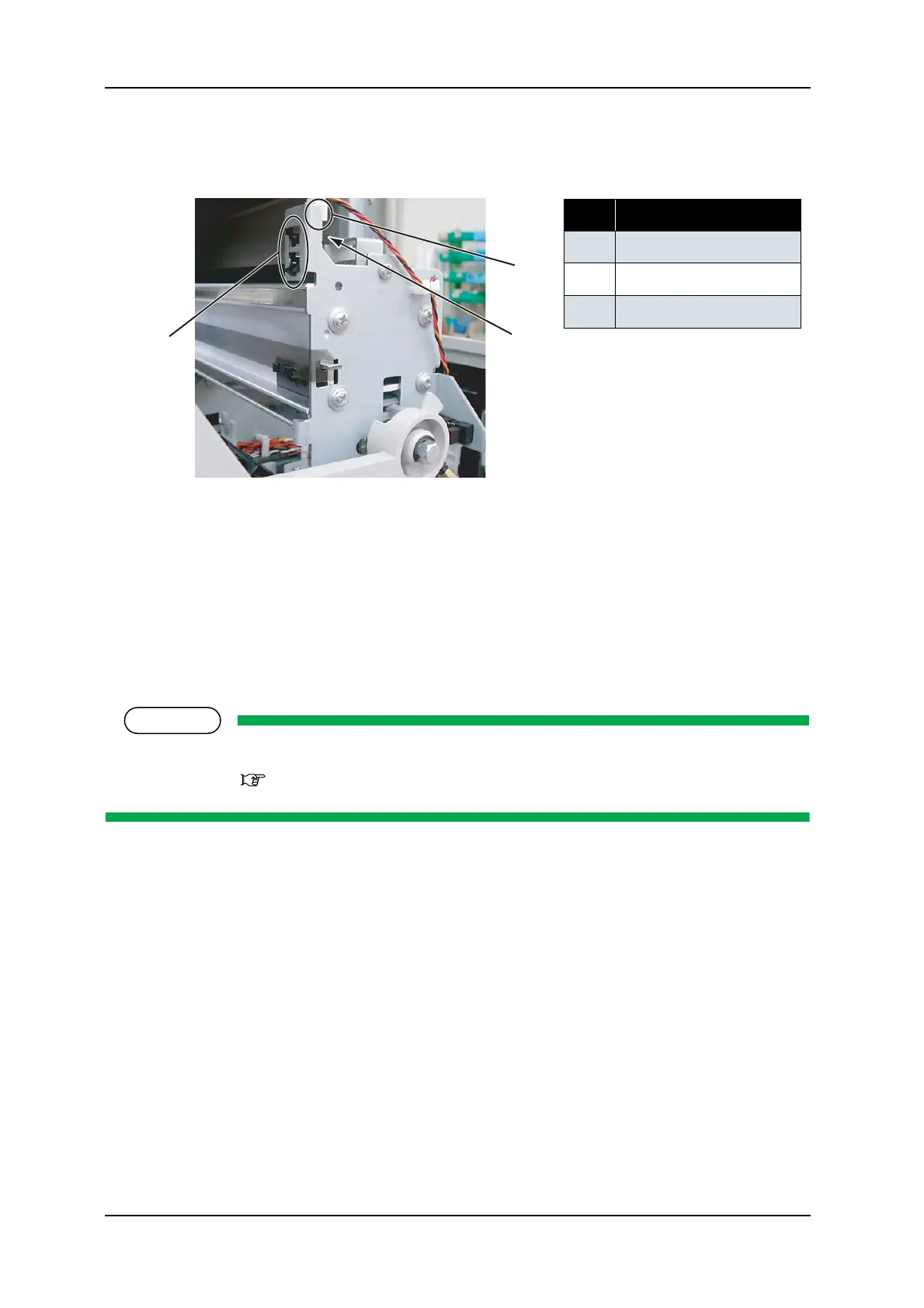
Pull out the CR_HP cable assembly connector from the CR_HP sensor.
3. Release the hook retaining the CR_HP sensor, then remove the CR_HP sensor.
4. Replace the CR_HP sensor.
5. To reassemble the unit, reverse the removal procedure.
6. Perform adjustments by following the instructions in "7.2 Adjustment Item" p.7-3.
4.5.3 Replacing Lever Sensor
NOTE
Before replacing the lever sensor, remove the following covers.
• R side cover: "4.2.1 Removing R Side Cover" p.4-6
1. Move down the pressure lever forward (downward).
No. Part name
1 Hook
2
CR_HP sensor
3
Connector
1
2
3










 To Next Page