Page 10/19 AP-76943_Rev 1.0
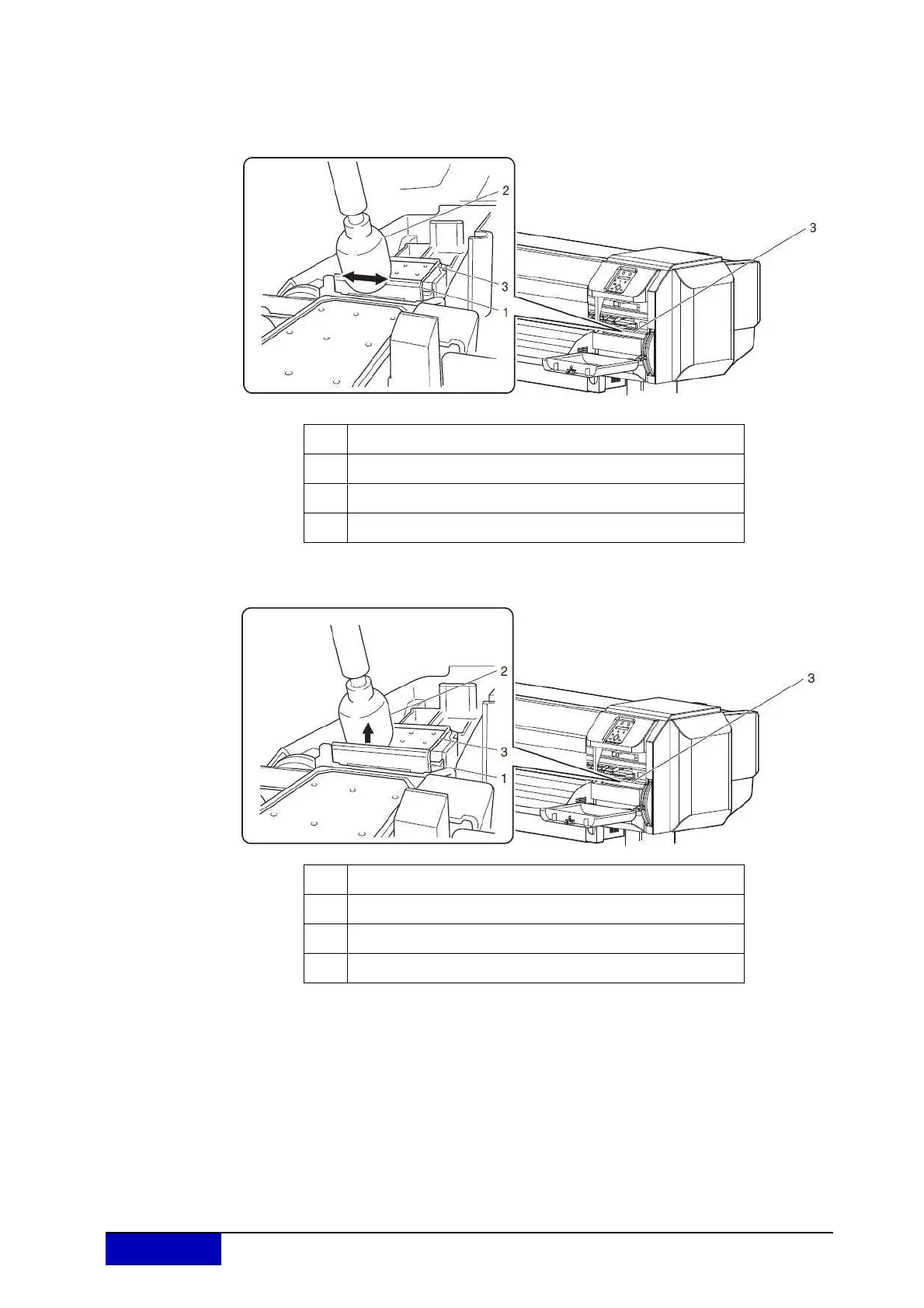
Step 5: Use a cleaning stick moistened with a suitable cleaning liquid to remove the ink and
dust on the cleaning wiper.
Front side of the cleaning wiper:
Remove the ink and dust in the horizontal direction.
k
Cleaning wiper back side:
Remove the ink and dust in the upper direction.
Step 6: Close the r
ight maintenance cover.
Close the cover firmly until it is locked.
Step 7: Press the [Enter] key.
The print head returns to its original position.
The cleaning wiper returns to the original position.
“CR Mainte.: Start” is displayed.
Step 8: Press the [Menu] key.
Cleaning the cleaning wiper is complete.
No. Name
1 Cleaning wiper
2
Cleaning stick
3 Head cap unit
No. Name
1 Cleaning wiper
2
Cleaning stick
3 Head cap unit











 To Next Page