Page 18/19 AP-76943_Rev 1.0
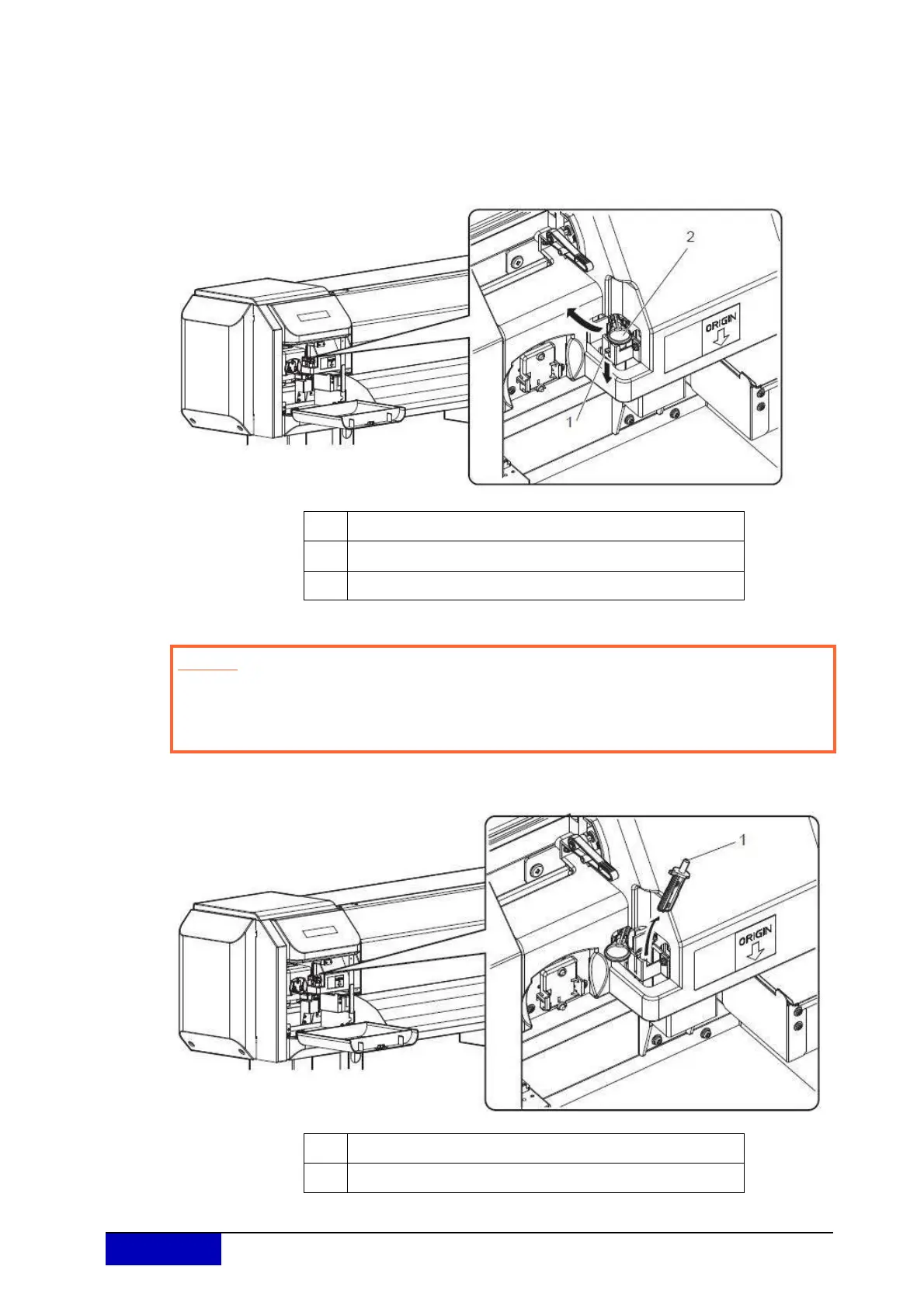
Step 5: Press the tab of the cutter gently, turn the cutter holder in the direction as illustrated
below.
Do not press the tab of the cutter strongly or suddenly let it go.
There is a spring in the cutter holder and it may pop out.
Do not push the cutter all the way in.
The cutter blade may damage the inside of the printer.
Step 6: R
emove the cutter.
Used cutter should be put in a plastic bag, etc, and disposed of in compliance
with local ordinance and instructions of local authorities.
No. Name
1 Cutter holder
2 Cutter holder lever
Caution
Do not touch the blade edge. It may cause an injury.
Do not touch the cutter blade edge with a hard substance or drop the cutter.
The cutter blade may be damaged or chipped.
No. Name
1 Cutting blade











 To Next Page