AP-76943_Rev 1.0 Page 19/19
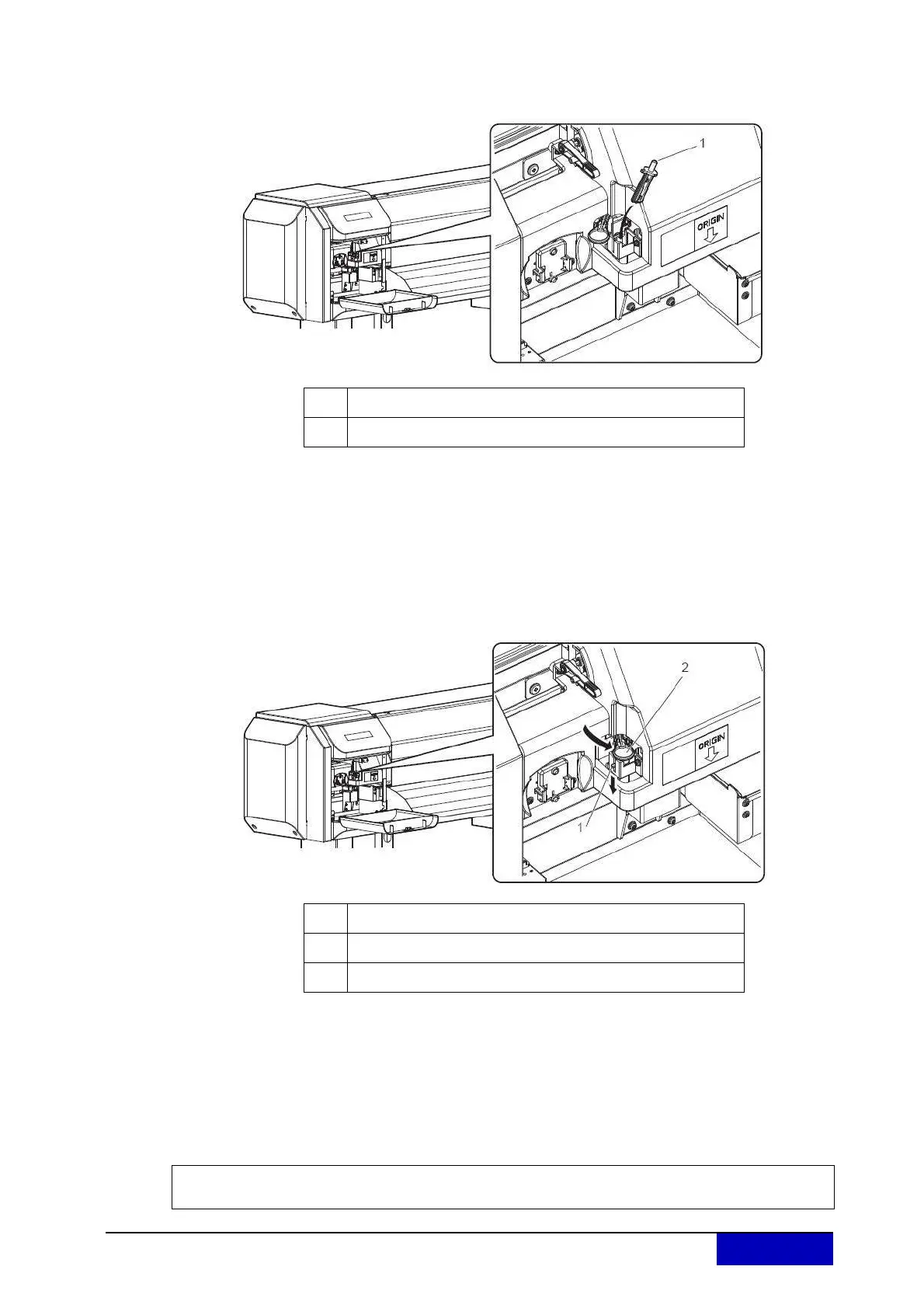
Step 7: Install a new cutter.
Make sure that the spring in the cutter holder does not fly out while installing.
Step 8: Pr
ess the tab of the cutter gently, return the cutter holder to its initial position.
Do not press the tab of the cutter strongly or suddenly let it go.
There is a spring in the cutter holder and it may pop out.
Do not push the cutter all the way in.
The cutter blade may damage the inside of the printer.
Refer to the illustrations below and install the cutter holder correctly.
If it is not installed correctly, it may cause an error.
If an error occurs, check if the cutter holder is installed correctly.
Step 9: Close the ma
intenance cover.
Step 10: Press the [Enter] key.
The print head returns to its original position.
“CR Mainte.: Start” is displayed.
Step 11: Press the [Menu] key.
Cutter replacement is complete.
No. Name
1 Cutting blade
No. Name
1 Cutter holder
2
Cutter holder lever
Copyright Mutoh Belgium. All rights reserved. Unauthorised copying or distribution prohibited.
Written approval required from Mutoh Belgium.











 To Previous Page