Page 4/19 AP-76943_Rev 1.0
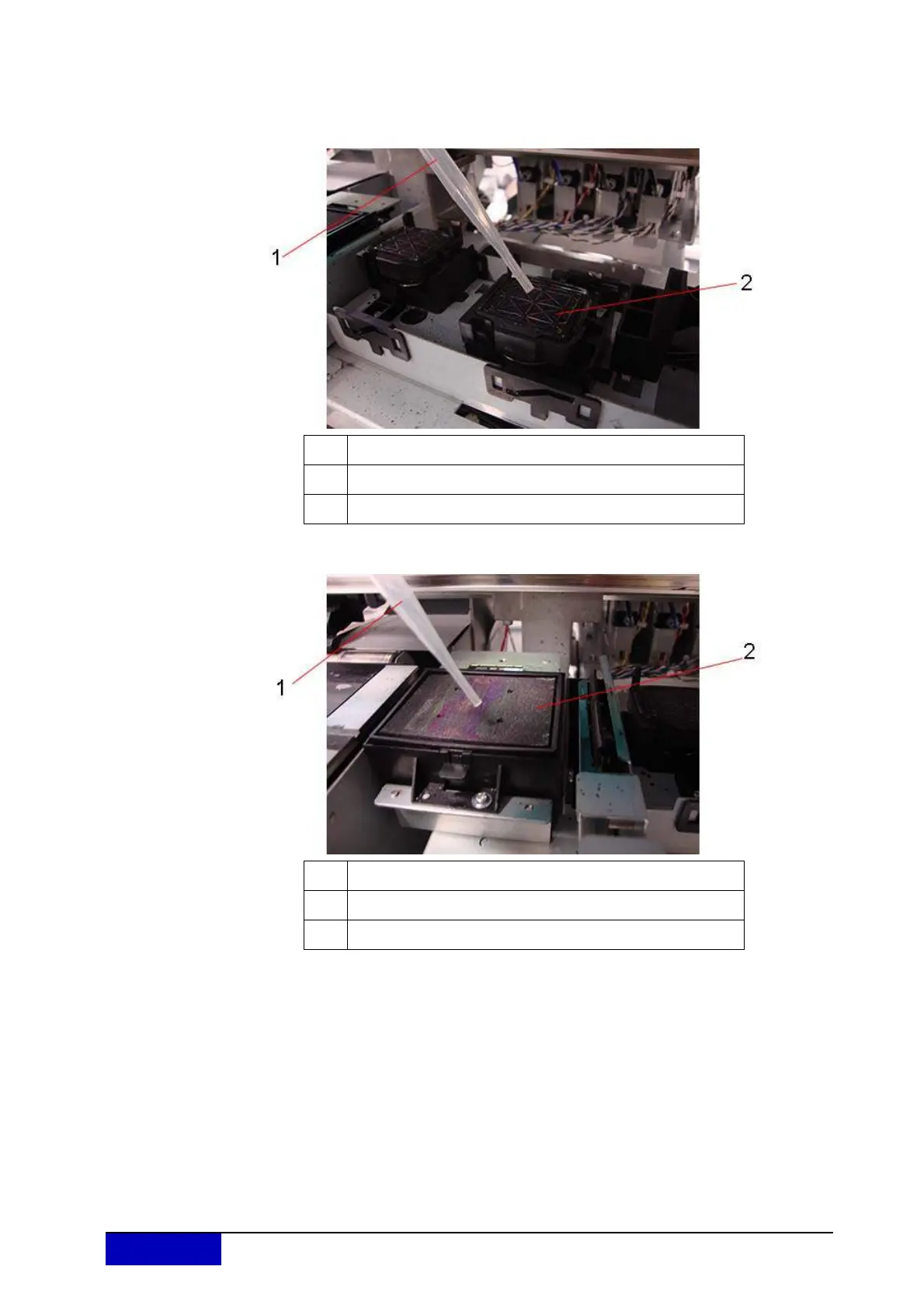
Step 6: Using a pipette filled with UMS cleaning liquid, drip about 5 ml of cleaning liquid onto
the head cap unit as shown in the illustration. The cleaning liquid will be sucked into the
capping unit and the connected tubing. It will remove ink remainders and prevent
blocking of the tubing. Also drip some cleaning liquid onto the flushing-box sponge.
Also drip some cleaning liquid onto the spitting box sponge.
Step 7: Press the [▼] key once again to stop the pumps.
If you do not press [▼], pumping stops automatically after 60 seconds.
Step 8: Press the [ENTER] key.
The print head returns to the capping position.
“CR Mainte.: Start” is displayed.
Step 9: Press the [Menu] key.
The tube flush procedure is completed.
No. Name
1 Pipette
2 Head cap unit
No. Name
1 Pipette
2 Flushing-box sponge











 To Next Page