VJ-1638/1638W OPERATION MANUAL ERRATA
October 2012
VJ1638xE-A-01c 20 MUTOH INDUSTRIES LTD.
4.4.8 Normal Display while Printing
The remaining length and remaining time to complete the currently printing data can be displayed
by an easy operation.
NOTE
The values displayed in this function are just standard values, not guarantee the accuracy.
If the print data includes no length data, all information will be displayed as “0”.
To check more detailed information of currently printing data, please refer to the below.
“4.4.5.2 Settings that can be changed or confirmed while printing”
To check the information of printed data, please refer to the below.
”5.8 Job Status Menu”
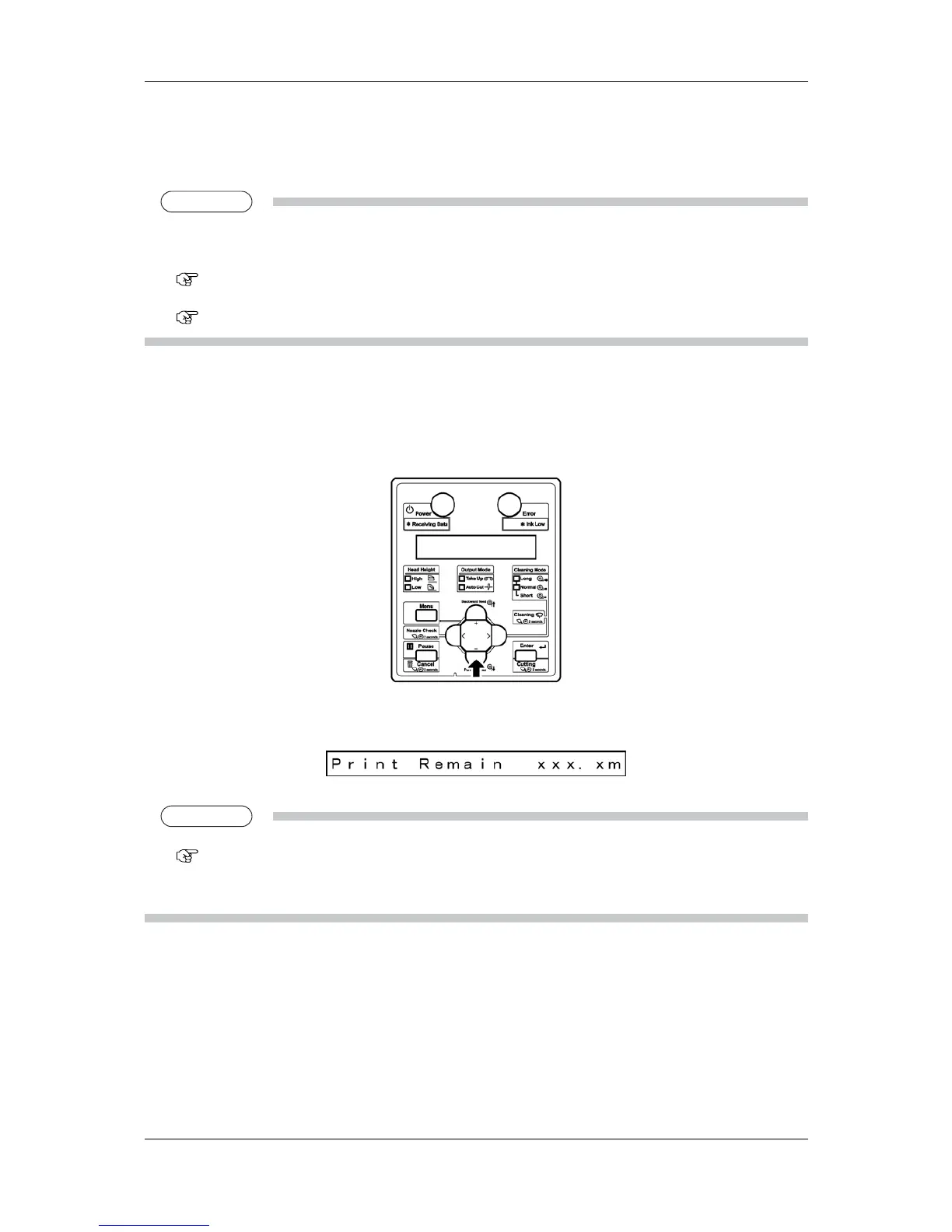
Follow the procedures below to display the information.
1. Check if the printer is printing a data.
2. Press [-] key on the operation panel to display [Print Remain].
・ The remaining length of data currently printing will be displayed.
TIP
When the length display setting is set to inch, the length will be displayed in inch.
5.7.3 Length Display Menu
The [+] key on the operation panel also can switch the display. In that case, [Remain Time] (Step 3) will be
displayed first.














 To Next Page