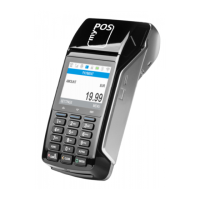
myPOS Mini - User Manual
Table of Contents
Introducon .....................................................................................................2
Scope 2
Related documentaon 2
Internet connecvity .......................................................................................2
Using myPOS Mini with a mobile phone (via Bluetooth or personal hotspot) 2
Using myPOS Mini with a wireless router (Wi-Fi) 3
Using myPOS Mini with SIM card 3
How to connect your myPOS Mini with Bluetooth 4
How to connect your myPOS Mini with Wi-Fi 5
How to connect myPOS Mini using SIM card 6
Acvaon ........................................................................................................7
Acvaon code 7
Accepng payments ........................................................................................8
Payment transacons 8
Processing magnec stripe cards 9
Processing contactless cards (PayPass or payWave) 9
Mobile Top-up 10
Send payment request 11
Refund transacons 12
Last transacon void 12
myPOS Mini funcons ...................................................................................13
F1 – transacons menu 13
F2 – sengs menu 14
Warranty and return policy ...........................................................................16
Replacement of myPOS package with defect 16
Important: disposal 16
For more informaon ...................................................................................16



 To Next Page