myPOS Smart Technical Specicaon & Warranty (Updated March 2018) | page 2
myPOS Mini - User Manual | page 2
Introduction
Congratulaons!
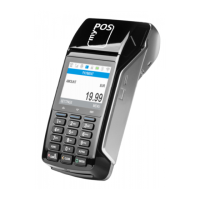
Your new myPOS Mini device (myPOS Mini for short) from myPOS Europe Ltd. is a
revoluonary mobile terminal for securely accepng payments with credit and debit
cards on the go. In order to start using it, you need to register on mypos.com for a free
e-money account, where your funds will be seled, and to acvate the myPOS Mini
device.
If you need more than one device for your business, you can purchase and acvate
addional myPOS devices. The funds from all devices will be transferred to your myPOS
account.
Scope
This user guide contains step-by-step instrucons for using your myPOS Mini device to
accept credit and debit card payments on the go. The purpose of this document is to
specify the main funcons of myPOS Mini.
The Quick User Guide provides informaon about:
• Internet connecvity capabilies of myPOS Mini
• How to use Bluetooth, Wi-Fi or SIM card on myPOS Mini
• Acvaon
• Accepng Payments
• Main menus and funcons
The Quick User Guide does not include informaon about the technical specicaons
of the device. It is is provided separately in the myPOS Mini Technical Specicaons &
Warranty document
Related documentation
The latest version of this Quick User Guide can be found on-line on
hps://mypos.eu/en/devices/mini.
Internet connectivity
In order to be able to process payments with credit and debit cards, the myPOS Mini
device has to be connected to the Internet. Your myPOS Mini can use the internet
connecon of your mobile phone (via Bluetooth or personal hotspot), a wireless router
and a SIM Card.
Using myPOS Mini with a mobile phone (via
Bluetooth or personal hotspot)
Make sure you have an internet connecon (data) acvated on your smartphone. In
order to connect your myPOS Mini device to your mobile phone, please read carefully
the informaon below.



 To Next Page