TECHNICAL MANUAL - hyperion X5
18
PC CONFIGURATION EN
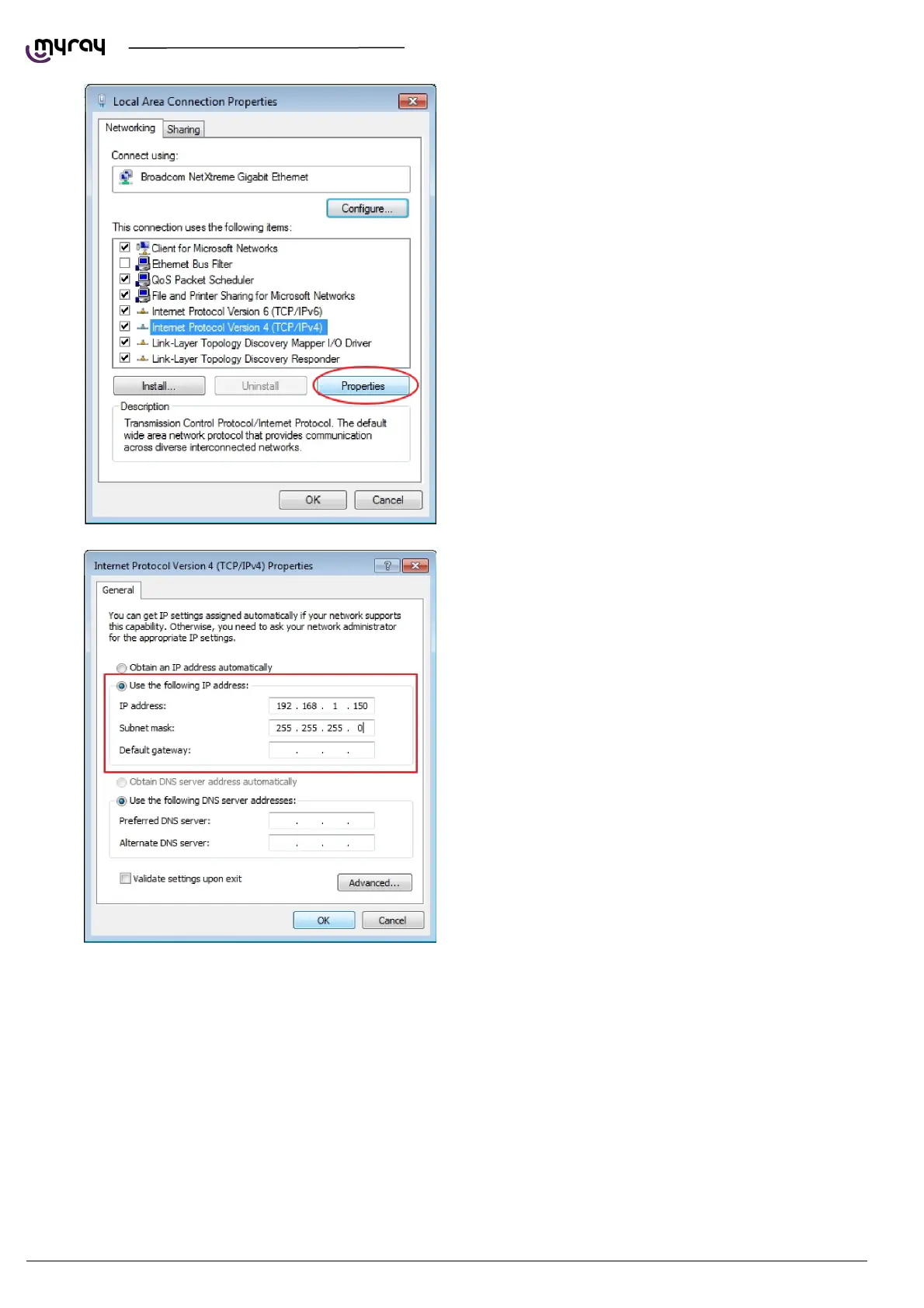
Select “Protocol internet version 4
(TCP/IPv4)”and click on “Properties”.
Specify an IP address compatible with the one of
the X9. In the “IP Address” field, type an address
as 192.168.1.XXX where XXX can be a digit
included between 1 to 254, with the exception of
the X9 default IP (usually 160). The Subnet mask
will be automatically filled.
Confirm by pressing the “OK” button.
If the unit is connected to a LAN with DHCPC (as in the following diagram) then the noetwork adapter should be set to
“Obtain IP address automatically”. The DHCP server will assign correct IP addresses to both the hyperion X5 and the
acquisistion server.



 To Next Page