TECHNICAL MANUAL - hyperion X5
EN
PC CONFIGURATION
19
Once the IP addresses have been configured
correctly you can start setting up the Acquisistion
Server software.
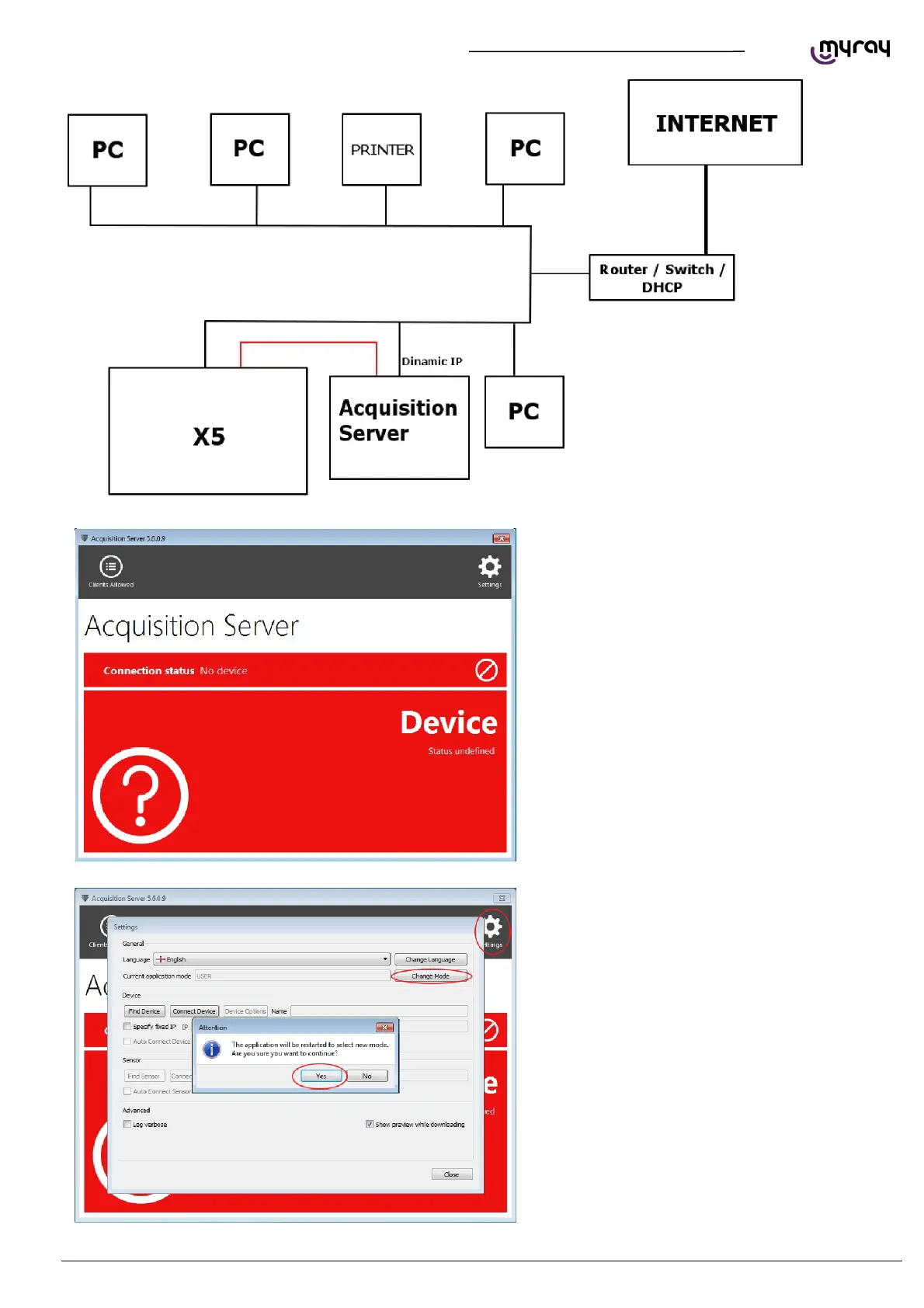
Click on the Acquisition Server icon in the system
tray, the main window will be magnified in “User”
mode.
The topmost red area represents the connection
status and the sensor status. The lower red area
is used for diagnostics and reporting error
messages.
Click on the “Settings” icon on the top left corner.
The connections and options panel will open up.
Select “Change mode” and confirm the application
restart request.



 To Next Page