TECHNICAL MANUAL - hyperion X5
20
PC CONFIGURATION EN
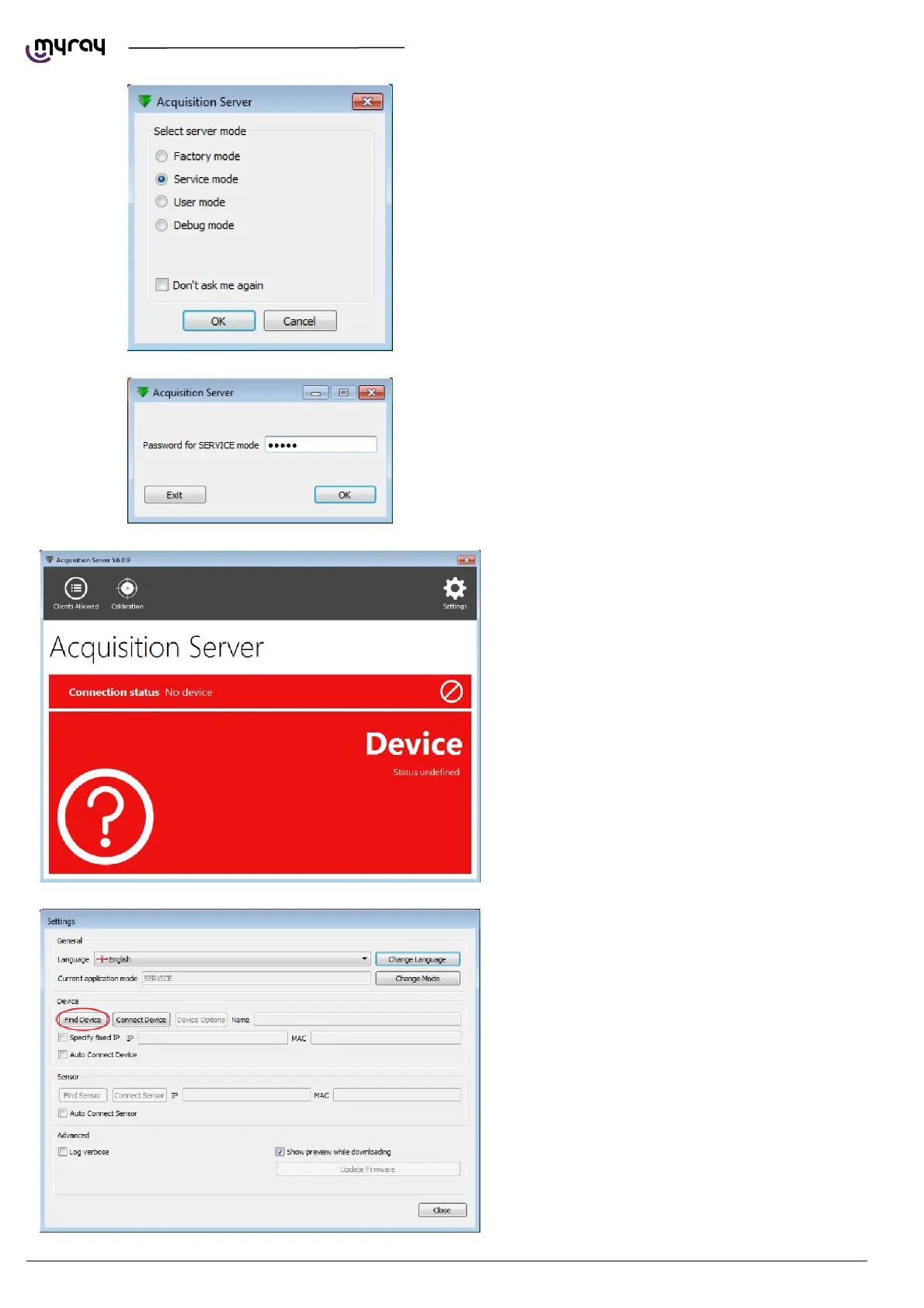
On program restard you'll be prompted to select
the application mode. Select “Service mode”.
enter the password “cefla”.
Restart the “Acquisition Server” software, now in
“Service mode”.
Click on “Settings” and select “Find Device”.



 To Next Page