TECHNICAL MANUAL - hyperion X5
24
PC CONFIGURATION EN
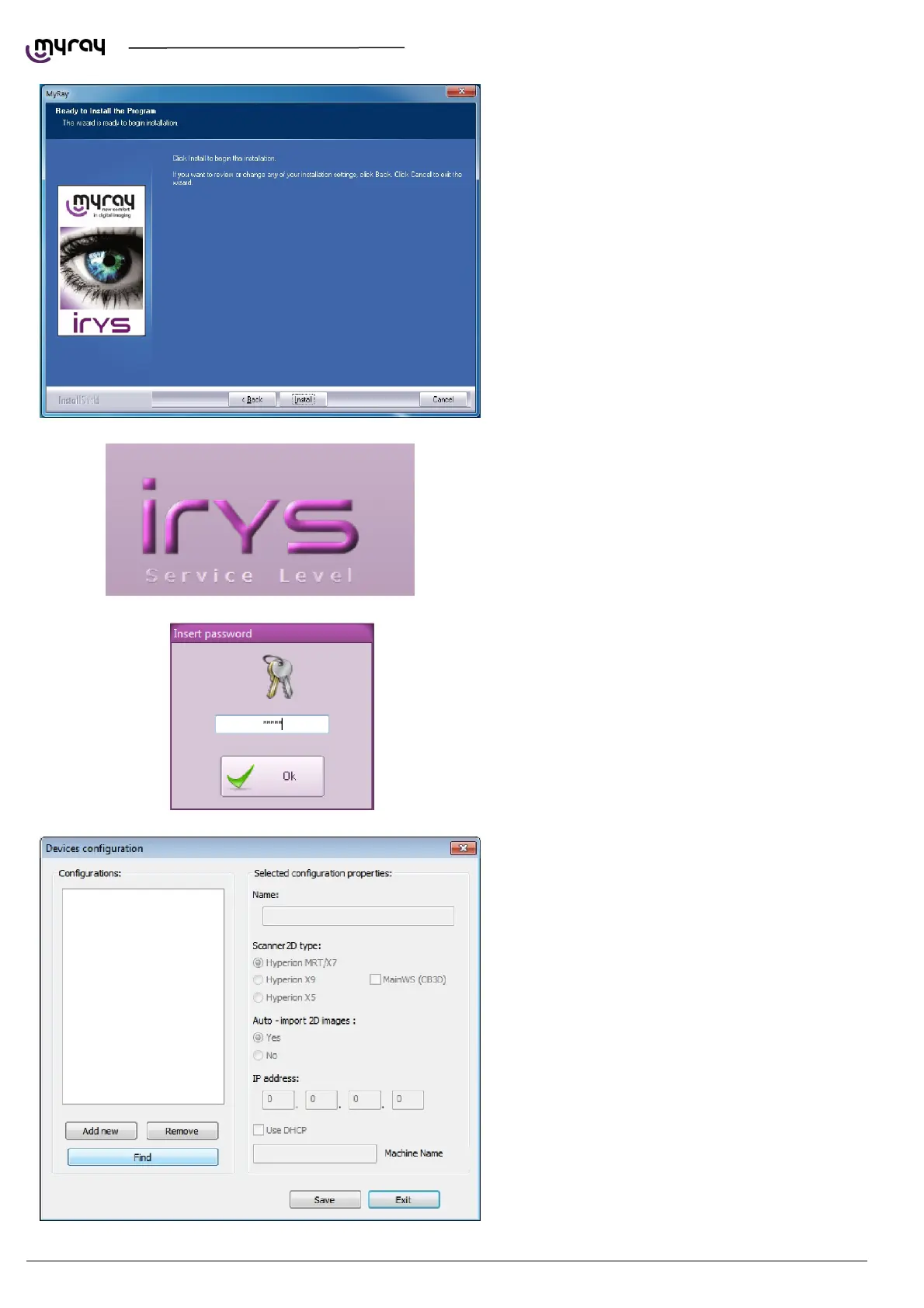
Click “Install”:
Click ok to confirm.
To connect the hyperion X5 to iRYS, start iRYS
and press “CTRL + ALT + SHIFT + FINE”
simultaneously to access the
service level of the program, confirmed by the
message in the bottom right-hand corner:
Now press “ALT + F10” and type the password
“12345” to access the device configuration panel:
By clicking on “Find” the PC running the
Acquisition Server software will be detected.
WARNING: iRys connects to the Acquisition
Server software and not to the hyperion X5
directly, so the IP address shown in this window is
not the hyperion X5 IP address, but the
Acquisition Server PC address.
Select the line and confirm.



 To Next Page