TECHNICAL MANUAL - hyperion X5
EN
PC CONFIGURATION
25
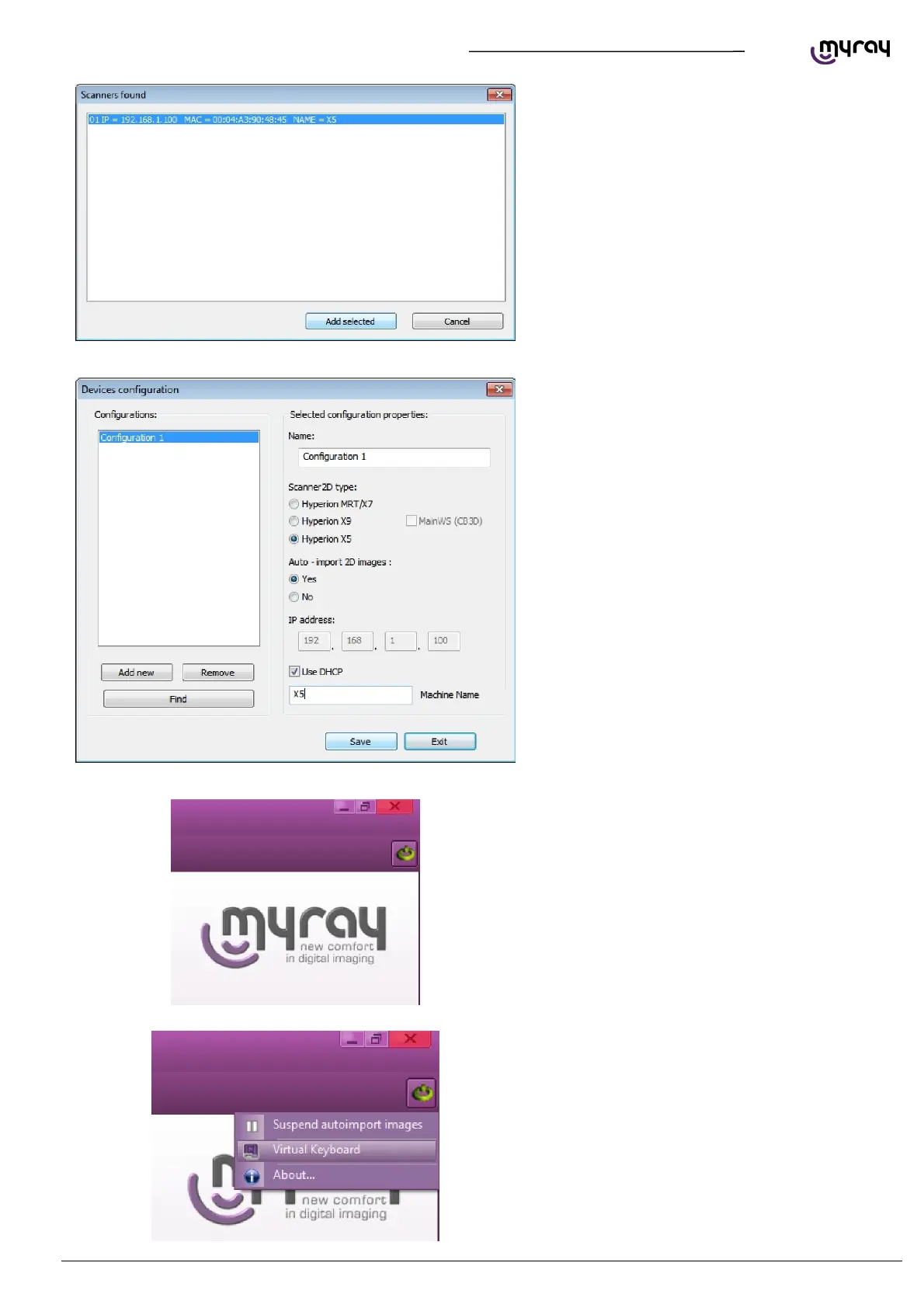
Configure the remote connection as shown in the
image here below. Click “Save” and then “Exit”.
The .hyperion X5 connection status icon will
appear in the upper right corner of iRys' interface.
Click on the icon and select “Virtual keyboard”:



 To Next Page