TECHNICAL MANUAL - hyperion X5
26
PC CONFIGURATION EN
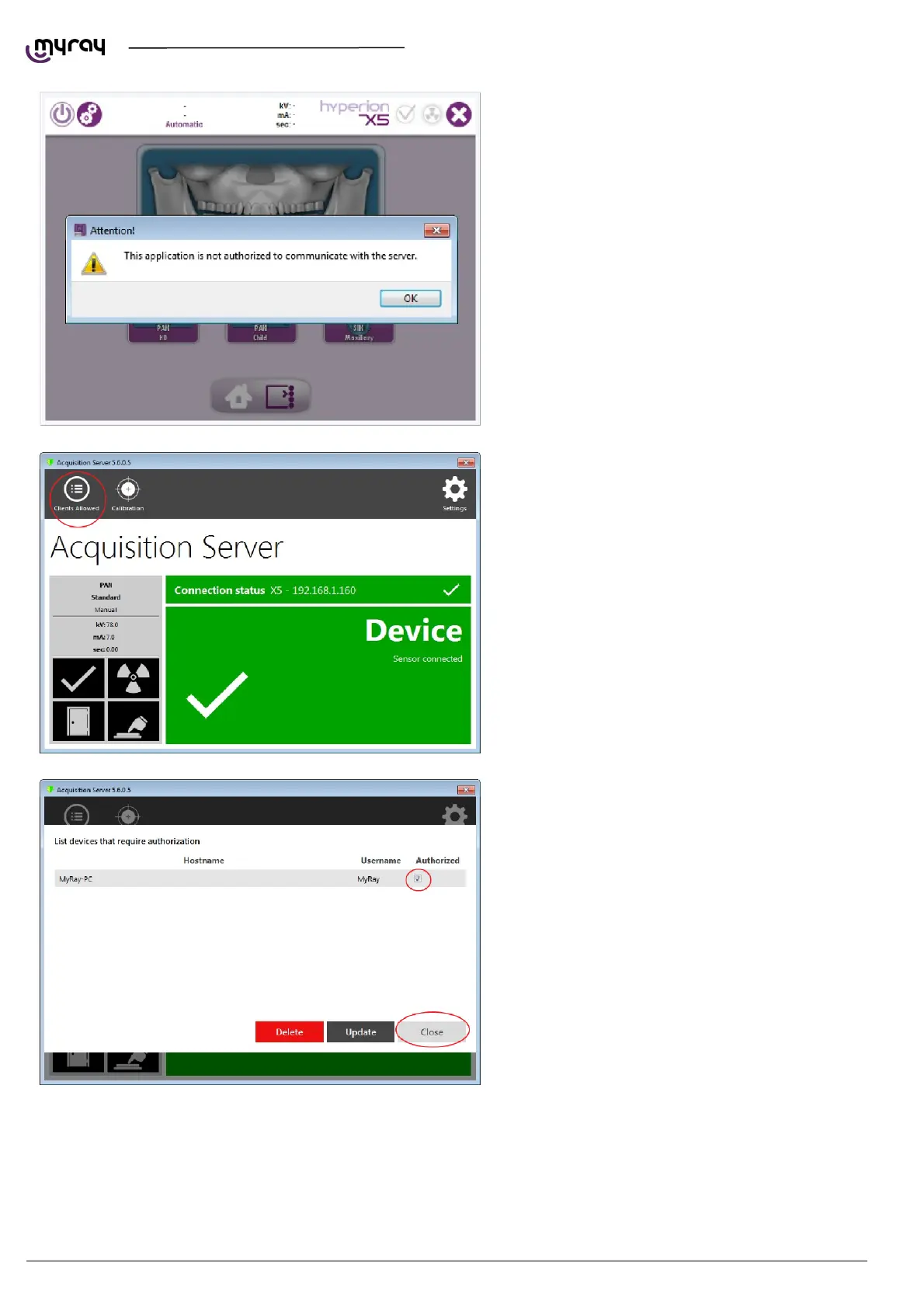
On first startup the console will prompt with this
message:
In order to authorize the virtual keyboard to
connect to the unit, you need to enter the
“Acquisition server” software and select “Clients
allowed”:
The clients list will appear, select the appropriate
one and close the window.



 To Next Page