TECHNICAL MANUAL - hyperion X5
32
CALIBRATION EN
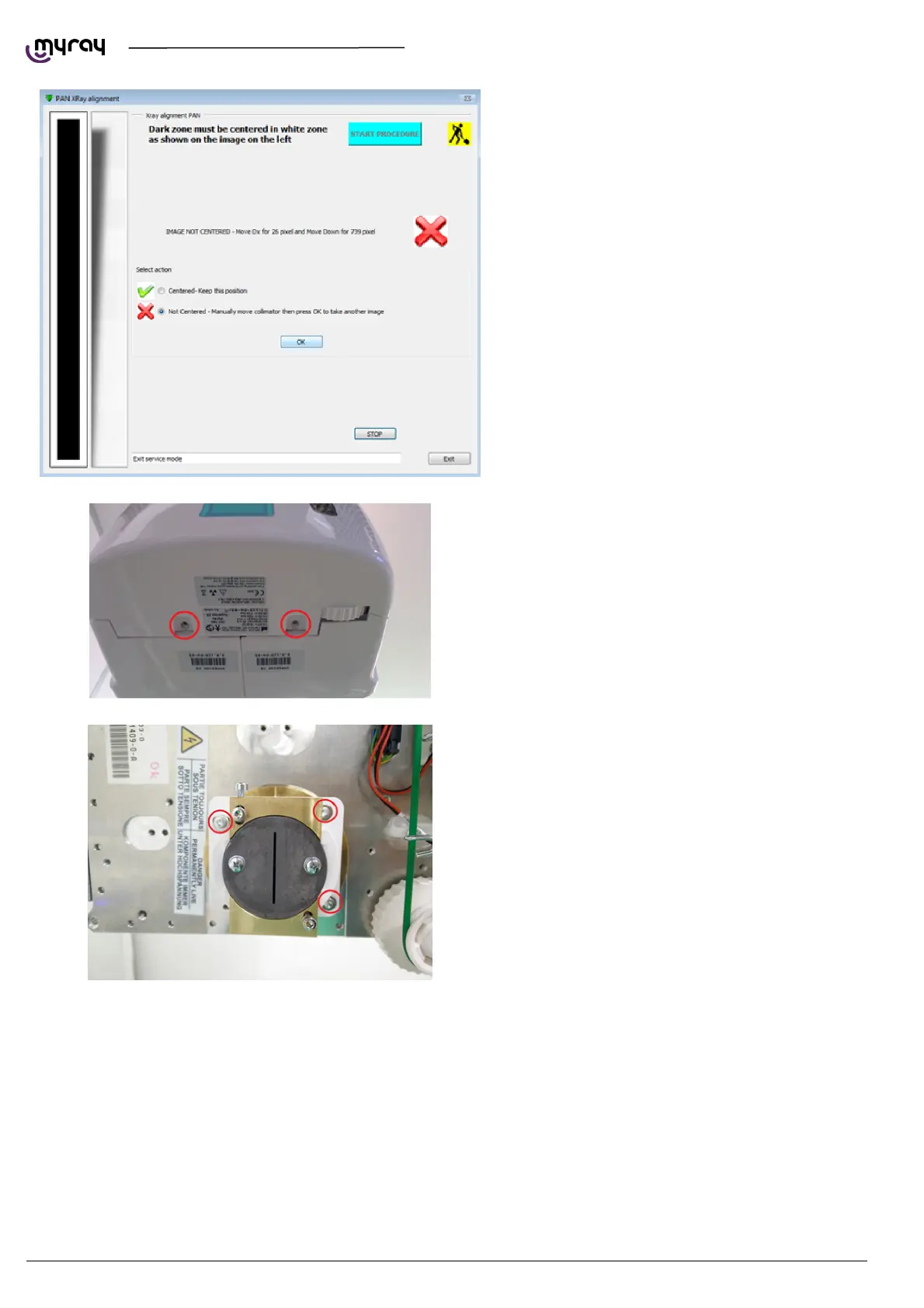
If the resulting image is not centered (like the one
in the following picture), the collimator needs to be
manually moved.
Remove the screws shown below to in order to
remove the front cover of the generator.
Centering the collimator horizontally or rotating it
Slightly loosen the screws shown in the following
picture, then move the collimator horizontally
and/or rotate the whole white plastic assembly if
required. Tighten the screw before taking the next
image.



 To Next Page