TECHNICAL MANUAL - hyperion X5
EN
CALIBRATION
33
Select the “not centered” option in the calibration
tool, then presso “OK” to start a new acquisition in
order to verify the change made.
Repeat the procedure until the x-ray beam is
correctly aligned.
Centering the collimator vertically
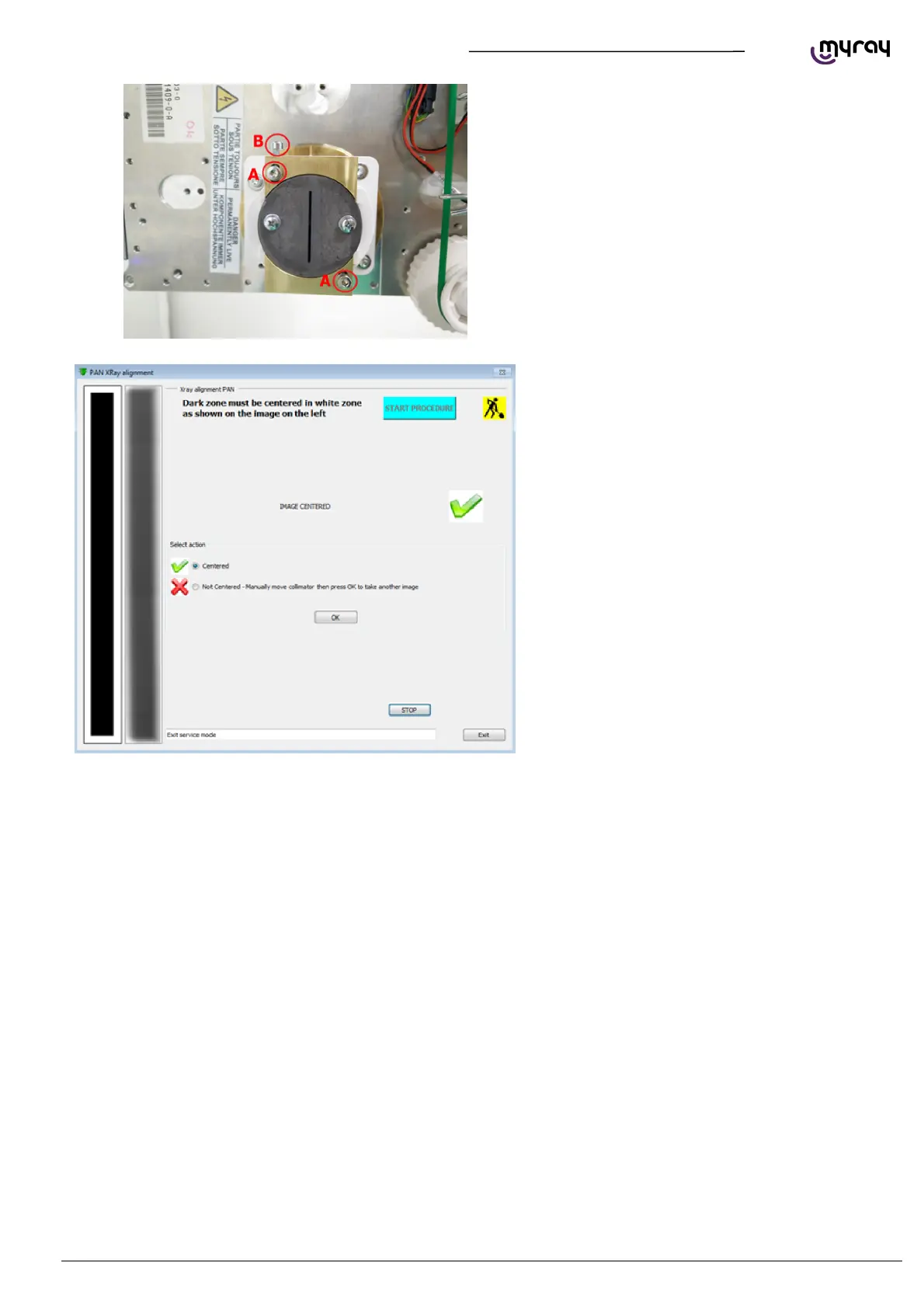
Slightly loosen the “A” screws shown in the
following picture, loosen or tighten the “B” screw
to move the collimator up or down. Tighten the “A”
screws before taking the next image.
Select the “not centered” option in the calibration
tool, then presso “OK” to start a new acquisition in
order to verify the change made.
Repeat the procedure until the x-ray beam is
correctly centered.
When the x-ray beam is centered, select
“Centered” and click “OK”.



 To Next Page