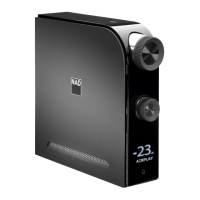
NAD D 7050 APP
A NAD D 7050 app can be downloaded at the iTunes app Store or Google
Play Store. This app includes D 7050 basic remote control functions as well
as congurable features. Descriptions of the selectable features can be
viewed by selecting “i” in the app screen whenever available from any of the
menu settings.
IMPORTANT NOTE
Unless otherwise specied, NAD D 7050 app descriptions, screenshots or
illustrations in this manual are with reference to the use of an iOS device.
The same D 7050 app features are applicable for Android devices.
BASIC SETTINGS
Initial setup conditions before using the D 7050 app with the D 7050.
• Ensure that your Apple iOS device (iPod, iPad, iPhone) controller is
connected to the same network as the D 7050. If they are not on the
same network, the D 7050 app will just be in Demo Mode. The user can
simulate the selection of the features and settings at Demo Mode but
no actual command is transmitted or sent.
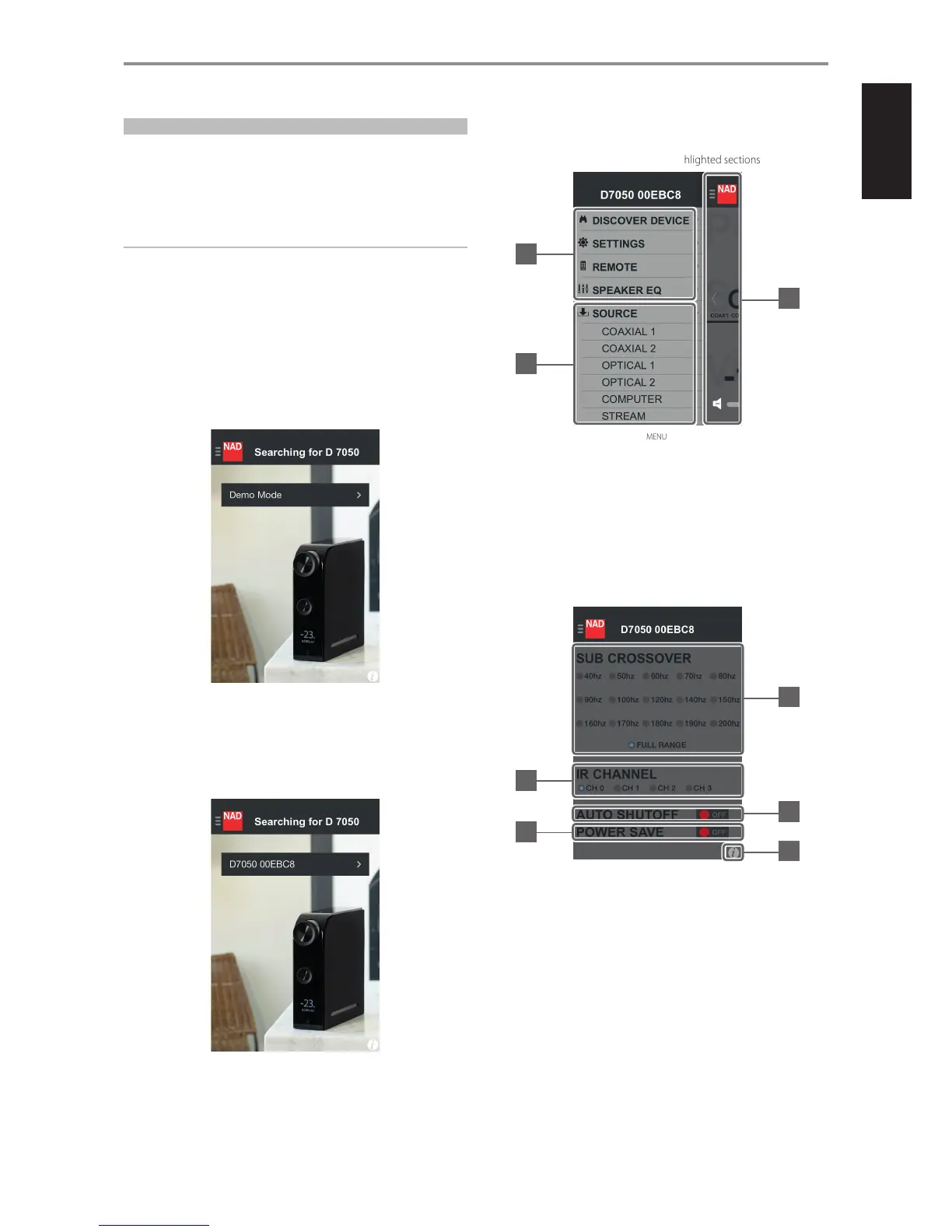
DISCOVER DEVICE (DEMO MODE)
• If both the D 7050 and controller are on the same network, the unique
network ID of your D 7050 (D 7050 00EBC8, in this example) will be
shown as the selectable device. Select “D 7050 00EBC8” to complete the
connection. This is the rst step normally encountered when using the
D 7050 app for the rst time.
DISCOVER DEVICE (SEARCH MODE)
NAVIGATION
The following are sample screenshots of D 7050 app. Navigate through the
app by selecting corresponding icons or highlighted sections.
MENU
1 Go back to previous display.
Tap anywhere within this area to go back to previous display.
2 Select particular feature to operate or congure.
Swipe upwards or downwards to show other items in the menu
window.
3 Directly go to selected Source.
SETTINGS
4 Select crossover frequency setting.
5 Set IR Channel setting. With multiple NAD products on the same room,
change IR Channel to avoid conict with those operated on the same
remote control command codes. Ensure that a compatible remote
control is also set to the same IR Channel setting.
6 Select Auto Shuto setting.
ON: D 7050 will automatically go to standby mode if current source
remains inactive for 30 minutes.
OFF: D 7050 will not go to standby mode at any time unless directly
initiated by pressing o (Standby) switch or OFF from the remote
control.
IDENTIFICATION OF CONTROLS
1
2
3
4
6
8
5
7
7


 To Next Page