ENGLISH
OTHER
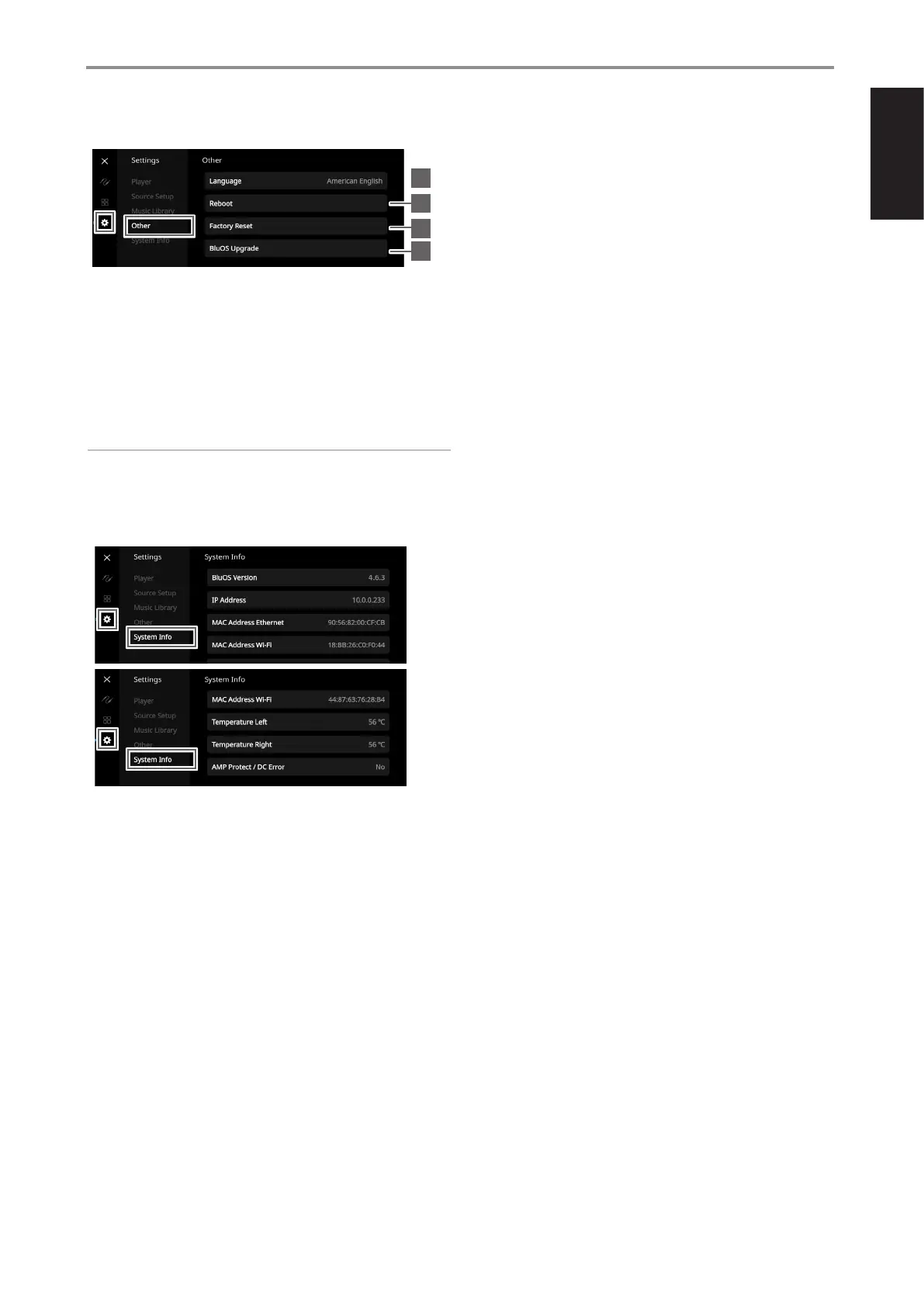
1 Language: Select available language. The screen display will be
shown in the language selected.
2 Reboot: Cycle power by powering off and powering back the unit.
3 Factory Reset: Restore to factory default settings
4 BluOS Upgrade: Select “BluOS Upgrade” to initiate BluOS upgrade
mode. When “BluOS Upgrade” prompt appears, select “Yes” to start
BluOS upgrade process. Follow the display screen prompt to complete
the upgrade procedure.
NOTE
Not all languages selected may be available. They will eventually
become available via future software upgrade.
SYSTEM INFO
Display information about the following parameters
• Show current or detected information about BluOSv firmware version,
IP Address, MAC Address Ethernet and MAC Address Wi-Fi.
• Temperature Left/Temperature Right: If the internal temperature
of either left or right amplifier channel reaches 91 degrees centigrade,
M10 V3 will turn off automatically and a protect message will be shown
in the display. Once the temperature falls below 80 degrees centigrade,
M10 V3 will turn on again and the protect message display will be
cleared.
• AMP Protect/DC Error: If an internal fault is detected, “Yes” is shown in
the display along with a message prompt instructing the user to hard
cycle the power of the M10 V3 - this is required to clear the error. “No”
indicates the unit is operating as intended.
13
1
2
3
4
IDENTIFICATION OF CONTROLS
TOP AND FRONT VIEW


 To Next Page