Item Description
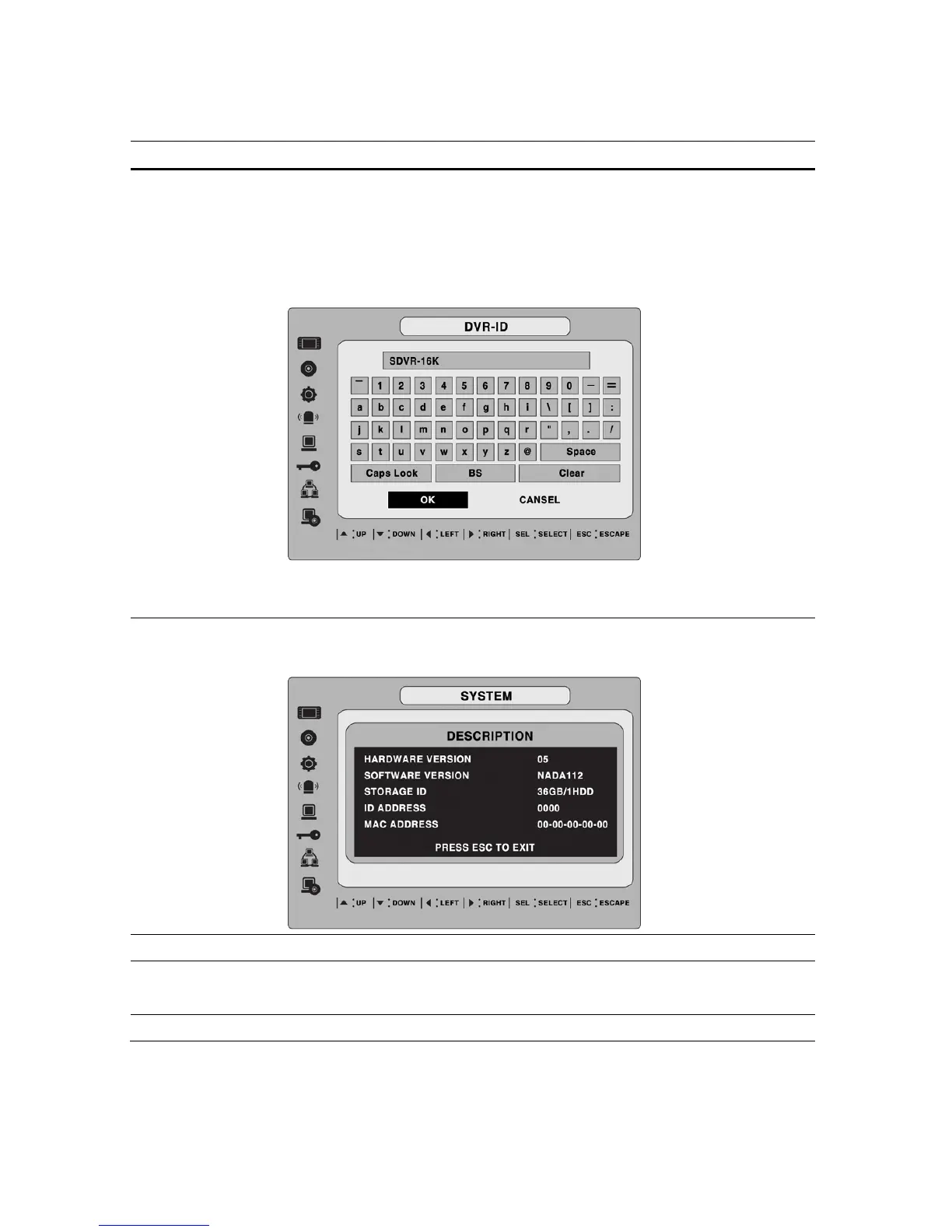
DVR ID
Set the name of the DVR.
Press the SEL button, use the LEFT and RIGHT or UP and DOWN arrow
controls to navigate through the position for each alphanumeric character
and Press SEL to apply the selected character. And Press OK to confirm
the name.
SPACE / Caps Lock(Select either Capital or Lower letter)
BS(Back space: Erase previous character) / Clear(Erase all characters)
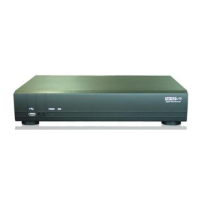
DESCRIPTION
Press SEL to view system information.
(System version, storage capacity, IP address and MAC address.)
LANGUAGE
Set the desired language.
DATE FORMAT
Set the desired date and time display format. Options are:
YYYY/MM/DD MM-DD-YYYY DD-MM-YYYY
SET DATE&TIME
Set the present date, time and daylight saving for the DVR.
32


 To Next Page