EasyManua.ls Logo

Nautilus T618 - User Manual

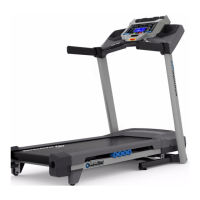
Nautilus T618
56 pages
Print Icon
To Next Page IconTo Next Page
Loading...
ASSEMBLY MANUAL / OWNER’S MANUAL
T618 / T628
T618

Other manuals for Nautilus T618

Questions and Answers

  • R
    Rebecca SalasAug 19, 2025
    What to do if my Nautilus T618 Treadmill doesn't turn on?
    • V
      Vickie BartonAug 19, 2025
      If your Nautilus Treadmill isn't turning on or the display is partial or completely blank, here are some things to check: * Ensure the treadmill is plugged into a functioning wall outlet by testing the outlet with a known working device, like a lamp. * Check the power cord and its connection to ensure they are secure and undamaged; replace if necessary. * Inspect the cable wires for any signs of damage (crimped or cut wires) and replace the cable if needed. * Confirm the cable is securely and correctly connected, ensuring the small latch on the connector aligns and snaps into place. * Look for any visual damage to the console display, such as cracks; replace the console if it's damaged.
  • K
    kevingriffinAug 21, 2025
    How to fix a Nautilus Treadmill that won't turn on?
    • C
      carlsonnicholasAug 21, 2025
      First, ensure the treadmill is plugged into a functioning wall outlet by testing the outlet with another device. Check the power cord and connection at the unit for any damage, replacing if necessary. Turn on the power using the power switch. Inspect the cable wires for crimps or cuts, replacing the cable if damaged. Make sure the cable is securely connected and properly oriented, ensuring the small latch on the connector snaps into place. Examine the console display for cracks or damage, replacing it if necessary. If the console shows only a partial display and all connections are secure, replace the console.
  • P
    Patricia MyersAug 23, 2025
    How to reset the fan on a Nautilus T618 Treadmill?
    • D
      davisalexandraAug 23, 2025
      If the fan on your Nautilus Treadmill won't turn on or off, unplug the unit from the electrical outlet for 5 minutes, then reconnect it.
  • C
    Cody PetersenAug 26, 2025
    Why does my Nautilus T618 Treadmill console shut off during use?
    • K
      kvincentAug 26, 2025
      If your Nautilus Treadmill console shuts off or enters sleep mode while you're using it, try these steps: * Ensure the treadmill is plugged into a functioning wall outlet by testing the outlet with another device. * Check the power cord and connection for damage, replacing if necessary. * Inspect the cable wires for any cuts or crimps, and replace the cable if damaged. * Make sure the cable is securely and properly connected, with the latch aligned and snapped into place. * Unplug the treadmill from the electrical outlet for 3 minutes, then reconnect it.
  • R
    Ralph DavidAug 28, 2025
    What to do if my Nautilus T618 belt stops moving during use?
    • V
      Valerie Mills DDSAug 28, 2025
      If the walking belt on your Nautilus Treadmill stops moving while you are using it: * Ensure the Safety Key is properly plugged into the console. * The unit may be overloaded, causing it to draw too much current. Check the belt lubrication according to the maintenance schedule, make sure the walking belt tension is correct, and then restart the unit.
  • D
    Darlene GrantAug 30, 2025
    Why is the telemetric HR not displayed on my Nautilus Treadmill?
    • L
      Linda MendozaAug 30, 2025
      If the Telemetric HR is not being displayed on your Nautilus Treadmill, consider the following: * Ensure that the strap is "POLAR®" compatible and uncoded. The strap should be directly against the skin and the contact area should be wet, with the curve of the transmitter oriented upward. * If the strap has replaceable batteries, try installing new batteries. * Check the User Profile settings to make sure that the WIRELESS HR setting is turned ON. * Try moving the treadmill away from potential sources of interference such as TVs or microwaves.
  • J
    jeffersonpaulSep 1, 2025
    What to do if contact HR not displayed on Nautilus Treadmill?
    • J
      John GonzalesSep 1, 2025
      If the Contact HR is not displayed on your Nautilus Treadmill, make sure your hands are centered on the HR sensors, kept still, and apply relatively equal pressure to each side. Using a conductive electrolyte cream may also improve contact.
  • F
    Frances MurphySep 3, 2025
    How to fix a Nautilus T618 Treadmill that rocks or isn't level?
    • A
      Anthony HaynesSep 3, 2025
      To address a Nautilus Treadmill that rocks or does not sit level, either adjust the levelers until the machine is level or move the machine to a level area.
  • D
    donna89Sep 5, 2025
    Why is my Nautilus T618 Treadmill fan not turning on but the console operates?
    • M
      michaelguerraSep 5, 2025
      If the fan on your Nautilus Treadmill is not turning on, but the console is working, unplug the unit from the electrical outlet for 5 minutes. Then, remove any material blocking the fan. If needed, detach the console to help with the removal. If you cannot remove the blockage, replace the console.
  • K
    kburgessSep 7, 2025
    Why does my Nautilus T618 Treadmill make a thumping sound when the belt operates?
    • A
      Amy CastroSep 8, 2025
      The thumping sound you hear when the belt operates on your Nautilus Treadmill is normal. The walking belt needs a wear-in period, and the sound should disappear after this period.

Summary

Important Safety Instructions

Specifications

Before Assembly

Preparation steps and considerations before assembling the treadmill.

Basic Assembly Tips

General advice for a smooth and correct assembly process.

Assembly

Before You Start

Storage and Moving the Machine

Guidelines for safely storing and relocating the treadmill.

Unfolding the Machine

Step-by-step instructions for unfolding the treadmill deck.

Leveling the Machine

Adjusting the treadmill to ensure it is stable and level on the floor.

Treadmill Belt Information

Details regarding the walking belt and its initial operational characteristics.

Features

Console Features

Overview of the treadmill's console functions and display elements.

Bluetooth Connectivity

Instructions for connecting the treadmill via Bluetooth to fitness apps.

Heart Rate Monitoring

Using chest straps and handlebar sensors for heart rate monitoring.

Remote Speed and Incline Controls

Information on using the handlebar controls for speed and incline.

Operations

Getting Started

Initial steps and precautions before operating the treadmill.

Initial Setup

Guide to setting the date, time, and units of measurement on the console.

User Profiles

How to create, select, and manage user profiles for personalized workouts.

Quick Start Program

How to start and perform a basic manual workout on the treadmill.

Profile Programs

Workout Profile and Goal Program

How to select workout programs and set goals for your exercise sessions.

Heart Rate Control Programs

Using programs that adjust incline based on target heart rate zones.

Compare Pacer Displays

Using the console to compare current workout performance against past results.

Maintenance

Routine Maintenance and Cleaning

Daily, weekly, and monthly checks and cleaning procedures for treadmill upkeep.

Belt Adjustment and Lubrication

Steps for adjusting belt tension, alignment, and lubrication.

Heart Rate Chest Strap Battery Replacement

Guide to replacing the battery in the heart rate chest strap transmitter.

Troubleshooting

Warranty

Nautilus T618 Specifications

General IconGeneral
FoldableYes
Bluetooth ConnectivityYes
Cooling FanYes
Running Surface20" x 60"
Incline Range0% to 15%
Speed Range0 to 12 MPH
DisplayLCD
Programs26
Heart Rate MonitoringYes
Weight Capacity350 lbs
AudioYes
Dimensions57.6" H

Related product manuals