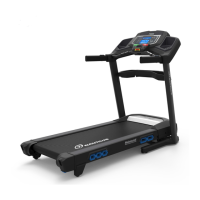
EasyManua.ls Logo

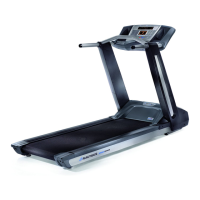
Nautilus T626 - User Manual

Nautilus T626
56 pages
Print Icon
To Next Page IconTo Next Page
Loading...
ASSEMBLY MANUAL / OWNER’S MANUAL

Other manuals for Nautilus T626

Questions and Answers

  • B
    Bryan BrownSep 14, 2025
    Why is my Nautilus Treadmill making a thumping sound?
    • S
      swilsonSep 14, 2025
      If you hear a thumping sound when the belt operates on your Nautilus Treadmill, it indicates that the walking belt needs a wear-in period. The sound should disappear after this period.
  • R
    Randy SnyderAug 25, 2025
    Why does my Nautilus T626 belt stop moving while in use?
    • C
      Christina HermanAug 25, 2025
      If the belt on your Nautilus Treadmill stops moving while in use, ensure the Safety Key is plugged into the console. The unit might be overloaded, drawing too much current and triggering a power shut-off to protect the motor. Refer to the maintenance schedule for belt lubrication, ensure the walking belt tension is correct, and then restart the unit.
  • R
    Raymond ParkerAug 25, 2025
    What to do if Nautilus Treadmill workout results will not sync?
    • M
      Monica PerezAug 26, 2025
      If your Nautilus Treadmill workout results won't sync with a Bluetooth enabled device, make sure the machine is in Idle Mode by pressing the PAUSE/STOP button until the Power-Up Mode screen appears. Workouts must also be longer than 1 minute to be saved and posted. Try unplugging the unit for 5 minutes and reconnecting it. Also, ensure that Bluetooth is enabled on your device and that your device is compatible with the fitness app you are using.
  • E
    ewalkerAug 26, 2025
    Why does the belt on my Nautilus Treadmill stop moving?
    • K
      Kevin BradleyAug 27, 2025
      If your Nautilus Treadmill belt stops moving while in use, first, plug the Safety Key into the console. If that doesn't solve the issue, the unit may be overloaded, drawing too much current. In this case, refer to the maintenance schedule for belt lubrication, ensure the walking belt tension is correct, and then restart the unit.
  • K
    Kelsey ChoiSep 14, 2025
    How to sync Nautilus Trainer App to Under Armour?
    • L
      Leslie StevensonSep 15, 2025
      To sync workout results from the Nautilus Trainer™ App to Under Armour® Connected Fitness, select the Sync to Under Armour® Connected Fitness option from the Menu icon on the Nautilus Trainer™ App. Also, review your account and password.
  • M
    Michael WoodSep 23, 2025
    Why does my Nautilus Treadmill hesitate or walking belt slips when in use?
    • S
      Sherry WilliamsSep 23, 2025
      Adjust the belt tension at the rear of the machine.
  • A
    Aaron CollierSep 7, 2025
    How to fix a Nautilus T626 Treadmill with no display?
    • R
      Robert ElliottSep 7, 2025
      If your Nautilus Treadmill displays 'No display,' a partial display, or the unit won't turn on, first ensure the unit is plugged into a functioning wall outlet. Check the power cord and connection at the unit for any damage and replace if needed. Ensure the cable wires are intact and the cable is securely connected and oriented properly. If the console display is cracked or damaged, or only shows a partial display after checking connections, it should be replaced.
  • M
    Ms. Sonya FloresSep 7, 2025
    Why is Contact HR not displayed on my Nautilus T626 Treadmill?
    • C
      campbelljamesSep 8, 2025
      If your Nautilus Treadmill operates, but Contact HR is not displayed, make sure your hands are centered on the HR sensors, kept still, and apply relatively equal pressure to each side. If you have dry or calloused hands, using a conductive electrode cream may help improve contact.
  • A
    Ashley FarmerSep 23, 2025
    Why is there a thumping sound when my Nautilus Treadmill belt operates?
    • J
      Jessica MitchellSep 23, 2025
      The walking belt needs a wear-in period. The sound should disappear after this period.
  • N
    nliuAug 31, 2025
    What to do if my Nautilus T626 operates but doesn't display contact HR?
    • J
      joyyoungAug 31, 2025
      If your Nautilus Treadmill operates but doesn't display Contact HR, make sure your hands are centered on the HR sensors and kept still, applying relatively equal pressure to each side. Note that sensors may have difficulty with dried-out or calloused hands. A conductive electrode cream (heart rate cream) can help improve contact; these are available online or at medical and some larger fitness stores.

Summary

Important Safety Instructions

Safety Warning Labels and Serial Number

Identifies safety warning labels and the machine's serial number for reference.

Earthing Instructions

Details electrical grounding requirements for safe operation and shock prevention.

Emergency Stop Procedure

Explains how to quickly stop the treadmill in an emergency situation.

Specifications

Parts

Hardware, Tools, and Before Assembly

Hardware and Tools

Lists all hardware components and included tools required for assembly.

Before Assembly

Provides guidance on selecting the setup area and basic assembly tips.

Assembly

Fold the Walking Deck on the Base Assembly

Instructions for folding the walking deck using the hydraulic lift mechanism.

Route Cables and Attach Uprights

Guides routing internal cables and attaching the uprights to the frame.

Unfold the Walking Deck

Step-by-step guide to unfold the walking deck from its stored position.

Remove Console Backing

Instructions for removing the console backing during the assembly process.

Attach Console and Connect Cables

Steps to attach the console assembly and connect necessary cables.

Attach Crossbar to Uprights

Details on securing the crossbar to the upright support structures.

Attach Cupholders

Instructions for attaching the cupholders to the console unit.

Tighten Hardware and Fold Deck

Final steps for tightening hardware and folding the deck after assembly.

Attach Base Shrouds

Guides attaching the base shrouds to the main frame assembly.

Attach Console Backing

Steps for securely attaching the console backing component.

Attach Handlebar Shrouds

Instructions for attaching the shrouds that cover the handlebars.

Place Tray on Crossbar

Guidance on placing the accessory tray onto the crossbar.

Connect Power Cord and Safety Key

Connecting the power cord and safety key to the frame assembly.

Final Inspection

Final checks after assembly to ensure proper function and tightness.

Before You Start

Storage and Moving the Machine

Procedures for safely storing and moving the treadmill.

Unfolding the Machine

Steps for unfolding the treadmill from its stored position.

Leveling the Machine

How to adjust the machine to ensure it is level and stable.

Treadmill Belt

Information about the treadmill belt and initial operational noise.

Features

Console Features

Overview of console display, buttons, and navigation controls.

Bluetooth Connectivity and Apps

Details on connecting to Nautilus Trainer and RunSocial fitness apps.

USB Charging

Information on using the USB port for charging external devices.

Chest Strap

Instructions for using the heart rate chest strap for monitoring.

Remote Heart Rate Monitor

How to use the heart rate monitor and its contact sensors.

Heart Rate Calculations

Explanation of heart rate zones and calculations for exercise.

Operations

What to Wear and Exercise Frequency

Recommendations on appropriate attire and workout frequency.

Getting Started

Initial steps to set up and start using the treadmill.

Quick Start Program

How to begin a manual workout without using pre-set programs.

User Profiles and Customization

Setting up, editing, and managing user profiles for personalized workouts.

Changing Incline and Speed Levels

Adjusting incline and speed levels during workouts.

Profile Programs

Overview of different workout programs and their segment structures.

Heart Rate Control Workout Programs

Using heart rate data to control workout intensity and incline.

Compare Pacer Displays

Features for comparing workout performance against stored pacers.

Fitness Score Display

Understanding the post-workout fitness assessment and score.

Pausing, Stopping, and Cool Down

How to pause, stop workouts, and utilize cool-down modes.

GOAL TRACK Statistics

Viewing workout history, statistics, and achievements.

Console Setup Mode

Configuring console settings like date, time, and sound preferences.

Maintenance

Daily, Weekly, and Monthly Maintenance

Routine checks, cleaning, and periodic tasks for machine upkeep.

Cleaning Procedures

Detailed instructions for cleaning the treadmill console and surfaces.

Belt Adjustment and Alignment

How to adjust belt tension and center the walking belt.

Lubricating the Walking Belt

Procedure for lubricating the walking belt for optimal performance.

Heart Rate Chest Strap Battery Replacement

Guide for replacing the battery in the heart rate chest strap.

Maintenance Parts

Troubleshooting

Console and Display Issues

Troubleshooting problems related to the console display not turning on.

Heart Rate Display Issues

Resolving problems with contact or telemetric heart rate not displaying.

Speed Display Inaccuracy

Addressing issues with incorrect speed display readings.

Console Operation Issues

Troubleshooting console sleep mode, cycling screens, fan, and leveling problems.

Belt and Motor Issues

Addressing belt noise, alignment, tension, and motor strain.

Bluetooth Syncing Issues

Troubleshooting workout result syncing with Bluetooth-enabled devices.

Nautilus T626 Specifications

General IconGeneral
Quantity per pack1 pc(s)
FoldableYes
Incline range0 - 15 %
Maximum speed19.3 km/h
Minimum speed0 km/h
Product colorBlack, Grey
Number of programs26
Maximum user weight136 kg
Backlight colorBlue
Weight and Dimensions IconWeight and Dimensions
Width- mm
Weight- g
Running area (W x L)20 x 60 mm
Running belt thickness2 mm
Running deck thickness25 mm

Related product manuals