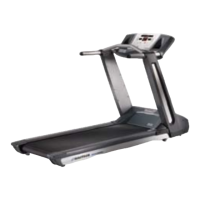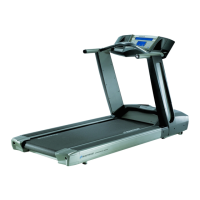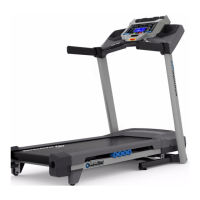
EasyManua.ls Logo

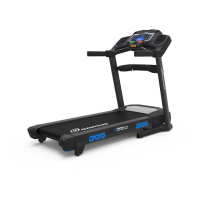
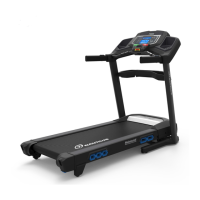
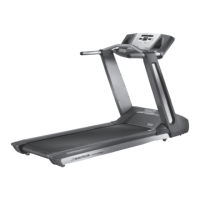
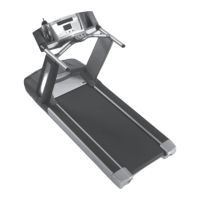
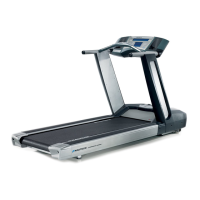
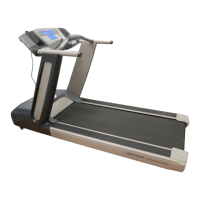
Nautilus T624 - User Manual

Nautilus T624
50 pages
Print Icon
To Next Page IconTo Next Page
Loading...
ASSEMBLY MANUAL / OWNER’S MANUAL
This product is compliant with the
applicable CE requirements.

Other manuals for Nautilus T624

Questions and Answers

  • P
    Patricia ThompsonSep 23, 2025
    Why is there a thumping sound when the belt operates on my Nautilus T624 Treadmill?
    • S
      Samantha AllenSep 23, 2025
      If you hear a thumping sound when the belt operates on your Nautilus Treadmill, it may be that the walking belt needs to be used for a wear-in period. The sound should disappear after this period.
  • D
    Daniel WilsonAug 25, 2025
    How do I fix a Nautilus T624 Treadmill that won't turn on?
    • J
      James JohnsonAug 25, 2025
      First, ensure the treadmill is plugged into a functioning wall outlet by testing the outlet with a known working device. Check that the power cord connection is secure and undamaged, replacing it if necessary. Ensure all wires in the cable are intact, replacing the cable if any are crimped or cut. Verify the cable is securely connected and properly oriented. Check the console display for any visible damage, replacing the console if damaged. If the console only shows a partial display and all connections are fine, replace the console.
  • D
    David HowellAug 25, 2025
    Why does my Nautilus T624 operate but incline does not adjust?
    • H
      hernandezaudreyAug 26, 2025
      Unplug the treadmill from the electrical outlet for 5 minutes. Inspect the Incline Motor Assembly cables, ensuring they are properly connected to the MCB and not cut or crimped; replace the assembly if necessary. Ensure all wires in the cables are intact, replacing the cable if any are cut or crimped. Also, verify that the Incline Adjuster Arm is attached to the Frame.
  • S
    shermanmatthewAug 27, 2025
    What to do if the belt stops moving on my Nautilus T624?
    • D
      David RussellAug 27, 2025
      If the belt on your Nautilus Treadmill stops moving during use, first, ensure the Safety Key is properly plugged into the console. The unit may be overloaded, drawing too much current and causing the power to shut off to protect the motor. In this case, refer to the maintenance schedule for belt lubrication, make sure the walking belt tension is correct, and start the unit again.
  • K
    Kevin HansonAug 27, 2025
    Why does my Nautilus T624 Treadmill console shut off while in use?
    • J
      Jessica WalshAug 27, 2025
      The console might be shutting off because the unit isn't getting enough power. Ensure the treadmill is plugged into a functioning wall outlet by testing the outlet with another device, like a lamp. Also, check the power cord and connections for any damage, replacing them if necessary. Ensure all wires in the cable are intact and the cable is securely connected and oriented correctly. If the issue persists, unplug the unit from the electrical outlet for 3 minutes, then reconnect it.
  • E
    eugene73Sep 15, 2025
    Why is the Telemetric HR displayed incorrectly on my Nautilus Treadmill?
    • A
      alvaradojamesSep 15, 2025
      If your Nautilus Treadmill operates but the Telemetric HR is displayed incorrectly, ensure that the HR receiver is not blocked by a personal electronic device in the left side of the media tray.
  • T
    Timothy GrossSep 13, 2025
    Why is the Contact HR not displayed on my Nautilus T624?
    • H
      Heather JohnsonSep 13, 2025
      If your Nautilus Treadmill operates, but Contact HR is not displayed, ensure your hands are centered on the HR sensors and kept still with relatively equal pressure applied to each side. Using a conductive electrode cream (heart rate cream) can help improve contact.
  • M
    misty66Sep 14, 2025
    Why does the motor on my Nautilus T624 sound strained?
    • B
      benjamingreenSep 14, 2025
      If the motor on your Nautilus Treadmill sounds strained, apply silicone to the inner surface of the walking belt. Refer to the belt lubrication procedure in the manual.
  • A
    Amanda HamptonSep 5, 2025
    Why is there a thumping sound when my Nautilus Treadmill belt operates?
    • R
      rlopezSep 5, 2025
      The walking belt needs a wear-in period. The sound should disappear after this period.
  • E
    Erica LeeSep 2, 2025
    Why does my Nautilus T624 operate but Telemetric HR is not displayed?
    • L
      Linda McclainSep 3, 2025
      Ensure the strap is "POLAR®" compatible and uncoded. The strap should be directly against the skin, and the contact area should be wet. Make sure the transmitter has the curve oriented upward. Check the WIRELESS HR setting in the Edit User Profile option to ensure it is set to ON. Try moving the unit away from potential sources of interference like TVs or microwaves. If the issue persists, replace the strap.

Summary

IMPORTANT SAFETY INSTRUCTIONS

SAFETY WARNING LABELS AND SERIAL NUMBER

Earthing Instructions

Emergency Stop Procedure

SPECIFICATIONS AND ASSEMBLY PREPARATION

Before Assembly

Guidance on selecting the proper location and area for setting up the treadmill.

Basic Assembly Tips

Key points to follow during the machine's assembly process for a smooth and correct build.

PARTS LIST

HARDWARE AND TOOLS

TREADMILL ASSEMBLY

Deck and Frame Setup

Steps for folding, unfolding, and connecting the primary deck and frame components.

Console and Shroud Attachment

Instructions for attaching console parts, shrouds, and trays to the main frame.

Final Assembly Checks

Procedures for final inspection, hardware tightening, and connecting power and safety key.

BEFORE YOU START

Moving the Machine

Safety precautions and step-by-step instructions for safely moving the treadmill, including folding it.

Unfolding the Machine

Detailed procedure for safely unfolding the treadmill from its folded transport position.

Leveling the Machine

Instructions for adjusting the treadmill's levelers to ensure a stable and even surface for operation.

FEATURES OVERVIEW

Console Features

Description of the console's display, buttons, and basic controls for operating the treadmill.

USB Charging

Information regarding the USB port's capability to charge connected devices.

Remote Heart Rate Monitor

Details on using wireless chest straps or other telemetric devices for heart rate monitoring.

Contact Heart Rate Sensors

Instructions on how to use the handlebar sensors to measure heart rate during workouts.

Heart Rate Calculations

Explanation of maximum heart rate, target zones, and how to use heart rate for fat burning.

OPERATIONS

Getting Started and Initial Setup

Essential steps and precautions before first use, including powering up and setting initial parameters.

Workout Modes and User Profiles

Using Quick Start, managing user profiles, and editing profile information.

Program Selection and Customization

Overview of profile programs, heart rate control, and recovery tests.

CONSOLE SETUP MODE

MAINTENANCE

Cleaning the Treadmill

Procedures for cleaning the treadmill's surfaces, belt, and console after use to maintain its condition.

Adjusting Belt Tension

Instructions for adjusting the walking belt tension to prevent slipping and ensure optimal performance.

Aligning the Walking Belt

Steps to center the walking belt on the treadmill, ensuring it runs smoothly without drifting.

Lubricating the Walking Belt

Guidance on applying silicone lubricant to the walking belt and deck for smooth operation and longevity.

Maintenance Parts

Maintenance Parts (Frame)

Identification of specific parts belonging to the treadmill's frame for maintenance or replacement purposes.

TROUBLESHOOTING

Display and Power Issues

Resolving problems related to no display, partial display, or the unit not turning on.

Heart Rate Sensor Issues

Troubleshooting common problems with contact and telemetric heart rate display and accuracy.

Speed Display Accuracy

Addressing inaccuracies in the displayed speed, including checking unit of measure settings.

Console Sleep Mode and Fan Issues

Resolving issues with the console entering sleep mode unexpectedly or fan malfunctions.

Belt and Leveling Problems

Troubleshooting thumping sounds, unit rocking, or walking belt misalignment.

Motor and Belt Slip Issues

Addressing strained motor sounds, belt hesitation, slippage, or the belt stopping during use.

Nautilus T624 Specifications

General IconGeneral
Quantity per pack1 pc(s)
FoldableYes
BluetoothNo
Incline range0 - 12 %
Maximum speed19.3 km/h
Minimum speed0 km/h
Product colorBlack, Grey
Number of programs22
Maximum user weight136 kg
Backlight colorBlue
Weight and Dimensions IconWeight and Dimensions
Width- mm
Weight- g
Running area (W x L)20 x 55 mm
Running belt thickness1.5 mm
Running deck thickness19 mm

Related product manuals