EasyManua.ls Logo

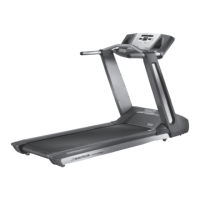
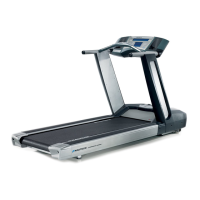
Nautilus T624 - User Manual

Nautilus T624
50 pages
Print Icon
To Next Page IconTo Next Page
Loading...
ASSEMBLY MANUAL / OWNER’S MANUAL
This product is compliant with the
applicable CE requirements.
™

Other manuals for Nautilus T624

Questions and Answers

  • L
    Lindsay BeckSep 9, 2025
    Why is the walking belt slipping on my Nautilus T624 Treadmill?
    • C
      Catherine DrakeSep 9, 2025
      If you experience hesitation or slipping of the walking belt during use on your Nautilus Treadmill, adjust the belt tension at the rear of the machine. Refer to the procedure for adjusting belt tension in the manual.
  • C
    Christopher RodriguezSep 7, 2025
    Why does my Nautilus Treadmill console shut off while I'm using it?
    • M
      marshmichaelSep 8, 2025
      If your Nautilus Treadmill console shuts off during use, ensure the unit is plugged into a functioning wall outlet by testing the outlet with a known working device. Check the adapter and its connection to the unit for any damage, replacing if necessary. Inspect the cable wires for cuts or crimps, and replace the cable if damaged. Ensure the cable is securely connected and properly oriented, making sure the small latch on the connector snaps into place. Unplug the unit from the electrical outlet for 3 minutes, then reconnect it.
  • C
    colephelpsAug 22, 2025
    What to do if my Nautilus T624 belt stops moving while in use?
    • A
      Aaron WrightAug 22, 2025
      First, ensure the Safety Key is properly plugged into the Console. The unit might be overloaded, causing power to shut off as a protective measure. Refer to the maintenance schedule for instructions on belt lubrication. Also, ensure the walking belt tension is correct, and then restart the unit.
  • A
    Amanda HamptonSep 5, 2025
    Why is there a thumping sound when my Nautilus Treadmill belt operates?
    • R
      rlopezSep 5, 2025
      The walking belt needs a wear-in period. The sound should disappear after this period.
  • L
    Lisa ValentineSep 4, 2025
    Why does my Nautilus T624 Treadmill hesitate or walking belt slips when in use?
    • R
      Robert HowardSep 4, 2025
      Adjust the belt tension at the rear of the machine.
  • E
    Erica LeeSep 2, 2025
    Why does my Nautilus T624 operate but Telemetric HR is not displayed?
    • L
      Linda McclainSep 3, 2025
      Ensure the strap is "POLAR®" compatible and uncoded. The strap should be directly against the skin, and the contact area should be wet. Make sure the transmitter has the curve oriented upward. Check the WIRELESS HR setting in the Edit User Profile option to ensure it is set to ON. Try moving the unit away from potential sources of interference like TVs or microwaves. If the issue persists, replace the strap.
  • H
    Haley MillerSep 1, 2025
    What to do if my Nautilus Treadmill operates but Contact HR is not displayed?
    • D
      Darren MontesSep 1, 2025
      Ensure your hands are centered on the HR sensors and remain still, applying relatively equal pressure to each side. Note that sensors may have difficulty with dried out or calloused hands; using a conductive electrode cream can improve contact.
  • J
    Judith MontgomeryAug 31, 2025
    What to do if my Nautilus T624 Treadmill fan will not turn on, but Console operates?
    • A
      Anthony KimAug 31, 2025
      Unplug the treadmill from the electrical outlet for 5 minutes. Then, remove any material obstructing the fan. If needed, detach the Console to aid in removing the blockage. If you cannot remove the blockage, replace the Console.
  • D
    Dr. Kimberly WebbAug 30, 2025
    Why is my Nautilus Treadmill walking belt not aligned?
    • T
      Tina RiceAug 30, 2025
      Ensure the treadmill is on a level surface. Also, confirm that the walking belt is centered and has the correct tension.
  • H
    Harry NolanAug 28, 2025
    What to do if my Nautilus T624 is not level?
    • R
      Raymond WilliamsAug 28, 2025
      Adjust the levelers on the machine until it sits level. If the surface is extremely uneven, you may need to move the treadmill to a more level area.

Summary

IMPORTANT SAFETY INSTRUCTIONS

SAFETY WARNING LABELS AND SERIAL NUMBER

Earthing Instructions

Emergency Stop Procedure

SPECIFICATIONS AND ASSEMBLY PREPARATION

Before Assembly

Guidance on selecting the proper location and area for setting up the treadmill.

Basic Assembly Tips

Key points to follow during the machine's assembly process for a smooth and correct build.

PARTS LIST

HARDWARE AND TOOLS

TREADMILL ASSEMBLY

Deck and Frame Setup

Steps for folding, unfolding, and connecting the primary deck and frame components.

Console and Shroud Attachment

Instructions for attaching console parts, shrouds, and trays to the main frame.

Final Assembly Checks

Procedures for final inspection, hardware tightening, and connecting power and safety key.

BEFORE YOU START

Moving the Machine

Safety precautions and step-by-step instructions for safely moving the treadmill, including folding it.

Unfolding the Machine

Detailed procedure for safely unfolding the treadmill from its folded transport position.

Leveling the Machine

Instructions for adjusting the treadmill's levelers to ensure a stable and even surface for operation.

FEATURES OVERVIEW

Console Features

Description of the console's display, buttons, and basic controls for operating the treadmill.

USB Charging

Information regarding the USB port's capability to charge connected devices.

Remote Heart Rate Monitor

Details on using wireless chest straps or other telemetric devices for heart rate monitoring.

Contact Heart Rate Sensors

Instructions on how to use the handlebar sensors to measure heart rate during workouts.

Heart Rate Calculations

Explanation of maximum heart rate, target zones, and how to use heart rate for fat burning.

OPERATIONS

Getting Started and Initial Setup

Essential steps and precautions before first use, including powering up and setting initial parameters.

Workout Modes and User Profiles

Using Quick Start, managing user profiles, and editing profile information.

Program Selection and Customization

Overview of profile programs, heart rate control, and recovery tests.

CONSOLE SETUP MODE

MAINTENANCE

Cleaning the Treadmill

Procedures for cleaning the treadmill's surfaces, belt, and console after use to maintain its condition.

Adjusting Belt Tension

Instructions for adjusting the walking belt tension to prevent slipping and ensure optimal performance.

Aligning the Walking Belt

Steps to center the walking belt on the treadmill, ensuring it runs smoothly without drifting.

Lubricating the Walking Belt

Guidance on applying silicone lubricant to the walking belt and deck for smooth operation and longevity.

Maintenance Parts

Maintenance Parts (Frame)

Identification of specific parts belonging to the treadmill's frame for maintenance or replacement purposes.

TROUBLESHOOTING

Display and Power Issues

Resolving problems related to no display, partial display, or the unit not turning on.

Heart Rate Sensor Issues

Troubleshooting common problems with contact and telemetric heart rate display and accuracy.

Speed Display Accuracy

Addressing inaccuracies in the displayed speed, including checking unit of measure settings.

Console Sleep Mode and Fan Issues

Resolving issues with the console entering sleep mode unexpectedly or fan malfunctions.

Belt and Leveling Problems

Troubleshooting thumping sounds, unit rocking, or walking belt misalignment.

Motor and Belt Slip Issues

Addressing strained motor sounds, belt hesitation, slippage, or the belt stopping during use.

Nautilus T624 Specifications

General IconGeneral
Quantity per pack1 pc(s)
FoldableYes
BluetoothNo
Incline range0 - 12 %
Maximum speed19.3 km/h
Minimum speed0 km/h
Product colorBlack, Grey
Number of programs22
Maximum user weight136 kg
Backlight colorBlue
Weight and Dimensions IconWeight and Dimensions
Width- mm
Weight- g
Running area (W x L)20 x 55 mm
Running belt thickness1.5 mm
Running deck thickness19 mm

Related product manuals