EasyManua.ls Logo

Nautilus T628 - User Manual

Nautilus T628
56 pages
Print Icon
To Next Page IconTo Next Page
Loading...
ASSEMBLY MANUAL / OWNER’S MANUAL
T628

Questions and Answers

  • M
    matthewsscottAug 20, 2025
    What to do if the belt stops moving on my Nautilus T628 Treadmill?
    • N
      njohnsonAug 20, 2025
      If your Nautilus Treadmill belt stops moving while you are using it, first, ensure the Safety Key is properly plugged into the console. Also, the unit may be overloaded, drawing too much current, which causes the power to turn off to protect the motor.
  • S
    shawn98Aug 22, 2025
    How to troubleshoot a Nautilus T628 that won't turn on?
    • G
      gordonchristopherAug 22, 2025
      If your Nautilus Treadmill is not turning on or the display is partial or missing, check the following: * Make sure the unit is plugged into a functioning wall outlet. * Ensure the connection at the front of the unit is secure and undamaged. * Turn on the power with the Power Switch. * Inspect the data cable for intact wires. * Confirm the data cable connections are secure and properly oriented. * Check the console display for cracks or damage. If the console only has a partial display and all connections are fine, replace the console.
  • C
    Carolyn LewisAug 25, 2025
    What to do if Nautilus Treadmill fan won't turn on?
    • H
      hermankristyAug 25, 2025
      If your Nautilus Treadmill fan will not turn on but the console operates, unplug the unit from the electrical outlet for 5 minutes. Check for any blockage of the fan, removing any material. If necessary, detach the console to help with removal. Replace the console if you are unable to remove the blockage.
  • C
    Cynthia CherryAug 26, 2025
    Why won't my Nautilus T628 sync workout results with Bluetooth?
    • V
      Victoria LopezAug 26, 2025
      If your Nautilus Treadmill's workout results won't sync with a Bluetooth enabled device, ensure the machine is in Idle Mode. Also, the workout must be longer than 1 minute to be saved and posted by the console. Finally, check that the Bluetooth feature is enabled on your device.
  • K
    Kendra GarzaAug 28, 2025
    Why does my Nautilus T628 Treadmill console shut off during use?
    • C
      Christopher DiazAug 28, 2025
      If your Nautilus Treadmill console shuts off or enters sleep mode while you're using it, make sure the unit is plugged into a functioning wall outlet by testing the outlet with a known working device. Also, check the connection at the front of the unit to ensure it is secure and undamaged, and replace the power cord or connection if damaged. Finally, check the data cable for any cuts or crimping, and replace it if necessary.
  • S
    Stanley BrownAug 30, 2025
    How to fix inaccurate speed display on Nautilus T628?
    • B
      Barbara BullockAug 30, 2025
      If the speed display on your Nautilus Treadmill is not accurate, the display might be set to the wrong unit of measure. Change the display to show the correct units (English/Metric).
  • J
    Jerry CohenAug 31, 2025
    What to do if Nautilus T628 doesn't display Contact HR?
    • A
      April MayAug 31, 2025
      If your Nautilus Treadmill displays 'Contact HR', ensure your hands are centered on the HR sensors and kept still with relatively equal pressure. Sensors may also have difficulty with dry or calloused hands, so a conductive electrode cream can help.
  • J
    Joseph AnthonySep 2, 2025
    Why aren't my Nautilus Treadmill workout results posting to MyFitnessPal?
    • S
      stephanie54Sep 2, 2025
      If your Nautilus Treadmill workout results aren't posting from Nautilus Trainer™ to MyFitnessPal® / Under Armour® Connected Fitness, sync accounts from the Menu icon on the Nautilus Trainer™ App. Also, review your account and password for MyFitnessPal® / Under Armour® Connected Fitness.
  • D
    Dawn AndersonSep 4, 2025
    Why is Telemetric HR not displayed on my Nautilus T628 Treadmill?
    • A
      Adam ArroyoSep 4, 2025
      If your Nautilus Treadmill operates but Telemetric HR is not displayed, ensure the chest strap is POLAR® compatible and uncoded, directly against the skin, and the contact area is wet. Replace the chest strap batteries if possible. Also, check the User Profile to make sure the WIRELESS HR setting is set to ON. Try moving the unit away from sources of interference. If the issue persists, replace the chest strap.
  • T
    Tyrone BallSep 6, 2025
    How do I fix a Nautilus Treadmill fan that won't turn on or off?
    • A
      Andrea MillerSep 6, 2025
      If your Nautilus Treadmill fan will not turn on or off, unplug the unit from the electrical outlet for 5 minutes, then reconnect it.

Summary

ASSEMBLY MANUAL; OWNERS MANUAL

IMPORTANT SAFETY INSTRUCTIONS

Essential safety guidelines and precautions for operating and assembling the treadmill.

Earthing and Emergency Procedures

Guidelines for proper electrical grounding and emergency stop procedures for safe operation.

SPECIFICATIONS, PARTS, AND ASSEMBLY

Product Specifications and Assembly Prep

Key technical details, setup guidance, and parts identification for the treadmill.

Assembly Process Steps

Step-by-step instructions for assembling the treadmill components.

Hardware and Tools

Listing and identification of all hardware and tools required for assembly.

OPERATIONS AND WORKOUT GUIDANCE

Before You Start: Storage, Moving, and Leveling

Procedures for safely moving, storing, leveling, and preparing the treadmill.

Console Features and Operation

Overview of the console's functions, displays, and how to navigate workouts.

Workout Programs and Modes

Explanation of different workout types, profiles, and control modes.

MAINTENANCE AND TROUBLESHOOTING

Routine Maintenance Procedures

Guidelines for regular cleaning, belt care, and component checks.

Heart Rate Monitor Care

Instructions for maintaining and replacing the heart rate monitor's battery.

Troubleshooting Common Issues

Guidance on diagnosing and resolving common problems with the treadmill's operation.

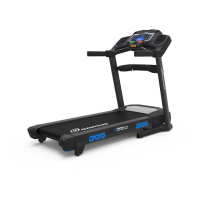
Nautilus T628 Specifications

General IconGeneral
Running Surface20" x 60"
DeclineNo
Bluetooth ConnectivityYes
Incline Range0% to 15%
Speed Range0 to 12 mph
Programs26
Weight Capacity350 lbs
Dimensions72.2" L x 35.2" W x 57.6" H
Heart Rate MonitoringContact and telemetry enabled
FoldingYes
DisplayDualTrack™ LCD Display with Blue Backlighting

Related product manuals