40
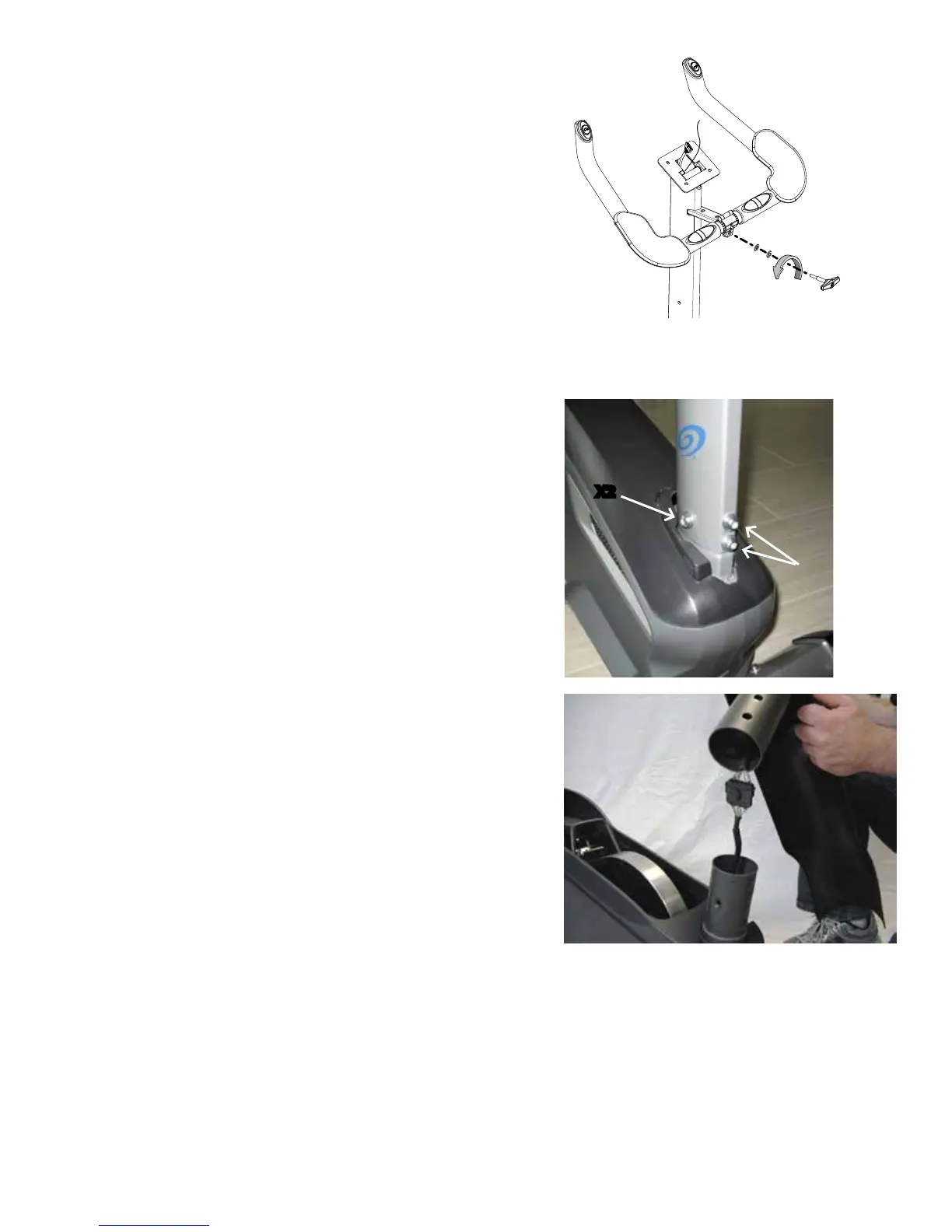
6. RemovetheT-handleandwashersthatattachthe
Handlebar to the Mast. Set them safely aside for reassembly.
NOTICE: Hold the Handlebar so that it does not fall.
7. Remove the Handlebar and set it safely aside for
reassembly.
8. Remove the Mast Gasket.
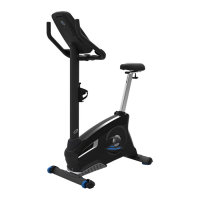
9. Removethehardware(indicated)fromtheMast.Gently
pull the Mast out and disconnect the cables. Set the hard-
ware, Mast Gasket and Top Shroud safely aside for reas-
sembly. Discard the old Mast.
NOTICE: Do not crimp the cables. This step may require
two people.
Note: Do not let the cables fall down inside the Frame.
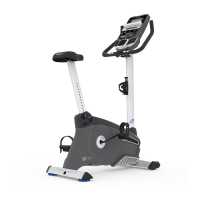
10. Install the replacement Console Mast and the Mast
GasketonMainAssembly.
NOTICE: Make sure the Console Cable connector does
notfallintotheConsoleMast.Aligntheclips
on the cable connectors and make sure the
connectors lock. Do not crimp Console Cable.
X2
Cable connectors


 To Next Page