Connecting your burner via the web:
1. On your controller go to SETTINGS/COMMUNICATION/NETWORK and find your internet
Router
2. Go to PASSWORD and enter the password for your router. Your controller will now be
connected to the internet.
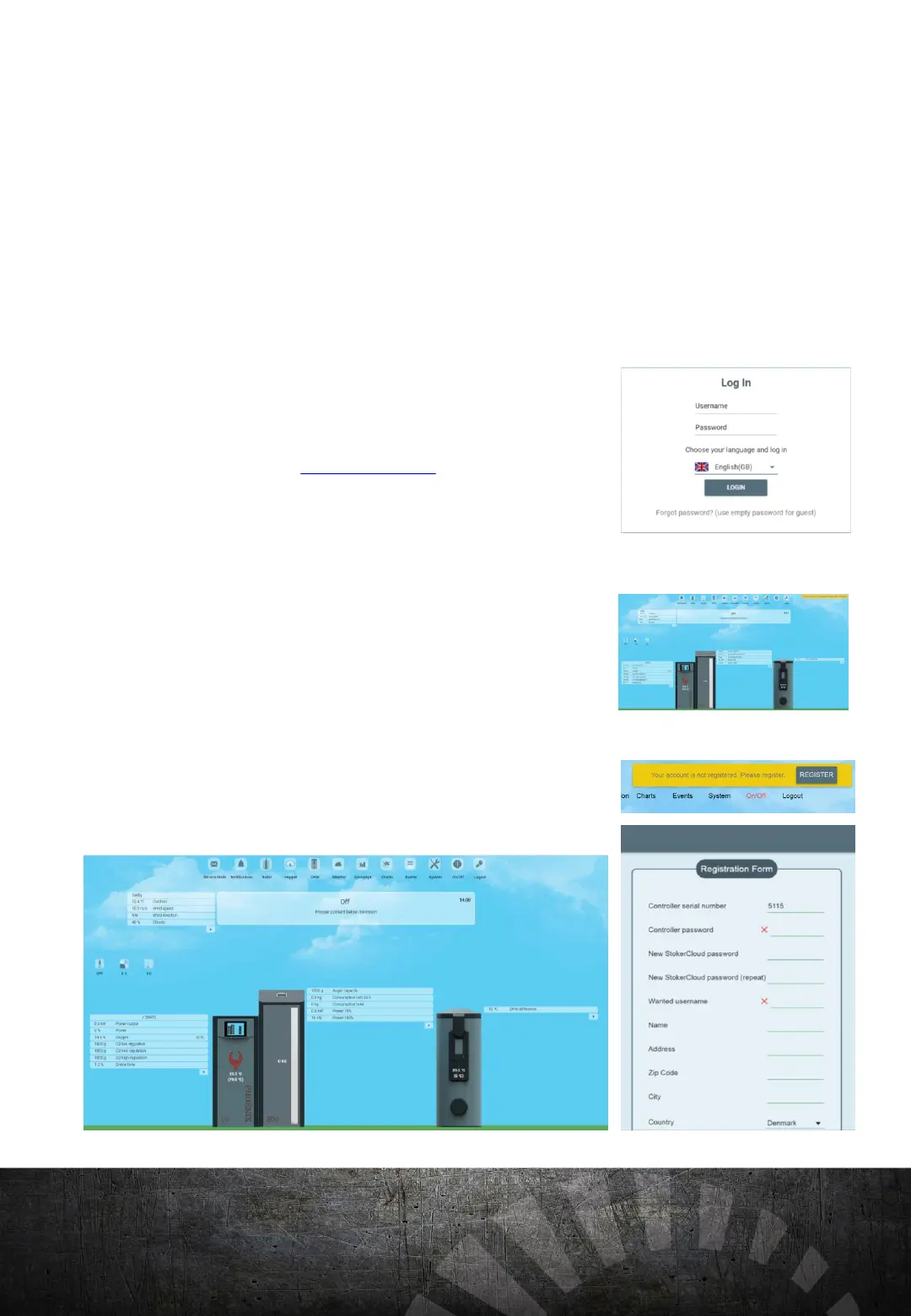
Creating an account on Stokercloud
3. Go to www.v16.stokercloud.dk and insert your Controller serial number under the
USERNAME.
4. Enter your controller password under PASSWORD
5. Follow the registration procedures on the site to setup your stokercloud account.
Your pellet boiler will now be online on www.v16.stokercloud.dk.
Tip: Make sure that there is a solid blue light beside the SD card slot. A flashing light is an
indication that your burner is not connected to the internet and you need to check your
wireless router. If the lamp does not light up, your router is not connected to the internet.
Check to see if your router is on and is functioning properly.
CONNECTING TO THE
INTERNET:
20


 To Next Page