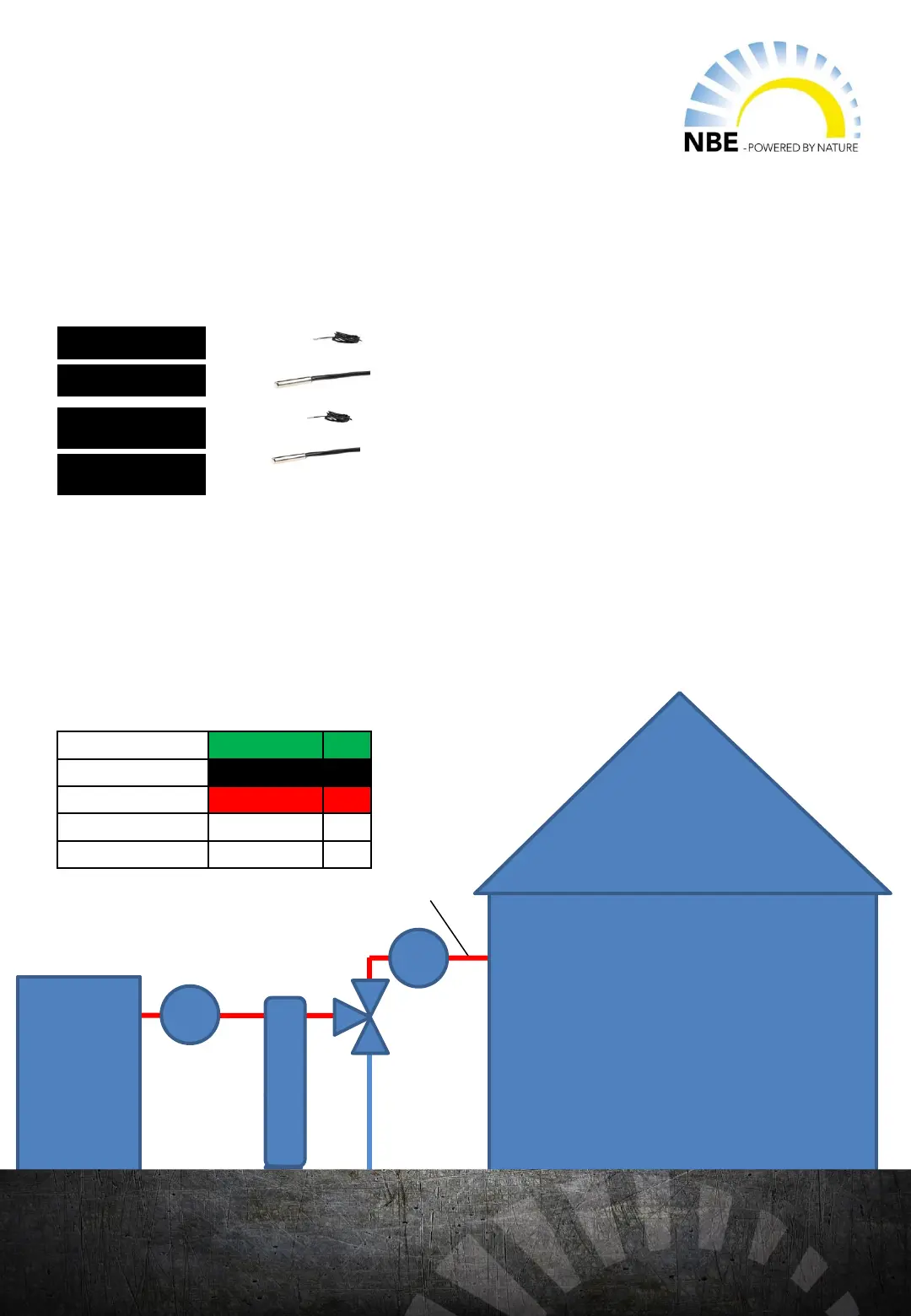
NBE 3-way valve
valve open
1 valve closed
opening time
Boiler
ZONE 1
pump
pump
1
2
3
weather valve
Installation of temp sensor
On the main printboard, choose an available output port from L12-L16. Or on the
extension printboard, choose an available output port from U14-U20.
Ref. Temp. Zone 1 T
Ref. Temp. Zone 1 T2-18
Forwarding Temp.
Zone 1
T
Forwarding Temp.
Zone 1
T2-18
Connection to printboard:
Forwarding temp.
Zone 1
As an outdoor reference: mount the sensor outside on the
north side of the building.
Install the sensor in a thermowell on the forwarding
temperature side after the weather comp valve and pump.
On the main printboard choose an available input between T2-T10. Or, on
the extension print choose an available input port fra T11 - T18.
Installing the weather valve:
Activate Inputs in the wireless screen:
In the controller, go to Menu WEATHER and choose the connected input port from the
drop down menu that corresponds to the indoor/outdoor reference (Input-outside
temp. Sensor) and forwarding temperature reference (Input forwarding temp. sensor).
Activate outputs in the wireless screen:
Under the WEATHER menu, choose the corresponding
connected output for the opening of the valve (Regulating
Valve Open) and for the closing of the valve (Reglating
Valve Close) from the drop down menu. .
As an indoor reference: mount the sensor in the reference
room
Flowbox
41


 To Next Page