15
DVD Setup
German
Select one dialogue language that you are
familiarwithwhenplayingbackDVDdiscs.
Note:
If the DVD disc has the audio file in the
selectedlanguage,thedialoguesyoulistened
towillbeintheselectedlanguage.
IftheDVDdiscdoesnotcontaintheaudiole
in the selected language, the dialogues you
listenedtowillbeinthedefaultlanguage.
You can change the language by pressing
[AUDIO]keyoftheremotecontroller.
- SUBTITLE LANG:
Chinese
English
French
Spanish
German
Off
Selectonelanguagethatyouarefamiliarwith
todisplayDVDsubtitles.
If the DVD disc has the subtitle file in the
se l ect e d la ngu a ge, the sub t itl e wi l l be
displayedintheselectedlanguage.
If theDVDdisc doesnot containthesubtitle
leintheselectedlanguage,thesubtitlewillbe
displayedinthedefaultlanguage.
- MENU LANG:
Chinese
English
French
Spanish
Portuguese
German
Selectonelanguagethatyouarefamiliarwith
todisplayDVDmenu.
Note:
If the DVD dischas the selected language,
theDVDMENU/TITLEwillbedisplayedinthe
selectedlanguage.
IftheDVD disc doesnotcontaintheselected
language, the DVD MENU/TITLE will be
displayedinthedefaultlanguage.
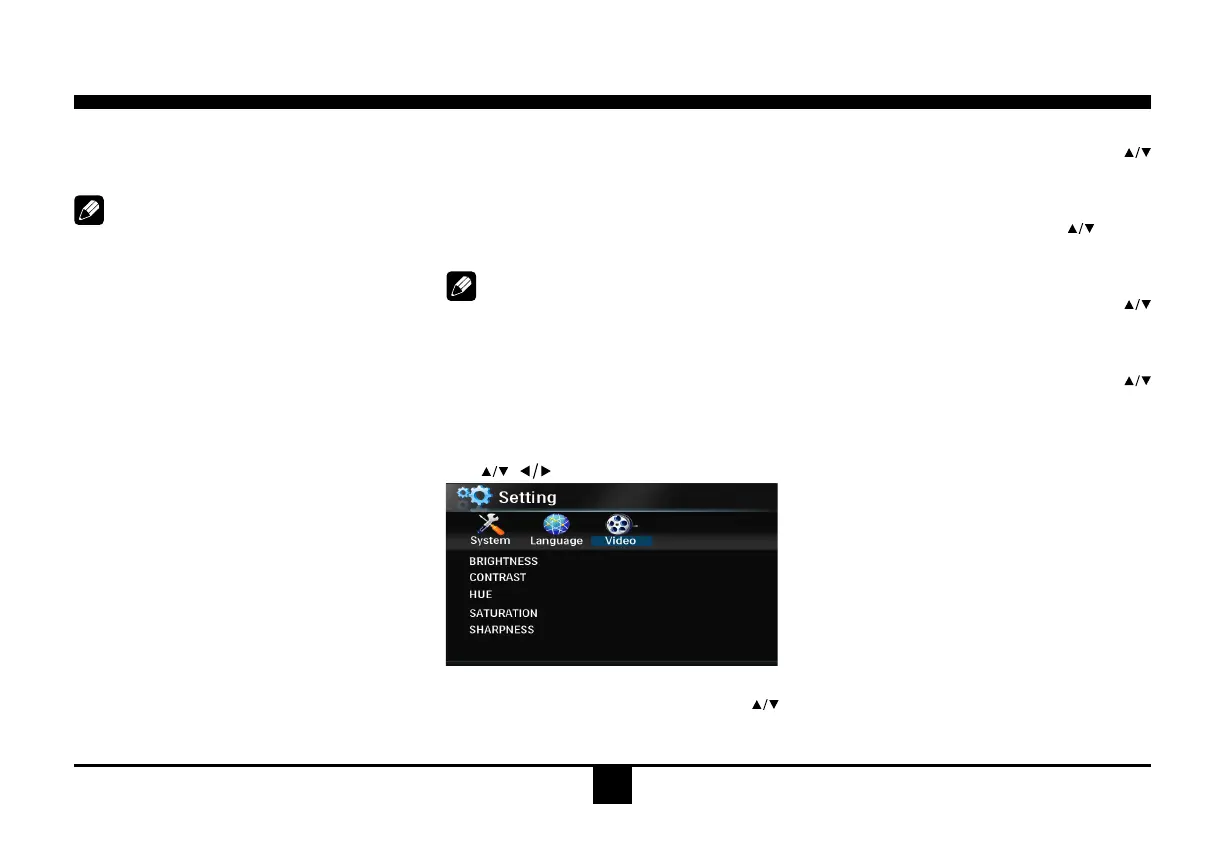
DVD Video Setup
Use , toselectand
ENTER
toconrm.
- BRIGHTNESS
Setthebrightnessofthevideooutputwith
from0to12.
- CONTRAST
Setthecontrast of the videooutputwith
from0to12.
- HUE
Setthehueofthevideooutputwith
from-6
to+6.
- SATURATION
Setthesaturationofthevideooutputwith
from0to12.
- SHARPNESS
Setthesharpnessofthevideooutputwith
from0to8.


 To Next Page