8
Insert a Disc
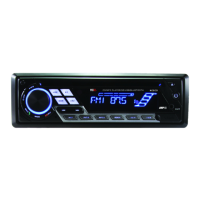
Press toipdownthepanel.Insertthedisc
into the slot,and the unitwill changetodisc
modeautomatically.
Note:
•Pleaseconrmwhetherthereisadiscin
theunitbeforeyouinsertanotherone.
•Theunitwillexitcurrentplayingsourceand
enterDVDmodewhenonediscisinserted.
Eject the Disc
Press to flip downthepanel. Press to
ejectthedisc.
Note:
•Afterejectingthedisc,theunitrevertstora-
diomode.
•Youcan ejecta discwiththeunitpowered
off. The unit remains off after the disc is
ejected.
Disc Playback
1.When disc inserted, displayshows LOAD.
For MP3 ordiscwithmixed files,reading
timemayexceed1minute.
2.ERROR will be displayed if errorfound in
discoperation.
3. ForVCD/CD, VCDor CD icon willappear
onthedisplay.
4.WhileMP3/WMAles playback,MP3/WMA
iconwillappearonthedisplay.
5.For DVD, DVD icon will appear on the
displayandTITLEappears.PressENTER
or
toplay.
File Type Supported
Audio le: MP3(*.mp3), WMA(*.wma)
Video le:
DIVX
MPEG 2 (*.vob)
MPEG 1 (*.dat)
Picture le: JPEG (*.jpg)
MP3 le:
ISO9660orISO9660 +Jolietformat-Max.
30characters.
Max. nested directory is 8 levels.
The max. album number is 99.
The max. length of each track is 99 minutes
59 seconds.
Supported sampling frequency for MP3 disc:
8KHz to 48KHz (44.1KHz preferably).
Supported bit-rates of MP3 disc are: 32 - 320
kbps (128 kbps preferably).
Disc and File NOT Supported
*.AAC, *.DLF, *.M3U, *.PLS, MP3 PRO files
and files with DRM.
Open session discs.
Audio/Picture/Video File Playback
WhenAUDIO/PICTURE/VIDEOleisplayed,
Category/Folder/File list will be displayed on
thescreen,and le/foldernamebeingplayed
willbedisplayedontop.Currentselecteditem
willbehighlighted.
Category Select
Use
/
toselect AUDIO
PICTURE
VIDEO
Press
ENTER
toconrm.
Folder Select
Use / to enterfolderlist anduse / to
selectdesiredfolder,pressENTERtoconrm.
File Select
Use / to enter file list and use / to
selectdesiredle,pressENTERtoplayback.
For PICTURE, press
to slide show the
pictures, press PROG to se le ct picture
showingstyle.
ForMUSIC,press
willenterpower onlogo,
thenpress
toreturn.
Disc Mode


 To Next Page