7603-K507 Peripheral Integration, Blk7, XR6 19
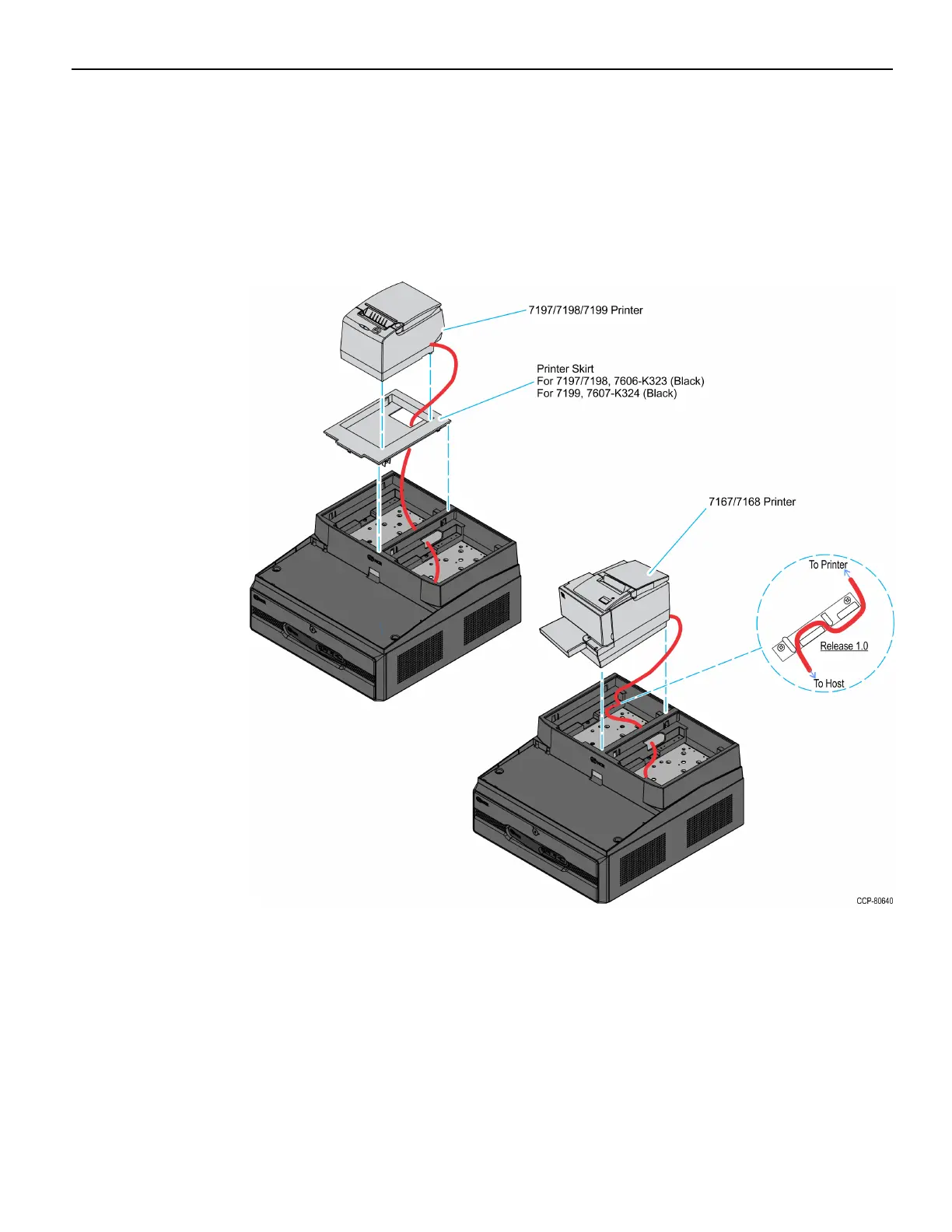
4. Route the printer cable out the back of the terminal and set the printer in the tray
opening.
• For NCR 7197/7198/7199, first install the Printer Skirt, route the cable out the
back of the terminal, and then set the printer in the Integration Tray.
• For NCR 7167/7168, route the cable through the Cable Strain Relief and then set
the printer in the cabinet.



 To Next Page