1. Installation
1-7
Installation
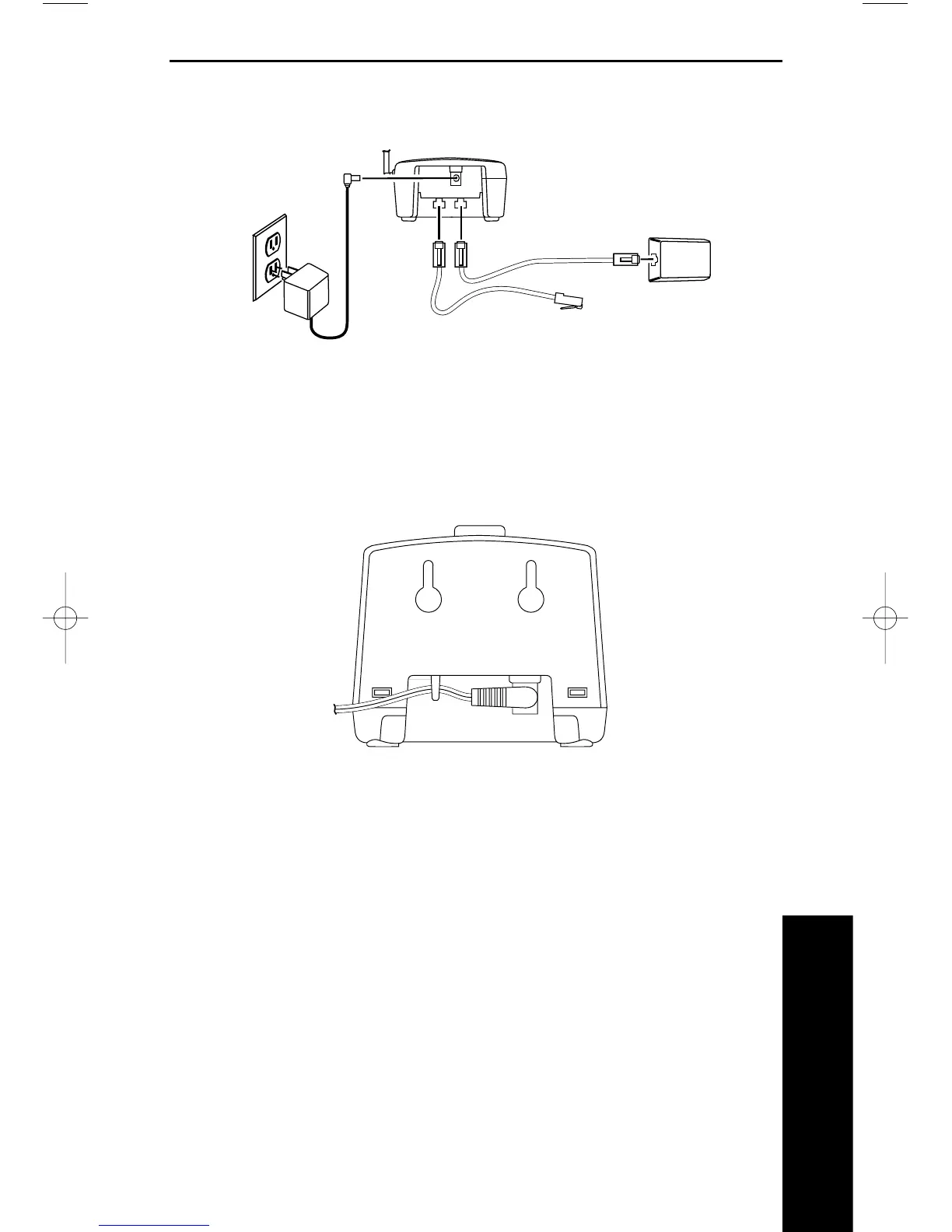
Applying Power to the Base Unit
Use the supplied 10V adaptor.
Applying Power to the Desktop Charger
Use the supplied 9V AC adaptor. Wrap the power cord around the convenient
notch on the bottom.
IMPORTANT! Route the power cord where it will not create a trip hazard, or
where it could become chafed and create a fire or other electrical hazard.
Note: The AC adaptors furnished with this phone may be equipped with a
polarized line plug (a plug having one blade wider than the other). This plug
will fit into the power outlet only one way. If you are unable to insert the plug
fully into the outlet, try reversing the plug. Do not alter the shape of the blades
of the polarized plug.
Note: If you cannot plug the AC adaptors into the outlet, contact someone
about replacing the outlet.



 To Next Page