English−30
Internal Video Sources
Media Player
The internal Media Player will play audio and video files that are stored on a USB storage device. See page 39 for instructions
on using the Media Player.
Connect compatible USB storage device
Format a USB storage device in the NTS format, FAT32 format, or FAT16 format to use it with the Media Player. Refer to the
computer’s instruction user’s manual or Help file on how to format a USB storage device.
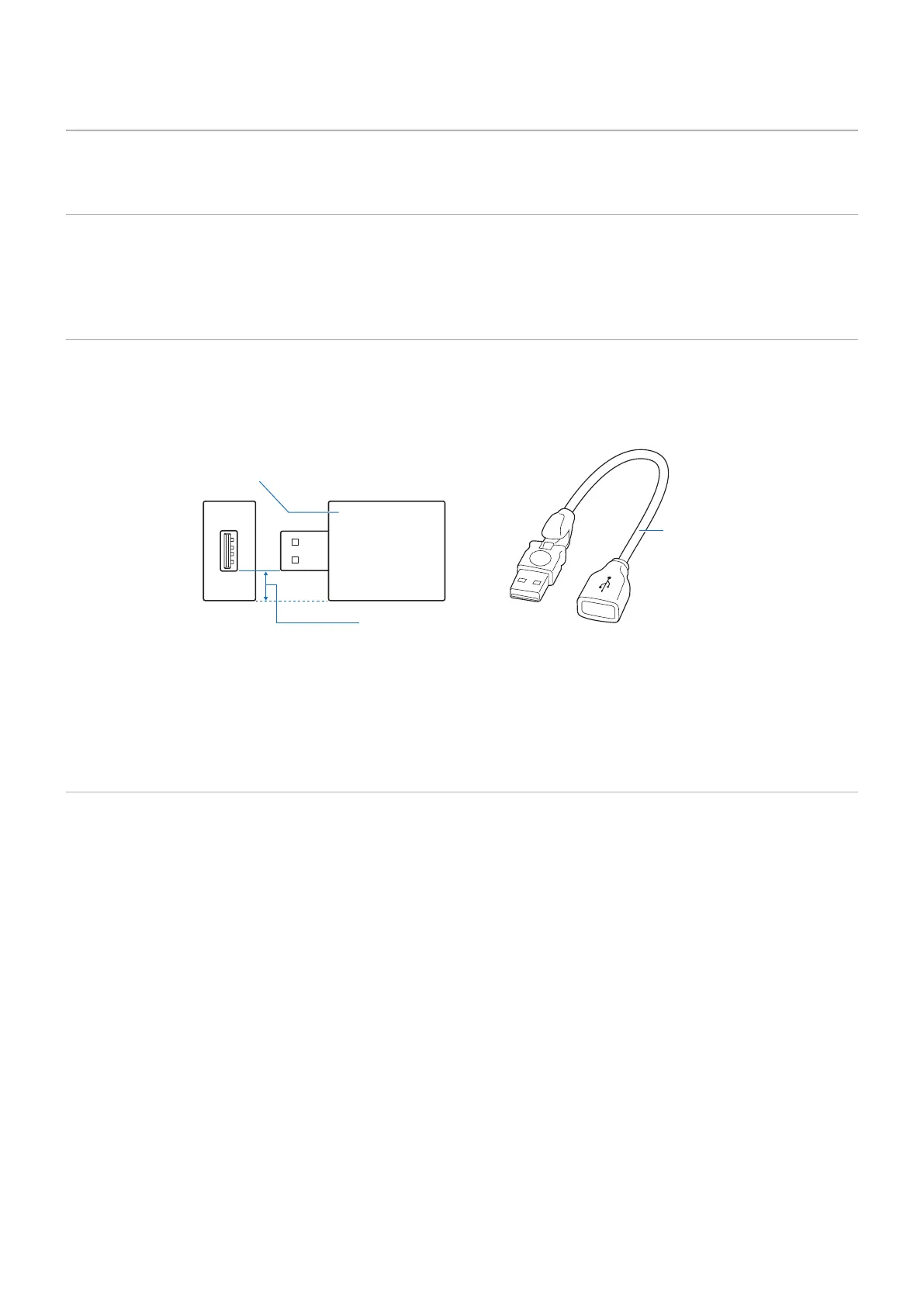
Please use a USB storage device with this monitor in accordance with the drawing below.
If the physical size of the USB storage device is larger than the supported size listed below, please use a USB extension cable.
USB memory
Extension cable
Under 7.8 mm
NOTE: • If the monitor does not recognize a connected USB storage device, make sure the file structure is FAT32 or FAT16.
• The monitor is not guaranteed to work with all USB storage devices sold commercially.
• Insert the USB storage device into the USB port on the monitor’s side terminal panel.
• The Media Player does not use any other USB connection on the monitor (see page 21).
Option Board for the Monitor
When an Option Board is installed in the monitor, it will show as available in the list in the [INPUT] of the OSD menu. Option
Boards are available separately and must be physically installed in the monitor. This document contains instructions for how to
use the monitor without any additional options. The locations where an Option Board is installed is indicated on the Terminal
Panel diagram (see page 21). Full installation and usage instructions are provided with the individual device or available
online.
NOTE: Please contact your supplier for available Option Boards.








 To Next Page