English−35
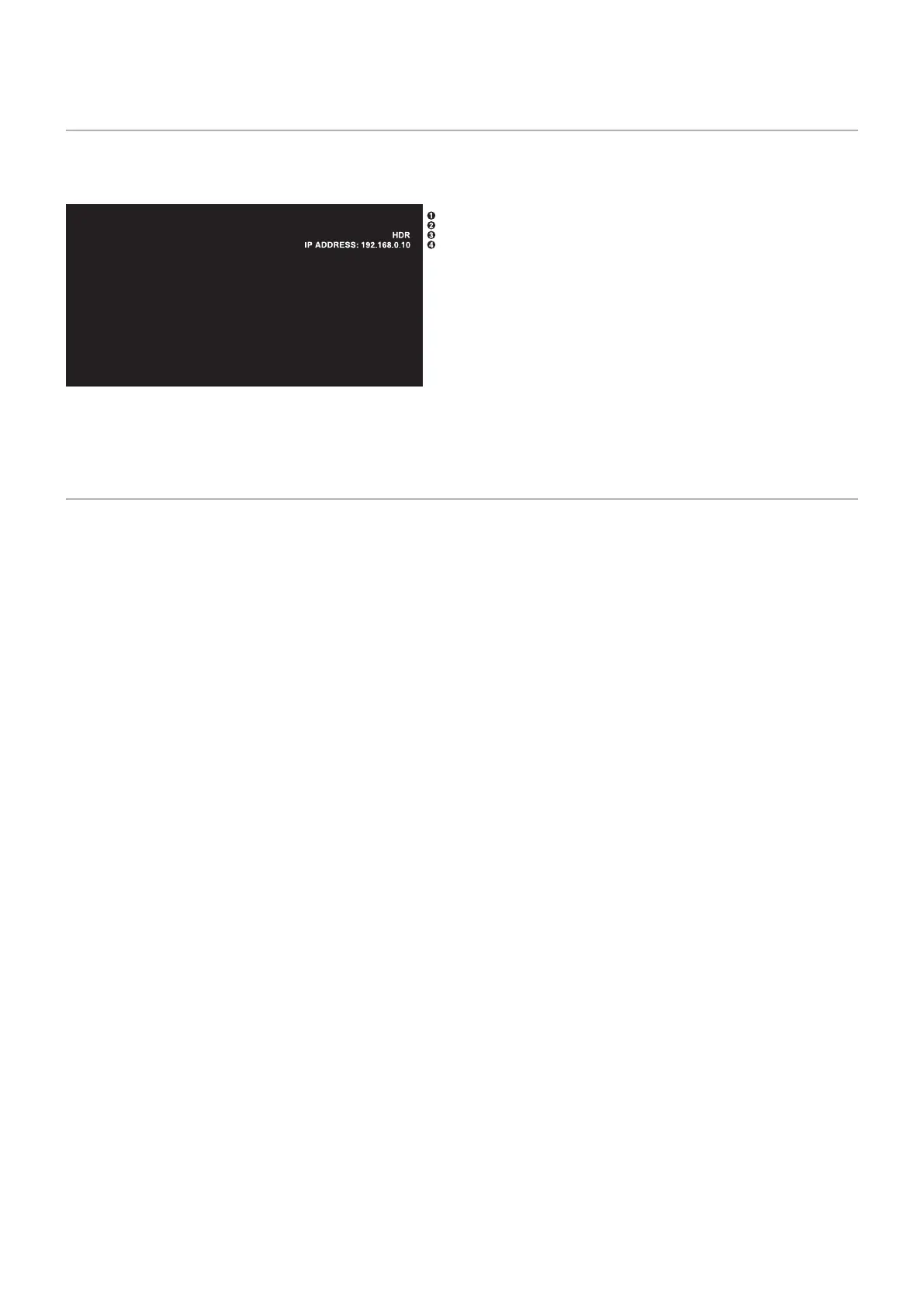
Showing the Information OSD
The Information OSD provides information such as: Input Source, etc.
Press the DISPLAY button on the remote control to bring up the Information OSD.
A Input name
B Input Signal Information
C HDR Information
D Communication Info*
* Shows when [COMMUNICATION INFO] is [ON].
Green: Connected LAN
Red: Not connected LAN
H
DisplayPort
3840 x 2160@60Hz
NOTE: When the input signal is [Media Player], the information OSD will not be displayed.
Switching Between Picture Modes
Press the PICTURE MODE button on the wireless remote control to cycle through the picture modes [NATIVE], [RETAIL],
[CONFERENCING], [HIGHBRIGHT], [TRANSPORTATION] and [CUSTOM].
The picture modes are pre-configured with settings for general use. See “Using Picture Modes” on page 44 for instructions on
changing the picture mode settings.









 To Next Page