EasyManua.ls Logo

NEC PC-8201A - Page 108

NEC PC-8201A
219 pages
Print Icon
To Next Page IconTo Next Page
To Previous Page IconTo Previous Page
Loading...
Chapter
6
Colon
Up
to
now
you
have
written
lines
with
only
one
statement.
Next
you
can
work
with
an
example
where
several
statements
are
connected
on
the
same
line.
The
colon
is
used
to
"delimit"
(separate)
multi-statements
entered
on
the
same
line.
Your
screen
has
various
items
on
it,
so
clear
it
first
by
pressing
the
QKey
+
"L".
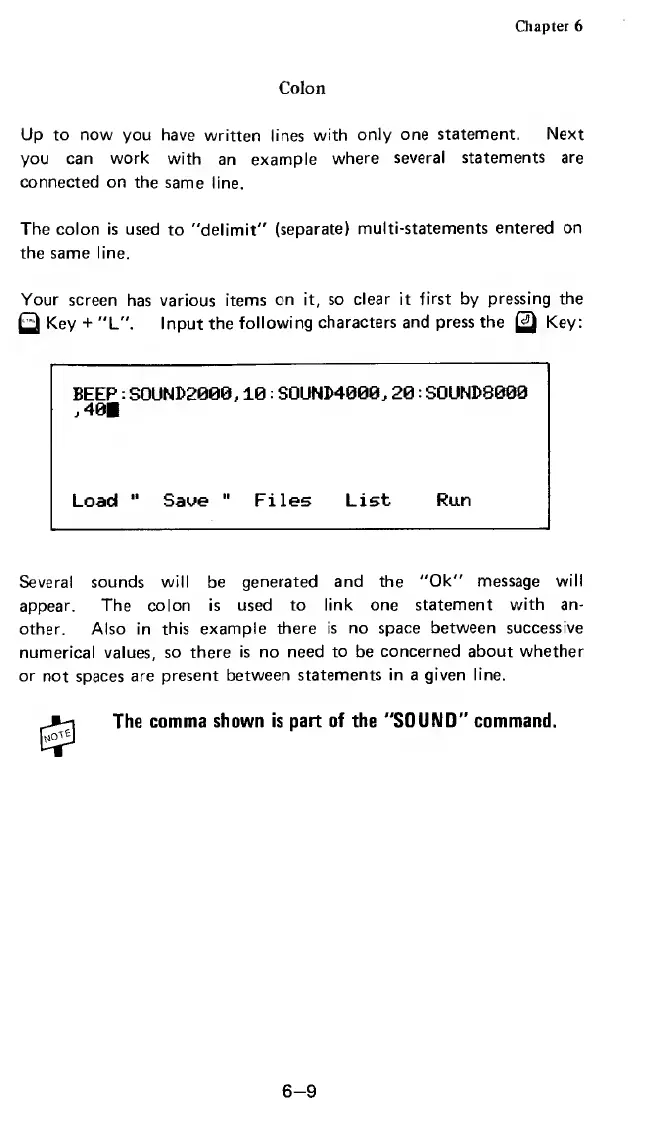
Input
the
following
characters
and
press
the
Q
Key:
BEEP:
SOUND2008,10:
SOUNM008,20:
SOUND8000
,401
Load
*'
Saue
Files
List
Run
Several
sounds
will
be
generated
and
the
"Ok"
message
will
appear.
The
colon
is
used
to
link
one
statement
with
an¬
other.
Also
in
this
example
there
is
no
space
between
success
ve
numerical
values,
so
there
is
no
need
to
be
concerned
about
whether
or
not
spaces
are
present
between
statements
in
a
given
line.
The
comma
shown
is
part
of
the
"SOUND"
command.
6-9

Related product manuals