EasyManua.ls Logo

NEC PC-8201A - Page 55

NEC PC-8201A
219 pages
Print Icon
To Next Page IconTo Next Page
To Previous Page IconTo Previous Page
Loading...
Chaptei
5
This
cursor
is
moved
by
using
the
four
Cursor
Movement
Keys
or
the
Space
Bar.
To
use
a
feature
or
a
customized
program
file
stored
in
the
PC-8201,
the
cursor
is
moved
onto
the
appropriate
name
displayed
on
the
screen.
The
selection
is
then
made
by
pressing
the
key.
Setting
Time
&
Date
The
real-time
clock
that
is
contained
within
the
PC-8201
runs
continuously
through
the
use
of
internal
NiCAD
batteries,
even
when
the
power
switch
has
been
turned
OFF.
The
date
and
time
are
set
by
means
of
BASIC
commands.
1
983x01/01
06:00:00
<C>
Microsoft
#1
MSaffiMfil
TEXT
TELCOM
Load
Save
Name
List
12374
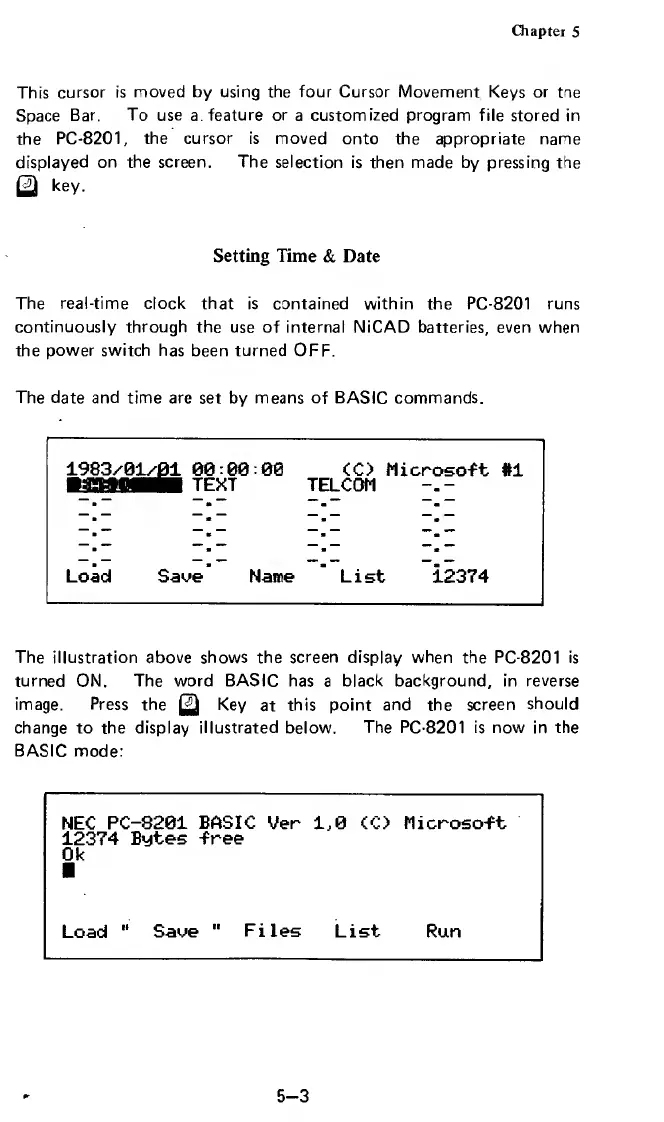
The
illustration
above
shows
the
screen
display
when
the
PC-8201
is
turned
ON.
The
word
BASIC
has
a
black
background,
in
reverse
image.
Press
the
Key
at
this
point
and
the
screen
should
change
to
the
display
illustrated
below.
The
PC-8201
is
now
in
the
BASIC
mode:
5-3

Related product manuals