43
4. Convenient Features
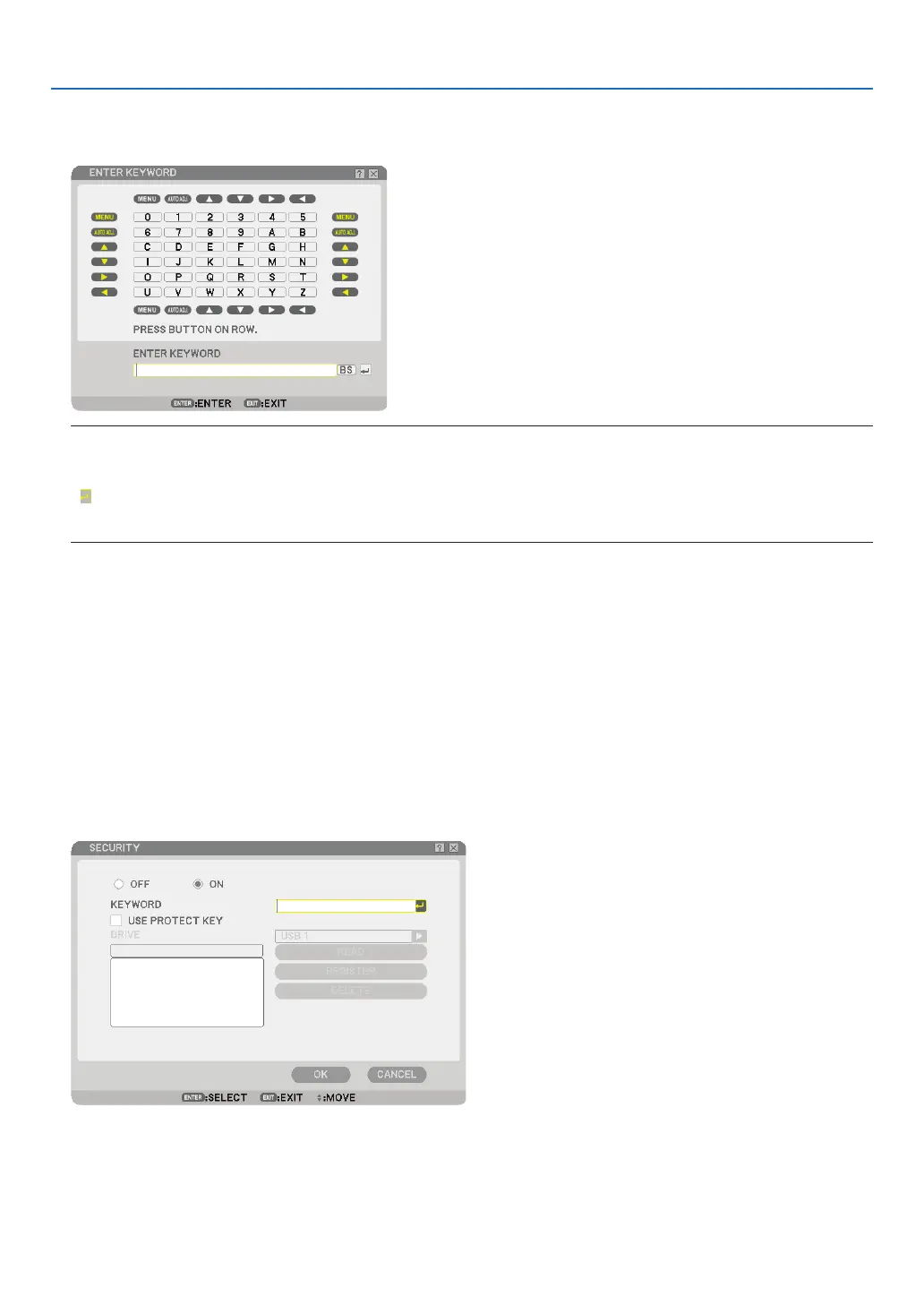
8. Enter an alphanumeric keyword using the Software keyboard.
For example, to enter “1234”, follow the steps 8-1 to 8-4 below.
NOTE:
• When using your USB mouse, click each number or alphabet.
BS: Delete the character before the cursor or highlight.
: Confi rm the keyword and close the Software keyboard.
• The keyword must be 1 to 10 characters long.
• Please make a note of your keyword.
Enter a keyword by using the remote control.
8-1. Press the MENU button and the AUTO ADJ. button to enter “1”.
The asterisk “*” will be displayed in the keyword entry box.
8-2. Press the MENU button and the SELECT ▲ button to enter “2”.
The asterisk “**” will be displayed in the keyword entry box.
8-3. Press the MENU button and the SELECT ▼ button to enter “3”.
The asterisk “***” will be displayed in the keyword entry box.
8-4. Press the MENU button and the SELECT ▶ button to enter “4”.
The asterisk “****” will be displayed in the keyword entry box.
8-5. Press the ENTER button.
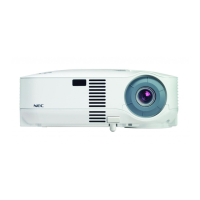
9. Press the SELECT ▲ button once to highlight [OFF] and press the SELECT ▶ button to highlight [ON].


 To Next Page